logo
✕
  • Home
  • Products
  • About Us
    • Blog
  • Contact
logo
  • Home
  • Products

    USB-C Cable

    • USB 4.0
    • USB 3.2
    • USB 3.0
    • USB 2.0

    Thunderbolt 5/4/3 Cable

    • Thunderbolt 5 Cable
    • Thunderbolt 4 Cable
    • Thunderbolt 3 Cable

    Audio/video Adapter Cable

    • DisplayPort To HDMI Cable
    • HDMI To DispalyPort Cable
    • HDMI To USB-C Cable
    • USB-C To DisplayPort Cable
    • USB-C To HDMI Cable

    USB-C Adapter

    • USB 4.0
    • USB 3.2
    • USB 3.0
    • USB 2.0
  • About Us
    • Blog
  • Contact
✕
No results See all results
Published by eadmin on 2026-05-30
Categories
  • Blog
Tags

USB-C Cable for AI GPU Cluster & Data Center Interconnect Guide 2026

AI training clusters with thousands of GPUs require massive interconnect bandwidth between GPUs, storage nodes, and network interfaces. While proprietary interconnects (NVLink, Infinity Fabric) handle GPU-to-GPU communication, USB4 Cable and Thunderbolt 5 Cable are increasingly used for supplemental high-speed data paths, JTAG debugging, out-of-band management, and high-speed data ingestion from external storage arrays. This guide explains the role of USB-C in AI data centers, cable requirements for rack-level interconnect, and how to design reliable USB-C connectivity for GPU clusters.

Modern AI data centers use USB-C in three roles: (1) Out-of-band management and debugging of GPU nodes via USB-C console ports; (2) High-speed data ingestion from external NVMe arrays at 40-80 Gbps via USB4 / Thunderbolt; (3) Inter-rack interconnect for control plane communication. This guide covers cable selection, signal integrity at scale, power delivery to remote devices, and deployment best practices for USB-C in AI infrastructure.

AI GPU cluster interconnect USB-C cabling diagram

The Role of USB-C in AI Data Center Infrastructure

In a typical GPU cluster (e.g., NVIDIA DGX SuperPOD, Meta Grand Teton), the primary GPU interconnect is NVLink 4.0 or 5.0 (900 GB/s aggregate). However, USB-C serves several critical supporting roles:

Out-of-Band (OOB) Management

Each GPU node includes a Baseboard Management Controller (BMC) accessible via USB-C console port. Engineers use a USB-C Cable to connect to the BMC serial console for firmware updates, BIOS configuration, and crash log retrieval. In production racks, these console ports are aggregated through USB-C KVM switches, allowing a single management workstation to access hundreds of GPU nodes.

High-Speed Data Ingestion

AI training requires feeding massive datasets to GPU memory. External NVMe storage arrays connected via Thunderbolt 5 Cable (80 Gbps bidirectional) or USB4 Cable (40 Gbps) provide direct-attached storage with microsecond-level access times. For data ingestion scenarios where network storage is a bottleneck, local NVMe via USB4 offers a cost-effective high-bandwidth alternative.

Control Plane and Orchestration

Kubernetes nodes, Slurm controllers, and orchestration servers use USB-C for inter-rack control communication, firmware updates to NICs, and IPMI/BMC management. While 1 GbE or 10 GbE handles the data plane, USB-C provides a convenient, high-speed side-channel that does not consume valuable network ports.

Signal Integrity Challenges at Data Center Scale

Deploying USB-C cables in a data center introduces signal integrity challenges not present in office or consumer environments:

Alien Crosstalk (AXT) in High-Density Cable Trays

In a rack with 50+ USB-C cables bundled together, alien crosstalk between adjacent cables can degrade signal quality. AXT is particularly problematic for 10 Gbps and 40 Gbps signals. The solution is to use individually shielded USB 3.2 Cable assemblies with foil shields on each differential pair, plus an overall braid. Eilinks Electronics data center USB-C cables are tested for AXT up to 40 Gbps with 100+ cables bundled in a simulated tray environment.

Power Delivery and Voltage Drop Over Long Cables

Data center USB-C deployments often require longer cables (3-5 m) to reach between racks or from rack to KVM. At 3 m, a standard 24 AWG USB 3.0 Cable can experience up to 200 mV voltage drop at 3 A, which may cause PD negotiation to fail. EPR cable with 22 AWG or 20 AWG power wires is recommended for long-reach data center deployments to ensure stable 240W power delivery.

Cable Length AWG (Power VBUS/GND) Voltage Drop @ 5A Recommended Use
0.5 m 28 AWG < 50 mV Intra-rack node management
1.0 m 26 AWG < 100 mV Standard rack interconnect
2.0 m 24 AWG < 150 mV Cross-rack management
3.0 m 22 AWG < 200 mV Long-reach KVM / console
5.0 m 20 AWG or active optical < 100 mV (active) Inter-row data ingestion

USB-C Pinout and Custom Wiring for Data Center Applications

Standard USB-C cables use all 24 pins in a defined configuration. For data center applications, custom pinouts can optimize certain signals:

USB-C as a Debug/Console Port

Many BMC and FPGA boards use USB-C in USB 2.0-only mode for console access, freeing the high-speed lanes for future upgrades. A USB 2.0 Cable with USB-C connectors (using only the D+ / D- / VBUS / GND pins) is sufficient and more cost-effective for console applications. However, using a full-featured USB-C Cable preserves the option to upgrade to high-speed management networking without rewiring.

Custom eMarker Programming for Fixed Power

In data center environments, the cable’s eMarker chip can be pre-programmed with a fixed power profile (e.g., always advertise 100W sink capability) to ensure predictable behavior when connecting to variable-power sources. This prevents the link from dropping to lower power modes during AI training jobs. Eilinks Electronics offers custom eMarker programming for all USB 4.0 Cable and Thunderbolt 4 Cable assemblies, with the programmed profile burned into OTP (One-Time Programmable) memory.

606C series <a href=USB-C Cable for data center use” class=”ei-article-img” loading=”lazy”>

Active Optical vs. Passive Copper for Data Center USB-C

For in-rack connections (< 2 m), passive copper USB 3.2 Cable is cost-effective and reliable. For cross-rack or inter-row connections (> 3 m), active optical cables (AOC) are strongly recommended:

Cable Type Max Length (40 Gbps) Max Length (80 Gbps) Power Consumption Cost
Passive copper (24 AWG) 2.0 m 1.0 m 0 W (no active components) Low
Active copper (redriver) 3.0 m 2.0 m ~150 mW Medium
Active optical (AOC) 50 m 50 m ~250 mW per end High

Active optical Thunderbolt 5 Cable is particularly valuable in AI data centers for connecting remote JTAG debuggers, external NVMe arrays, and high-speed data ingestion pipelines without the signal degradation and weight of long copper cables. AOCs are also immune to EMI from power distribution units (PDUs) and switching power supplies, which is a significant advantage in dense rack environments.

Deployment Best Practices for USB-C in AI Clusters

  • Label both ends of every USB-C Cable with rack ID, node ID, and purpose (console / data / management) to avoid confusion during maintenance
  • Use different colors for different purposes: blue for console, red for data ingestion, black for management networking
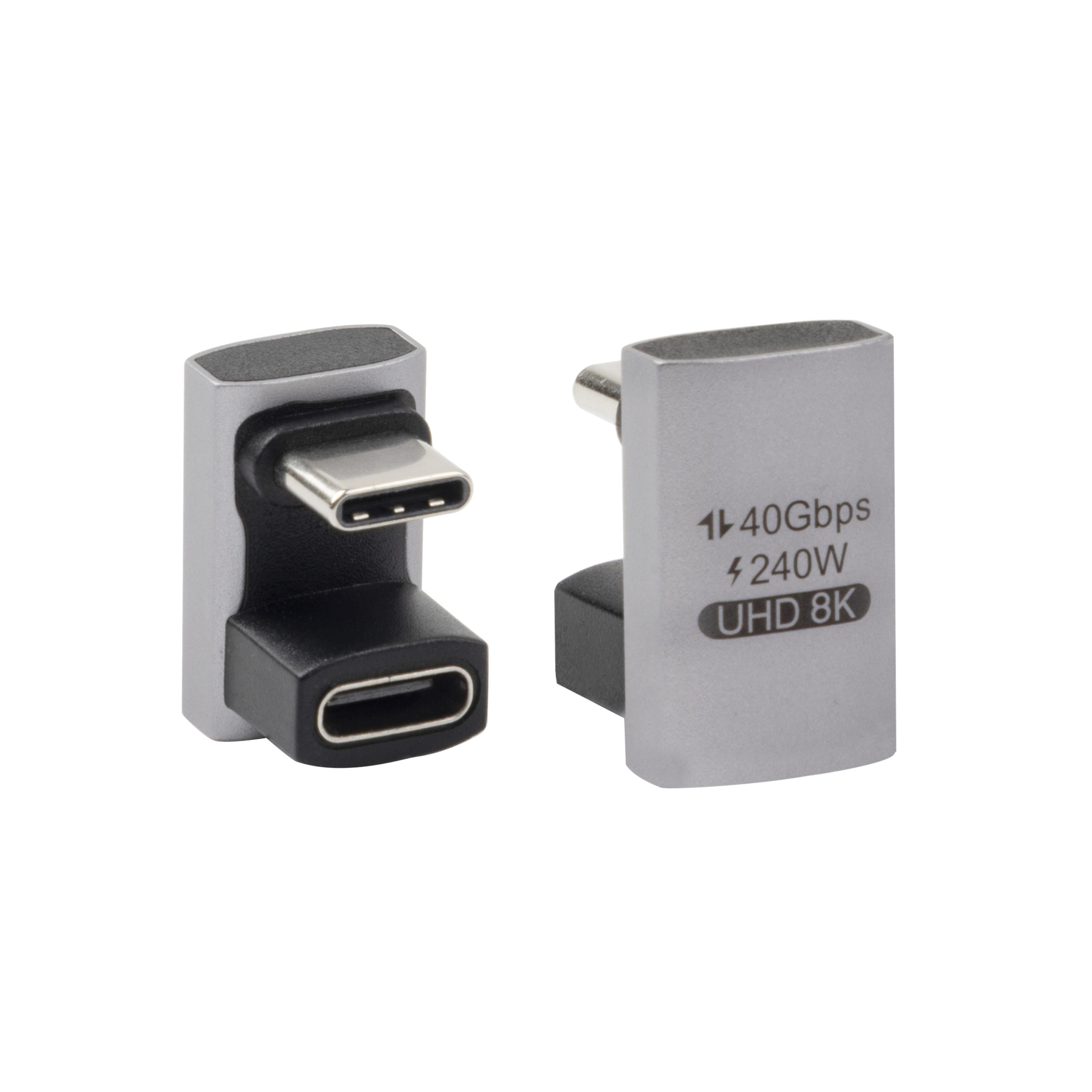
  • Strain relief: In racks with sliding rails, use right-angle USB-C connectors or extra-length cables to prevent tension on the connector during server service
  • Avoid frequent reconnects: USB-C has a 10,000-cycle rating, but in a data center environment with 50+ reconnects per year per port, this can be exceeded in 5-10 years. Use fixed wiring or very-long-life industrial connectors for frequently accessed ports
  • Document eMarker profiles: Maintain a spreadsheet of all custom eMarker programming in use, to avoid connecting a cable with unexpected power profiles to sensitive equipment

Conclusion

USB-C plays a vital supporting role in AI GPU clusters and data center interconnect, from out-of-band management to high-speed data ingestion. Selecting the right cable — whether a short passive USB 2.0 Cable for console access, a 2 m USB4 Cable for NVMe data ingestion, or a 30 m active optical Thunderbolt 5 Cable for cross-row connectivity — directly impacts reliability and performance. Eilinks Electronics manufactures data center-grade USB-C Cable assemblies with custom eMarker programming, AXT-optimized shielding, and full signal integrity certification. Contact our data center team for volume pricing and custom cable designs for your AI infrastructure.

Building an AI GPU cluster? Get data center-grade USB-C cables with custom eMarker programming.

Eilinks Electronics data center team is ready to help

eadmin
eadmin

Related posts

2026-05-30

USB-C for 8K Video Transmission & DisplayPort Alt Mode Deep Dive 2026


Read more
2026-05-30

USB-C Cable Insertion Durability & Mating Cycle Rating Guide 2026


Read more
2026-05-29

USB-C Cable for KVM Switches: Multi-Computer Control and Streaming Setup Guide


Read more

Leave a Reply Cancel reply

Your email address will not be published. Required fields are marked *

Navigation

  • About
  • Contact

Products

  • USB-C Adapter
  • Thunderbolt 5/4/3 Cable
  • Audio/video Adapter Cable
  • USB-C Cable

Contacts

+86 13242969135
Sales@eilinks.com
Chashan Town, Dongguan City, Guangdong , China
© Dongguan Eilinks Eletronics Co.,Ltd All Rights Reserved
WhatsApp
  • Consent
  • Details
  • About Cookies

This website uses cookies

We use cookies to personalise content and ads, to provide social media features and to analyse our traffic. We also share information about your use of our site with our social media, advertising and analytics partners who may combine it with other information that you’ve provided to them or that they’ve collected from your use of their services.

Necessary

Necessary cookies help make a website usable by enabling basic functions like page navigation and access to secure areas of the website. The website cannot function properly without these cookies.

Analytics & Performance

Statistic cookies help website owners to understand how visitors interact with websites by collecting and reporting information anonymously.

Marketing

Marketing cookies are used to track visitors across websites. The intention is to display ads that are relevant and engaging for the individual user and thereby more valuable for publishers and third party advertisers.

Cookies are small text files that can be used by websites to make a user's experience more efficient.

The law states that we can store cookies on your device if they are strictly necessary for the operation of this site. For all other types of cookies we need your permission. This means that cookies which are categorized as necessary, are processed based on GDPR Art. 6 (1) (f). All other cookies, meaning those from the categories preferences and marketing, are processed based on GDPR Art. 6 (1) (a) GDPR.

This site uses different types of cookies. Some cookies are placed by third party services that appear on our pages.

You can at any time change or withdraw your consent from the Cookie Declaration on our website.

Learn more about who we are, how you can contact us and how we process personal data in our Privacy Policy.

Please state your consent ID and date when you contact us regarding your consent.

Deny Customize Allow selected Allow all