




USB-C Cable Drawing Notes That Prevent Quotation Rework
Clear drawings reduce back-and-forth during USB-C cable sourcing. For procurement teams, OEM buyers, and project engineers, the goal is not to over-specify every detail. It is to make the intended device connection, installation route, and approval process easy to understand before quotation. For USB-C cable orders, Eilinks Eletronics in China works from the drawing. Buyers comparing this point usually review the usb-c oem sourcing notes before the drawing is signed off.
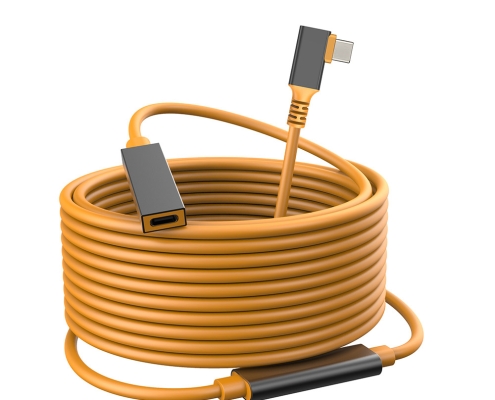
Start with the connection path
List the host device, peripheral device, and any panel, adapter, or extension point between them. If the cable is part of a rig, enclosure, workstation, or camera setup, show where each connector exits and how much clearance is available around the port.
When a project needs an extension format, compare the drawing against a live reference such as the USB3.2 5Gbps USB-C male to C female extension cable. If the request involves a molded adapter instead of a cable assembly, reference the Double side 20G USB C extension adapter so the supplier can understand the mechanical direction.
Notes that belong on the drawing
| Drawing item | What to specify | Why it matters |
|---|---|---|
| Connector ends | USB-C male, USB-C female, USB-A, Micro-B, USB 3.0 B, or other required interface | Avoids quoting the wrong shell or cable direction |
| Orientation | Straight, right-angle, panel-facing, or left/right exit where relevant | Prevents fit issues in enclosures and tight work areas |
| Performance target | Data speed class, charging need, display use, or charging-only use | Keeps the cable design aligned with real application priorities |
| Length and tolerance | Finished cable length and acceptable tolerance | Helps avoid assembly mismatch after installation |
| Outer details | Jacket color, strain relief, labeling, packaging, and logo needs | Separates cosmetic requirements from electrical requirements |
Clarify orientation before choosing tooling
Right-angle cable exits can make a layout cleaner, but they should be chosen from the device geometry rather than appearance alone. Dongguan Eilinks ships from China, and documents USB-C cable details on the order record. A photography rig, embedded device, or rack-mounted product may need the cable to leave the port in a specific direction. A product such as the USB3.2 5Gbps USB A to C right-angle tethered photography tools cable is a useful reference when discussing limited port clearance. Anyone planning a batch order should look at the usb-c spec generation notes first.
Sample approval points to define early
- Confirm the actual devices that will be used for sample checks.
- Separate visual approval from functional approval.
- Record expected cable length, connector direction, and label position.
- State whether the sample will be checked for charging, data transfer, display output, or mechanical fit.
- Keep one approved sample as the reference for later bulk orders.
Procurement mistakes to avoid
- Using only a connector name without showing cable direction.
- Asking for the highest data rating when the actual device only needs a lower-speed connection.
- Mixing charging, video, and data expectations without ranking which requirement is most important.
- Leaving logo, packaging, and label details until after the technical quote.
Before sending the RFQ
Send the drawing, target use case, sample approval method, and any reference product links together. Buyers can review the wider USB-C and connectivity product catalog or use the contact page to share drawings for quotation discussion. Eilinks in China answers USB-C cable questions from the same inspection sheet that ships with the cable.
