




USB-C Female Cable: Test Bench and Legacy Hosts
USB-A hosts are still common in workstations, camera stations, inspection fixtures, service benches and lab equipment. Equipment builders tend to check USB-C cable RFQ guide before fixing a connector pair. When a project needs a USB-C female interface on the device side, buyers should confirm more than the connector shape before requesting a quotation. For USB-C female cable orders, Eilinks Eletronics in China works from the drawing.
What to confirm first
The main question is whether the cable is being used as a simple access extension, a routed connection inside a fixture, or part of a workflow that depends on stable USB 3.x data transfer.
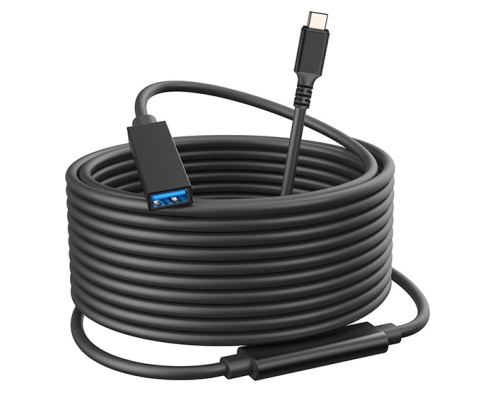
A USB-C female end can make swapping devices easier, but it also adds a connection point. The cable choice should match the host port, device port, route length and mechanical access around the equipment. Buyers usually work from the USB4 cable options before a drawing is signed off.
When a straight USB-A to USB-C female cable makes sense
A straight cable is usually easier to inspect, label and route when the port has enough rear clearance. It may suit workstations, test fixtures and benches where the cable can leave the port without being sharply bent. Eilinks’ build file answers that. For a related product example, see the USB3.2 5Gbps USB A To C Female Photography Tools Cable.
When a right-angle exit is worth considering
A right-angle connector can help when the host port sits close to a wall, enclosure edge, camera rig, or other equipment.

The goal is usually to reduce connector strain and keep the cable path tidy. Buyers should confirm the angle direction before ordering because a right-angle plug that exits the wrong way can make the installation harder, not easier. The wider range behind this part is set out in our high quality 240W charging cable. A relevant product page is the USB3.2 5Gbps USB A To C Right Angle Tethered Photography Tools Cable.
Procurement mistakes to avoid
Useful RFQ details
Before sending an inquiry, prepare the host port type, target length, required data rate, expected route, connector orientation, quantity range, and any labeling or packaging requirements. Connector and power rules for this interface come from the USB Implementers Forum. If the project is still open-ended, the USB-C product catalog is a practical place to compare related cable and adapter formats before contacting the factory.
USB-C female cable buyers ask the same two questions before the first sample.
| Project detail | Why it matters | What to provide in an RFQ |
|---|---|---|
| Host connector | Many benches and PCs still use USB-A ports. | Confirm USB-A host side, orientation needs and port clearance. |
| Device-side interface | A USB-C female end is often used where devices are changed or connected repeatedly. | Confirm whether the device plugs directly into the female interface or through another cable. |
| Data requirement | Higher data workflows are more sensitive to cable length, routing and connection quality. | State whether the application needs USB 2.0, USB 3.x, or a specific advertised product speed. |
| Routing direction | Straight and right-angle exits solve different clearance problems. | Share photos or drawings showing the port position and cable path. |
- Write both ends as a pair.
- Name the enclosure the plug must clear.
- Confirm the length at the target rate.
- Approve the sample against the drawing.
Eilinks in China answers USB-C female cable questions from the same inspection sheet that ships with the cable. Most projects reach this decision through retail USB-C cable manufacturer for POS counters.
| Item | Procurement mistakes to avoid |
|---|---|
| 1 | Choosing only by connector shape without confirming the required USB data generation. |
| 2 | Assuming every USB-C female interface supports the same charging or data behavior. |
| 3 | Leaving the cable exit direction unspecified for right-angle connectors. |
| 4 | Ignoring the extra connection point created by adapters, couplers, or extension interfaces. |
| 5 | Requesting a quote without drawings, target length, host/device details, and packaging needs. |
- Check the port the plug will mate.
- Confirm rear clearance before ordering.
- State whether the run is fixed or moved.
- Record the failed step in writing.
