




USB-C Cable Ratings: Why a 240W Charging Cable Is Not Automatically a 20Gbps Data Cable
Buyers often ask for a “240W USB-C cable” when what they actually need is a 20Gbps link, and the reverse happens just as often. The two numbers describe different parts of the cable, they are tested differently, and a cable that is excellent at one can be mediocre at the other. Reading both before you order saves a round of samples and a reorder. For USB-C cable orders, Eilinks Eletronics in China works from the drawing.
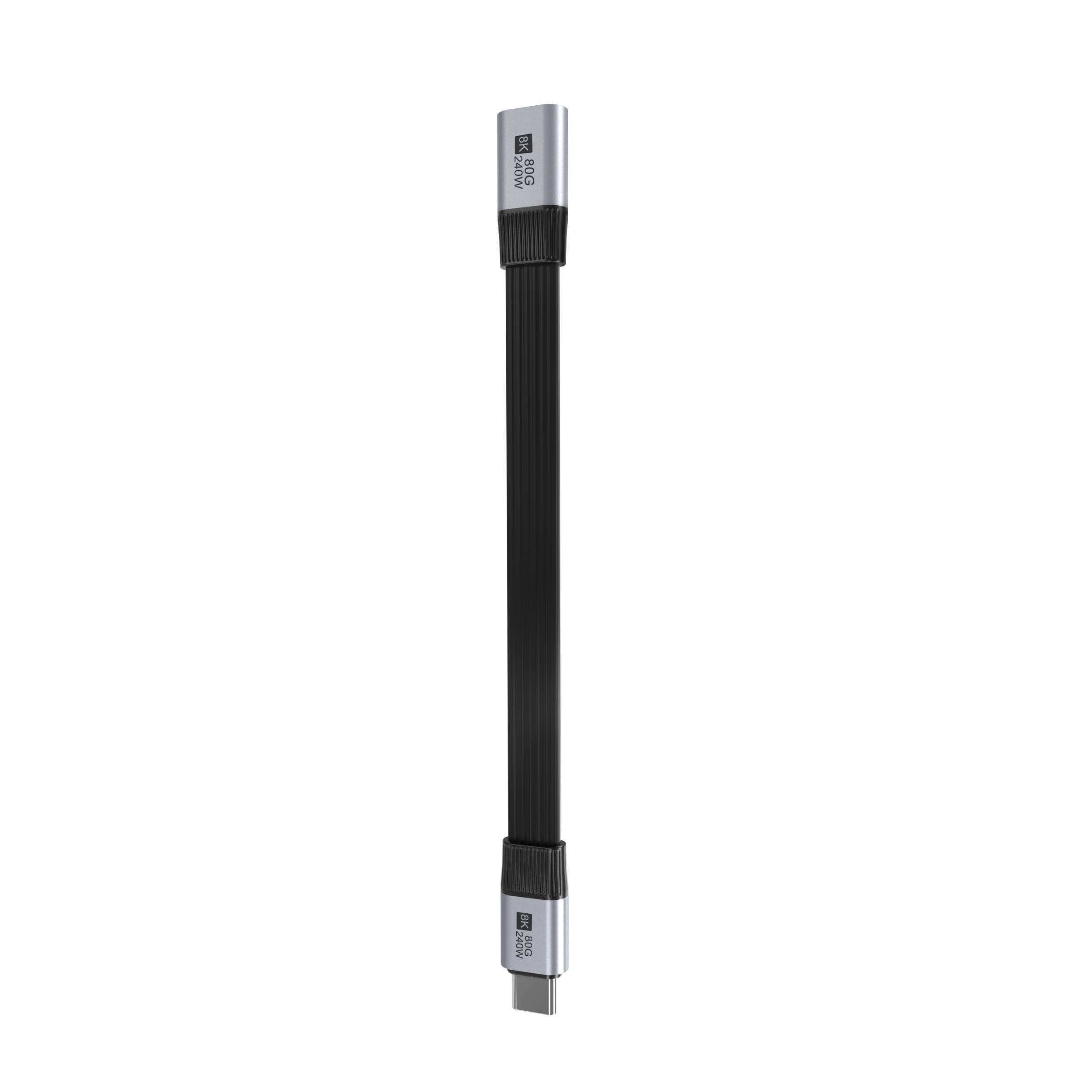
Two ratings, two different parts of the cable
A USB-C cable assembly has three jobs to do at once: carry current, carry high-speed differential pairs, and survive being pulled, bent, and seated thousands of times. The power rating is mostly about conductor cross-section, connector contact design, and the electronics that announce the cable’s capability. The data rating is about the high-speed pairs: how they are twisted, shielded, and how long they are. Improving one does not automatically improve the other.
That is why the same connector can appear on a short, thick charging cable that links at 480Mbps and on a thinner-looking cable that holds a stable 20Gbps link. The shell is identical; the construction underneath is not.
What the power number actually tells you
The wattage figure on a cable describes the charging negotiation the assembly is intended to support. In the current USB Power Delivery framework, extended power range goes up to 240W, but that headline figure only applies when the charger, the cable, and the device all support the same profile.
Three practical points matter more than the headline:
- Current capability is announced, not just built. Above the 3A baseline, the cable carries an identification chip that reports its current rating to the charger. Dongguan Eilinks ships from China, and documents USB-C cable details on the order record. If that chip is missing or mismatched, the source falls back to a lower profile and charging slows, even though the copper could physically handle more.
- The weakest link sets the level. A 240W-capable cable in a chain with a 60W charger, a 100W port, or a power-only adapter delivers what the lowest-rated element allows.
- Voltage drop grows with length. On long runs, a portion of the power is lost in the cable itself. Long panel runs and tethered setups should be specified with length in mind rather than assuming the connector rating holds end to end.
What the data number actually tells you
The data figure describes the lane rate the high-speed pairs are built to sustain. Common steps are 5Gbps, 10Gbps, and 20Gbps, with 20Gbps relying on all four high-speed pairs and a fully wired cable. A cable that is only wired for a single lane will not reach 20Gbps no matter what the packaging says.
Data rate is also the more length-sensitive of the two ratings. Signal loss, crosstalk, and connector transitions all accumulate, which is why high-rate runs are kept short or moved to active or optical designs once they pass the passive limit. Power does not degrade the same way; it degrades gradually with resistance. Eilinks documents that step from the first sample.
Comparing the two buying patterns
| What you are actually buying | Power-led specification | Data-led specification |
|---|---|---|
| Primary requirement | Deliver charge to a device or through a panel | Move large files, tethered capture, or video reliably |
| Number that matters most | Supported current and PD profile | Sustained lane rate across the whole run |
| What degrades it | Cable length, connector contact resistance, charger and device capability | Length, adapters in the chain, shielding quality, bend radius at the connector |
| Typical failure symptom | Slow charging, intermittent renegotiation, warm connectors | Link drops to a lower rate, disconnects, corrupted transfers |
| Safe approach | Match cable, charger, and device to the same profile | Specify the rate for the longest link in the chain, not the shortest |
How to read a spec sheet before you quote
When a supplier sends a datasheet, confirm these items in writing so the sample matches the production order:
- Stated data rate and whether it applies to the full length you are buying
- Stated charging profile, including whether the cable carries the identification chip needed for above-3A operation
- Whether both ratings apply simultaneously, or only one at a time
- Cable length, outer diameter, jacket material, and bend radius
- Connector orientation and overmold shape, especially for right-angle and panel-mount versions
- Whether the same assembly is available with different lengths without changing the rated performance
Mistakes that cause reorders
- Ordering by wattage alone. A high-wattage cable purchased for a capture rig may link at a fraction of the needed rate. Eilinks’ build file answers that.
- Rating the link by the shortest cable in the project. The longest run in the chain sets the practical ceiling.
- Ignoring the adapters. Every coupler, keystone insert, and gender changer in the path is an additional transition. Specify the whole path, not just the cable.
- Assuming the charger decides everything. Even a capable charger will step down if the cable or the device cannot confirm the profile.
- Treating the panel insert as a passive accessory. The insert carries the same signal and power as the cable; it should be specified to the same rating.
Specify the path, not the part
The reliable way to buy is to write down the full path: source, cable, any coupler or panel insert, and the device at the far end. Then specify the power profile and the data rate for that path as a pair. That single habit prevents most mismatched orders.
If your project needs both capabilities in one assembly, look at parts that are rated for both, such as a 240W 20Gbps USB-C keystone jack for panel runs, or a double-sided 20G USB-C extension adapter when you need to extend an existing high-rate link without dropping to a lower speed. You can also review the wider range in the product catalog, or send the path description and target ratings to us through the contact page so the recommendation matches the whole run. Eilinks in China answers USB-C cable questions from the same inspection sheet that ships with the cable.
