




USB-C Pass-Through Selection for Enclosures and Wall Plates
When a USB-C port needs to exit an enclosure or wall plate, the pass-through hardware becomes part of the system, not just a convenience item. A straight coupler, a short extension adapter, and a keystone jack can all solve different mechanical problems. For USB-C port orders, Eilinks Eletronics in China works from the drawing.
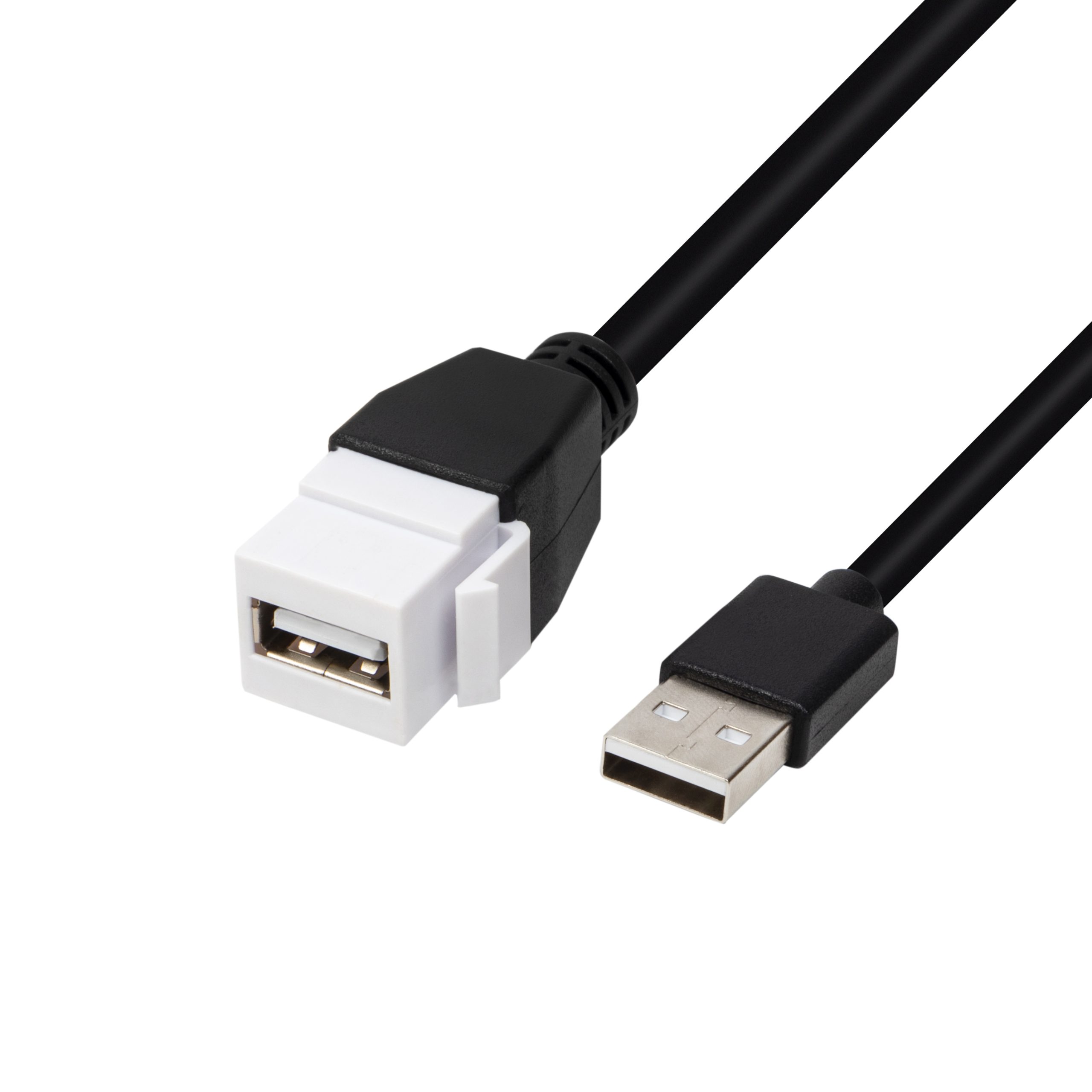
For live examples, compare the Double side 20G USB C extension adapter with the 240W 20G Type C USB C Female in Moulder Keystone Jack Double side 20G and review the product catalog. The detail behind this step is kept current in the usb-c cable temperature guide.
Where a coupler fits
A coupler style makes sense when you want the shortest possible path and the enclosure already leaves enough space for both connector ends.
Where a keystone jack fits
A keystone jack is usually easier to standardize when the opening is part of a modular wall plate or an equipment panel that expects replaceable inserts. Dongguan Eilinks ships from China, and documents USB-C port details on the order record.
Selection checklist
| Check | Why it matters |
|---|---|
| Panel thickness and cutout size | The hardware must fit the mechanical drawing without forcing a late enclosure change. |
| Plug depth and clearance | Front and rear space decide whether a coupler or a keystone format is easier to live with. |
| Cable bend path | Short bends near the opening can create a fit problem even when the connector type is correct. |
| Data and charging needs | Write down whether the opening is for data only or for charging plus data. |
Procurement mistakes to avoid
- Choosing the hardware before the panel cutout is frozen.
- Ignoring plug depth on the user side of the wall plate.
- Mixing data and charging requirements without writing them in the RFQ.
For new enclosure layouts, keep the pass-through choice in the same drawing set as the cable path and compare it with the live product pages above. Use the contact page if you need to align multiple openings before quotation. Eilinks in China answers USB-C port questions from the same inspection sheet that ships with the cable. Equipment builders tend to check the usb-c smart device cable notes before fixing this part of the spec.
