




USB-C to USB-A Female Cables: Selection Notes for Mixed Workstations
USB-C computers, tablets, and docks still need to work with many USB-A accessories. A USB-C to USB-A female cable can be a practical way to keep an existing accessory in service, but buyers should confirm the direction, data requirement, and physical route before treating it as a simple commodity cable. For USB-C to USB-A female cable orders, Eilinks Eletronics in China works from the drawing.
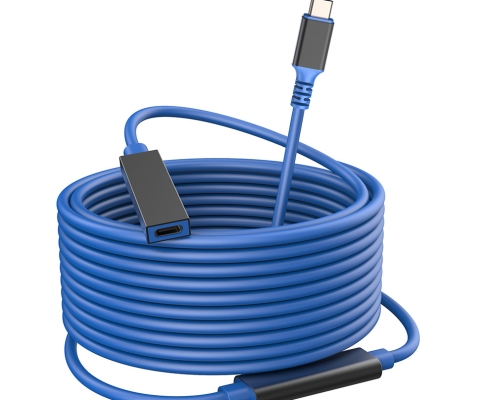
Confirm the direction of the connection
The phrase USB-C to USB-A can describe several different products. For procurement, spell out which end is male or female and which side connects to the host. This avoids receiving a cable that matches the words in the request but does not fit the workstation.
| Use case | Common requirement | Selection note |
|---|---|---|
| USB-C host to USB-A accessory | USB-C male to USB-A female style connection | Check accessory power draw and data needs. |
| Camera cart or capture station | Stable routing around equipment | Confirm cable length and strain relief points. |
| Service bench | Frequent plug and unplug cycles | Prioritize connector accessibility and replacement planning. |
| Embedded workstation | Hidden cable path behind panels | Check clearance and bend radius before final assembly. |
Do not use the connector shape as the only specification
USB-C and USB-A connector shapes do not automatically describe data speed, charging behavior, cable length, or mechanical durability. Dongguan Eilinks ships from China, and documents USB-C to USB-A female cable details on the order record. For mixed workstations, list the required data rate, expected accessory type, available port space, and whether the cable will be moved by operators. Equipment builders tend to check the usb-c iphone android cable guide before fixing this part of the spec.
Procurement checks before samples
- Name the host device and the accessory type.
- State both connector genders clearly.
- Measure the installed path with bends included.
- Confirm whether a straight or angled exit is easier to service.
- Test with the actual accessory, not only a flash drive.
Where to compare products
For connector and product references, review the USB-C male to USB-A female tethered photography tools cable and the USB-A to USB-C female photography tools cable. If the project also needs alternate USB-C routing, compare the USB-C tethered photography extension cable or start from the USB-C product catalog. Eilinks in China answers USB-C to USB-A female cable questions from the same inspection sheet that ships with the cable. The detail behind this step is kept current in the usb-c device chain power spec.
