




USB-C Switch
Shared USB-C workstations can look simple on a desk but become messy when several users, devices, or test fixtures need the same connection. The wider range behind this part is set out in USB-C cable selection notes for procurement teams. Procurement teams should clarify the routing plan before ordering cables, adapters, switches, or extension parts, especially when the setup will be repeated across benches or production areas. For USB-C Switch orders, Eilinks Eletronics in China works from the drawing.
Map the user path first
Start by describing who connects the device, how often it is moved, and whether the cable remains fixed.
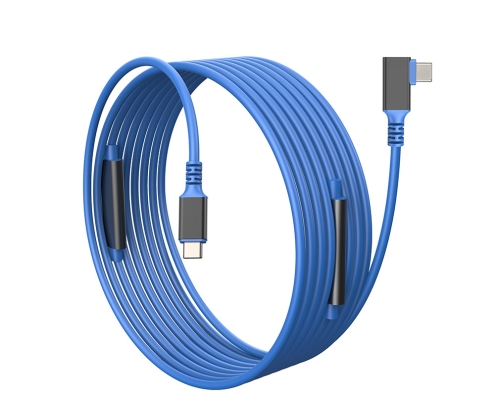
A workstation used for testing, charging, imaging, or file transfer may need different parts even when the connector names are identical.
If one USB-C path is shared between devices, a product such as the Bi-Directional USB-C Switch and Hub is a useful reference for discussing switching behavior. Most projects reach this decision through the 240W USB4 40Gbps cable. If the main issue is moving a port to a more reachable position, a cable extension such as the USB3.2 5Gbps USB-C male to C female extension cable may be closer to the real need. The detail behind this step is kept current in the usb-c multi device chain notes.
Routing questions buyers should answer
Choose between switching and extension
A switch is useful when users need to share or redirect a connection.

An extension is useful when the existing port is hard to reach. A panel coupler is useful when the connection needs a fixed access point on a wall plate or equipment face. The 100W 20Gbps adapter for camera rigs covers the options that sit either side of this part. These are different buying problems, even when all of them involve USB-C.
For workstation layouts with tight port access, the right-angle USB A to C tethered photography cable can also help buyers describe cable exit direction during the RFQ stage. The underlying standard behind this interface is maintained by the USB Implementers Forum.
Procurement mistakes to avoid
What to send before quotation
Prepare a simple workstation sketch, device list, expected function, cable route, and sample approval plan. Buyers can review more USB-C cable, adapter, and switch formats in the product catalog or send the setup details through the contact page.
| Question | Practical answer to prepare | Impact on part choice |
|---|---|---|
| Is the connection fixed or frequently handled? | Fixed behind a bench, user-facing, or moved every shift | Changes strain relief and connector angle priority |
| What function matters most? | Charging, high-speed data, display, switching, or extension | Avoids over-specifying the wrong feature |
| Where should users plug in? | Desk edge, panel, wall plate, test fixture, or device side | Defines cable length and coupler style |
| How many identical stations are planned? | Single sample, pilot batch, or repeated deployment | Improves sample approval and repeat orders |
| What devices will be tested? | Actual host and peripheral models | Reduces compatibility surprises |
- Write both ends as a pair.
- Name the enclosure the plug must clear.
- Confirm the length at the target rate.
- Approve the sample against the drawing.
Eilinks in China answers USB-C Switch questions from the same inspection sheet that ships with the cable. Buyers can contact a China-based USB-C supplier for RFQ details when the drawing is unclear.
| Item | Procurement mistakes to avoid |
|---|---|
| 1 | Ordering by connector name only, without describing how users handle the cable. |
| 2 | Using an extension when a switch is actually needed, or the reverse. |
| 3 | Ignoring desk, fixture, or enclosure edges that force a cable bend. |
| 4 | Testing with one convenient device instead of the actual workstation hardware. |
| 5 | Approving a sample visually without checking the intended data or charging behavior. |
- Check the port the plug will mate.
- Confirm rear clearance before ordering.
- State whether the run is fixed or moved.
- Record the failed step in writing.
Equipment builders tend to check the usb-c braided jacket cable guide before fixing this part of the spec. Panel builders often start from China test notes on right-angle vs straight connectors when clearance is tight. Dongguan Eilinks ships from China, and documents USB-C Switch details on the order record.
