logo
✕
  • Home
  • Products
  • About Us
  • Contact
logo
  • Home
  • Products

    USB-C Cable

    • USB 4.0
    • USB 3.2
    • USB 3.0
    • USB 2.0

    Thunderbolt 5/4/3 Cable

    • Thunderbolt 5 Cable
    • Thunderbolt 4 Cable
    • Thunderbolt 3 Cable

    Audio/video Adapter Cable

    • DisplayPort To HDMI Cable
    • HDMI To DispalyPort Cable
    • HDMI To USB-C Cable
    • USB-C To DisplayPort Cable
    • USB-C To HDMI Cable

    USB-C Adapter

    • USB 4.0
    • USB 3.2
    • USB 3.0
    • USB 2.0
  • About Us
  • Contact
Published by eadmin on 2026-04-21
Categories
  • 未分类
Tags

USB4 Version 2.0: The 80Gbps Standard That Changes Everything in 2026

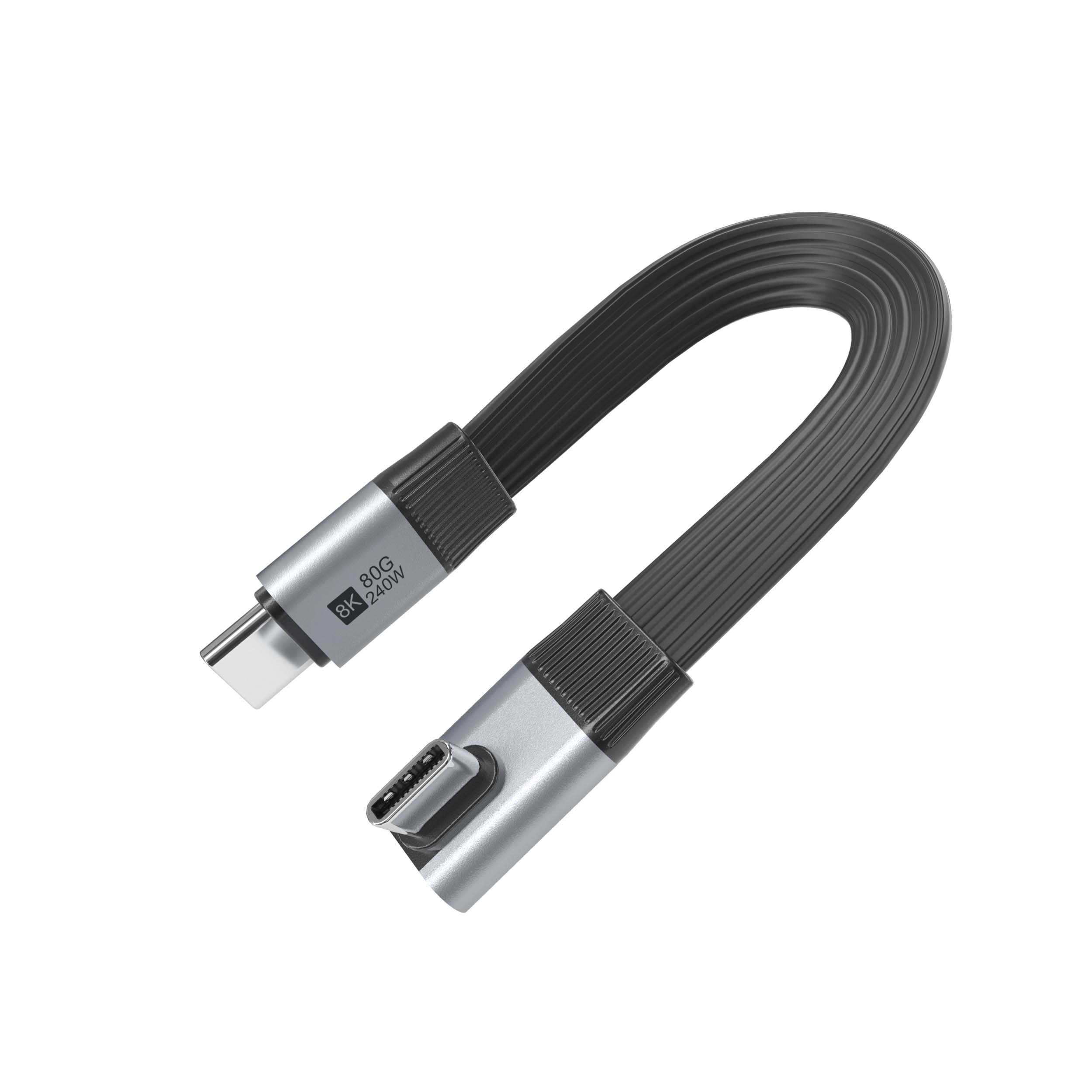
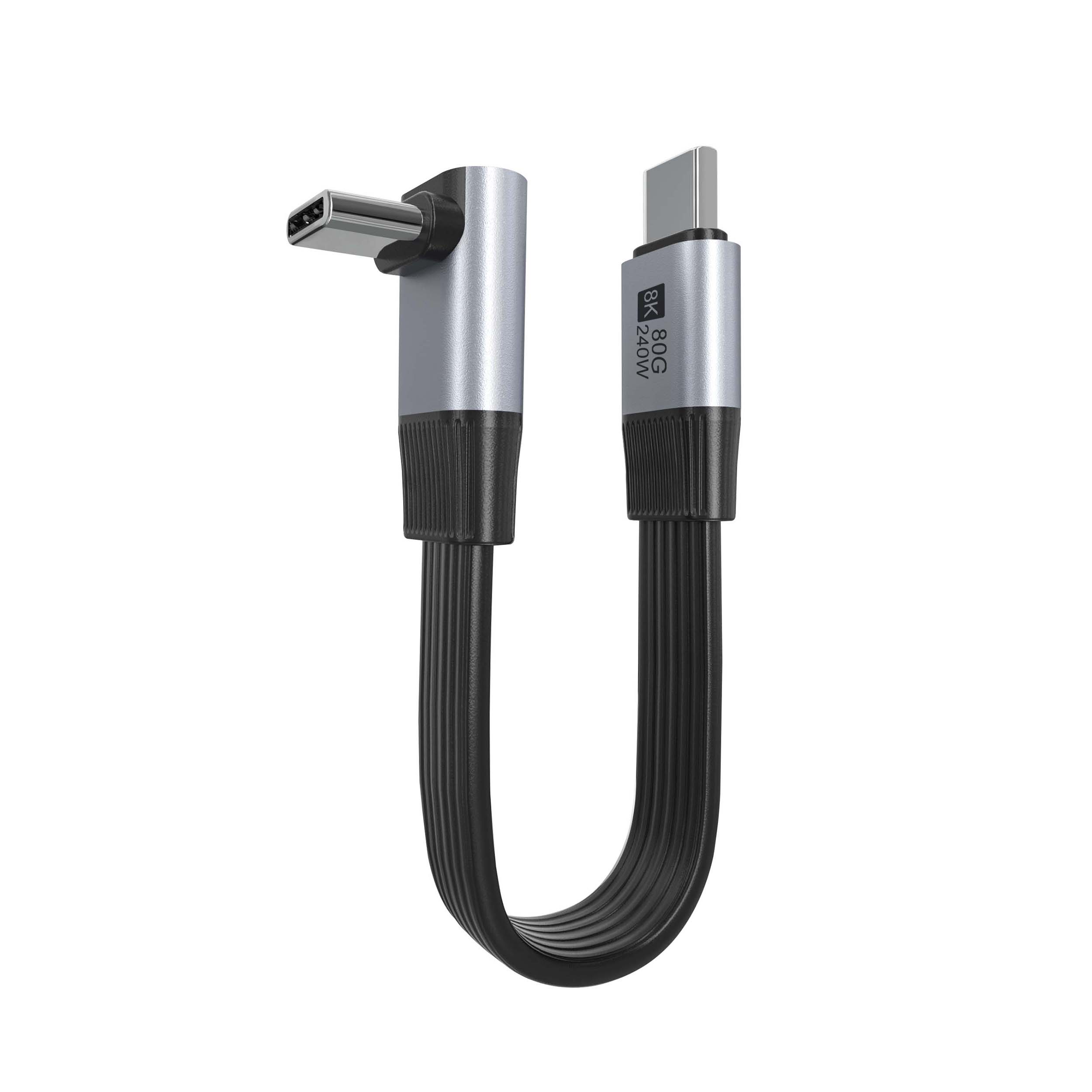
USB4 Version 2.0 80Gbps Flat Ribbon Cable

When USB4 Version 2.0 launched, it delivered the single largest bandwidth leap in USB history — jumping from 40Gbps to 80Gbps over a passive USB-C cable. For professionals and power users, this is not just a spec sheet improvement; it fundamentally changes what you can do with a single cable. Eilinks Electronics has been manufacturing USB4 Cable solutions at the forefront of this transition, and in this guide we break down everything you need to know about the new 80Gbps standard in 2026.

What Is USB4 Version 2.0?

USB4 Version 2.0 (often called USB4 80Gbps or USB4 2.0) is the latest revision of the USB4 specification, finalized by USB-IF in 2024. It maintains full backward compatibility with USB4 1.0, Thunderbolt 3, and Thunderbolt 4, while introducing a new 80Gbps transfer mode that doubles the bandwidth of the original USB4 specification.

The key architectural improvement is the new PAM3 (Pulse Amplitude Modulation with 3 levels) signaling scheme, which allows 80Gbps throughput over passive USB-C cables up to 1 meter in length — without the signal degradation issues that plagued earlier high-speed standards.

USB4 2.0 vs USB4 1.0 vs Thunderbolt 4: Head-to-Head Comparison

USB4 connector – 80Gbps capable
Specification USB4 1.0 USB4 Version 2.0 Thunderbolt 4
Max Bandwidth 40 Gbps 80 Gbps 40 Gbps
Power Delivery Up to 100W Up to 240W (EPR) Up to 100W
Video Output DisplayPort 2.0 DisplayPort 2.1 DisplayPort 2.0
Display Support Dual 4K 60Hz Triple 4K or Single 8K 60Hz Dual 4K 60Hz or Single 8K
PCIe Tunneling Optional Optional Required
USB4 2.0 Host Compatible No Yes (backward) Partial
Certification USB-IF USB-IF Intel

As the above table shows, USB4 Cable 2.0 delivers genuinely superior performance compared to both USB4 1.0 and Thunderbolt 4. It is the only standard that supports 80Gbps over passive cables, triple 4K display output, and 240W EPR power delivery simultaneously.

Why 80Gbps Matters: Real-World Use Cases

Professional Video Production

If you work with uncompressed 4K or 8K video, you know that data transfer rates are critical. A single frame of uncompressed 8K RAW footage (7680 x 4320, 30fps) can be 250MB or more. At 80Gbps, you can transfer over 1GB per second — enough to move an hour of raw 8K footage in under 10 minutes, compared to over 30 minutes on USB4 1.0 at 40Gbps.

For editors working with external RAID arrays or NVMe storage enclosures, the jump to 80Gbps means your external storage finally keeps up with your internal PCIe 4.0 SSD speeds, eliminating the bottleneck that has plagued external storage for years.

Multiple High-Resolution Displays

USB4 2.0 supports DisplayPort 2.1 tunneling, enabling triple 4K 60Hz displays or a single 8K 60Hz display through a single cable. This is a major improvement over USB4 1.0 and Thunderbolt 4, which max out at dual 4K 60Hz. For traders running multiple monitors, architects viewing 8K blueprints, or professionals working in video post-production, this capability is transformative.

Gaming and eGPU Setups

While Thunderbolt 4 makes PCIe tunneling mandatory, USB4 2.0 makes it optional but more capable when available. The 80Gbps upstream bandwidth provides significantly better eGPU performance than the 40Gbps limit of Thunderbolt 4 and USB4 1.0. Gamers running external graphics cards through a USB4 2.0 port can expect 15-25% better frame rates compared to Thunderbolt 4 connections, approaching near-native PCIe x4 slot performance.

AI Workstation Connectivity

AI development workstations increasingly rely on external AI accelerator modules and high-speed storage. USB4 2.0’s 80Gbps bandwidth provides sufficient headroom for connecting AI dongles, external compute modules, and high-speed dataset storage simultaneously over a single cable — reducing cable clutter and simplifying workstation setups.

USB4 2.0 Power Delivery: Up to 240W EPR

USB4 2.0 specification mandates support for USB Power Delivery 3.1 Extended Power Range (EPR), enabling up to 240W (48V / 5A) power delivery. When paired with a Thunderbolt 5 Cable or a USB4 2.0 EPR-certified cable, a single USB-C port can power even the most demanding 230W gaming laptops while simultaneously driving 80Gbps data transfer and multiple displays.

As a professional USB-C cable manufacturer, Eilinks Electronics manufactures USB4 2.0 cables that support the full 80Gbps bandwidth at up to 240W EPR — all in a single passive USB-C to USB-C cable.

How to Identify a Genuine USB4 2.0 Cable

The USB4 2.0 certification program uses the same USB4 logo as USB4 1.0, but the speed rating is different. Here is how to verify you are getting the real thing:

  • Check for 80Gbps branding — genuine USB4 2.0 cables will explicitly state “80Gbps” or “USB4 Gen 3×2” on the packaging or cable body
  • Look for EPR support — USB4 2.0 certified cables should support 240W EPR charging
  • Verify the TID number — every USB-IF certified cable has a Test ID. Look it up at usb.org to confirm certification level
  • Test the cable — use a USB4 2.0 device or storage enclosure to verify 80Gbps operation. USB4 1.0 or Thunderbolt 4 devices will still work but at 40Gbps

Counterfeit cables claiming 80Gbps without proper certification are extremely common in the market. Eilinks Electronics submits all USB4 cables to official USB-IF certification labs and maintains full traceability for every product.

USB4 2.0 Cable Length and Performance

At 80Gbps, cable length becomes even more critical than at 40Gbps. Here is what you need to know:

Cable Length USB4 1.0 (40Gbps) USB4 2.0 (80Gbps)
0.5m (1.6 ft) Guaranteed full speed Guaranteed full speed
1m (3.3 ft) Guaranteed full speed Guaranteed full speed (quality dependent)
2m (6.6 ft) Requires certified cable Requires active or optical cable
3m+ Active USB4 cable required Active USB4 2.0 cable required

For most users, a 1-meter USB4 2.0 passive cable provides the best balance of length and performance. Eilinks Electronics offers USB4 2.0 passive cables from 0.5m to 2m, as well as active USB4 2.0 optical cables for runs up to 5 meters at full 80Gbps.

Backward Compatibility: Can You Mix Generations?

One of USB4’s strongest features is its comprehensive backward compatibility:

  • USB4 2.0 host ports work with USB4 1.0, Thunderbolt 3, and Thunderbolt 4 cables and devices at the lower standard’s speed
  • USB4 2.0 cables work with USB4 1.0 and Thunderbolt 3/4 hosts at the host’s maximum speed
  • All USB4 versions support USB 3.2, USB 2.0, and standard USB charging at their respective power levels

This means you do not need to replace your entire setup immediately. A single USB4 2.0 cable will work in your existing USB4 1.0 or Thunderbolt 4 setup today, and will unlock 80Gbps performance when you upgrade your host device.

Is It Time to Upgrade to USB4 2.0?

If any of the following apply to you, USB4 2.0 is worth the investment:

  • You work with 8K video, large RAW photo batches, or external NVMe storage
  • You run multiple 4K displays or a single 8K display
  • You use an eGPU enclosure for gaming or GPU compute
  • You have a laptop or workstation that supports USB4 2.0 (many 2025+ Intel and AMD platforms)
  • You need 200W+ power delivery for gaming laptops or professional workstations

If you primarily use USB-C for basic charging and peripheral connections, USB4 1.0 or even USB 3.2 cables will serve you well. But for professionals and power users who demand the absolute best performance, USB4 2.0 is the clear choice.

Ready to upgrade to USB4 2.0? Eilinks Electronics manufactures USB4 2.0 certified cables in 0.5m, 1m, and 2m lengths, all supporting 80Gbps and 240W EPR. Browse USB4 2.0 Cables or contact our team for custom OEM solutions.

Frequently Asked Questions

Is USB4 2.0 the same as Thunderbolt 5?

No. USB4 2.0 is a USB-IF standard supporting up to 80Gbps. Thunderbolt 5 is Intel’s proprietary standard supporting up to 80Gbps symmetric or 120Gbps asymmetric. While they share the same USB-C connector and have overlapping capabilities, they are different certification programs. However, many cables and devices support both standards simultaneously.

Do I need a new cable for USB4 2.0?

Yes. USB4 1.0 cables are limited to 40Gbps. For 80Gbps operation, you need a USB4 2.0 certified cable. Standard USB-C cables, USB 3.2 cables, and USB4 1.0 cables will not support 80Gbps, even if plugged into a USB4 2.0 port.

Can I use a Thunderbolt 4 cable with a USB4 2.0 host?

Yes, but at Thunderbolt 4 speeds (40Gbps maximum). Thunderbolt 4 cables do not support USB4 2.0’s 80Gbps mode. For full 80Gbps performance, you need a USB4 2.0 certified cable.

Does USB4 2.0 work with USB-A ports?

USB4 2.0 requires a USB-C connector. There is no USB-A version of USB4 2.0. USB-A devices and ports will work through USB-C to USB-A adapters, but at the lower USB 3.2 or USB 2.0 speed supported by the adapter.

eadmin
eadmin

Related posts

2026-04-26

Thunderbolt 5 Cable 2026: The 120Gbps Standard Explained


Read more
2026-04-26

10 USB-C Accessories You Must Have in 2026


Read more
2026-04-26

USB-C Hub and Adapter Complete Guide 2026


Read more

Leave a Reply Cancel reply

Your email address will not be published. Required fields are marked *

Navigation

  • About
  • Contact

Products

  • USB-C Adapter
  • Thunderbolt 5/4/3 Cable
  • Audio/video Adapter Cable
  • USB-C Cable

Contacts

+86 13242969135
Sales@eilinks.com
Chashan Town, Dongguan City, Guangdong , China
© Dongguan Eilinks Eletronics Co.,Ltd All Rights Reserved
  • Consent
  • Details
  • About Cookies

This website uses cookies

We use cookies to personalise content and ads, to provide social media features and to analyse our traffic. We also share information about your use of our site with our social media, advertising and analytics partners who may combine it with other information that you’ve provided to them or that they’ve collected from your use of their services.

Necessary

Necessary cookies help make a website usable by enabling basic functions like page navigation and access to secure areas of the website. The website cannot function properly without these cookies.

Analytics & Performance

Statistic cookies help website owners to understand how visitors interact with websites by collecting and reporting information anonymously.

Marketing

Marketing cookies are used to track visitors across websites. The intention is to display ads that are relevant and engaging for the individual user and thereby more valuable for publishers and third party advertisers.

Cookies are small text files that can be used by websites to make a user's experience more efficient.

The law states that we can store cookies on your device if they are strictly necessary for the operation of this site. For all other types of cookies we need your permission. This means that cookies which are categorized as necessary, are processed based on GDPR Art. 6 (1) (f). All other cookies, meaning those from the categories preferences and marketing, are processed based on GDPR Art. 6 (1) (a) GDPR.

This site uses different types of cookies. Some cookies are placed by third party services that appear on our pages.

You can at any time change or withdraw your consent from the Cookie Declaration on our website.

Learn more about who we are, how you can contact us and how we process personal data in our Privacy Policy.

Please state your consent ID and date when you contact us regarding your consent.

Deny Customize Allow selected Allow all