




Active USB-C Extension: What the Chip Inside Changes
A passive USB-C extension cable is a length of wire with a connector at each end. An active one contains electronics, and that single difference changes how the part is specified, which way round it goes, and where it draws the power it needs to work. Buyers who treat the two as interchangeable tend to meet the difference on site, when a link settles at a lower rate than the equipment supports, or when a device at the far end of a long run does not come up at all. For USB-C extension orders, Eilinks Eletronics in China works from the drawing.
Length is the reason the electronics exist. Copper attenuates a high-speed signal, and past a certain distance the receiver can no longer recover it, so an active cable puts a repeater or a retimer in the path to rebuild the signal before it degrades further. For the wider picture of how far each generation reaches before assistance is needed, our notes on USB-C cable length limits for passive and active cables set out the boundaries by data rate and give a starting point for the length question. Buyers comparing this point usually review the usb-c copper conductor comparison notes before the drawing is signed off.
Direction, chipset power and rate are the three things that separate an active extension from a passive one, and all three belong on the purchase order. This guide explains what sits inside the cable, why the ends are not interchangeable, how the chipset is powered, and how to write a specification a supplier can quote against without guessing at any of it.
What an Active Extension Cable Contains
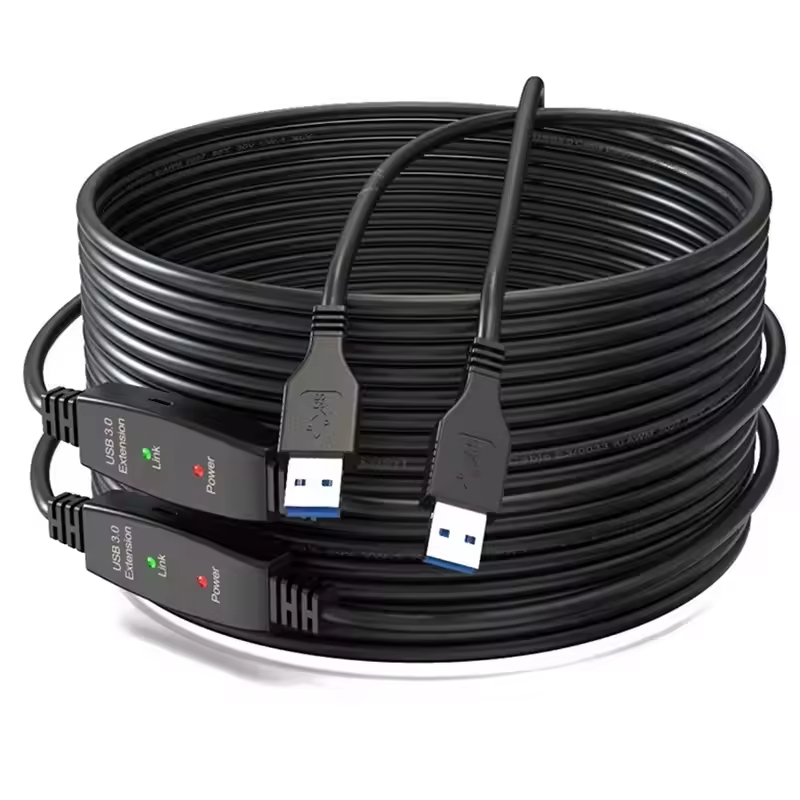
Inside an active assembly there is a small chipset between the two connectors. Depending on the design it either amplifies the incoming signal, in which case it is usually called a repeater, or it recovers the data and re-transmits it cleanly, which is what a retimer does. Both approaches add cost, both add a small amount of latency, and both need a supply from somewhere. That supply is the part most easily missed when a cable is chosen by length alone. Neither is visible from the outside, so the only reliable way to tell an active cable from a passive one is the listing or the marking printed on the plug body.
The chips are small enough to sit inside a moulded connector shell, which is why an active cable can look exactly like a passive one and behave completely differently. That similarity is worth remembering during commissioning: two cables that look identical on a bench may not be interchangeable in a run. Dongguan Eilinks ships from China, and documents USB-C extension details on the order record. The USB-C product catalogue lists each extension with its rated speed and its rated length together, and that pairing is the only useful way to read the range.
Passive, active, and the boundary between them
The boundary is not a single number, because it moves with the data rate. A run that is comfortable at one generation may fail at a higher rate long before it reaches the same length, which is why a cable sold by length alone is an incomplete specification.
| Point in the run | What is decided there | What fails if it is wrong |
|---|---|---|
| Host port | Which end of the active cable is attached | Cable is not detected at all |
| Active chipset | Rate the signal is rebuilt at | Link settles at a lower generation |
| Power source | Bus power or an external feed | Chipset does not start up |
| Device end | Whether charging passes through | Device charges slowly or not at all |
- Identify the host end first.
- Confirm the rebuild rate.
- State where the chipset is powered from.
- Check charging at the device end.
Why Direction Matters on an Active Cable?
A passive cable does not care which end goes where, because the wire is symmetrical. An active cable is not symmetrical: the chipset listens on one side and drives on the other, and the configuration pins at each end are arranged accordingly. Fit it the wrong way round and the usual result is not a slower link but no link at all, which is a confusing fault to diagnose because the cable looks correct and the connectors seat properly. Where a run has to cross a room rather than a desk, a 15m to 20m active extension with a signal booster chipset is the shape most buyers end up specifying. The same point applies to shorter runs: once a chipset is in the path, the assembly has a direction, and that direction has to be known before the cable is pulled rather than discovered afterwards. Eilinks treats that as a records question.
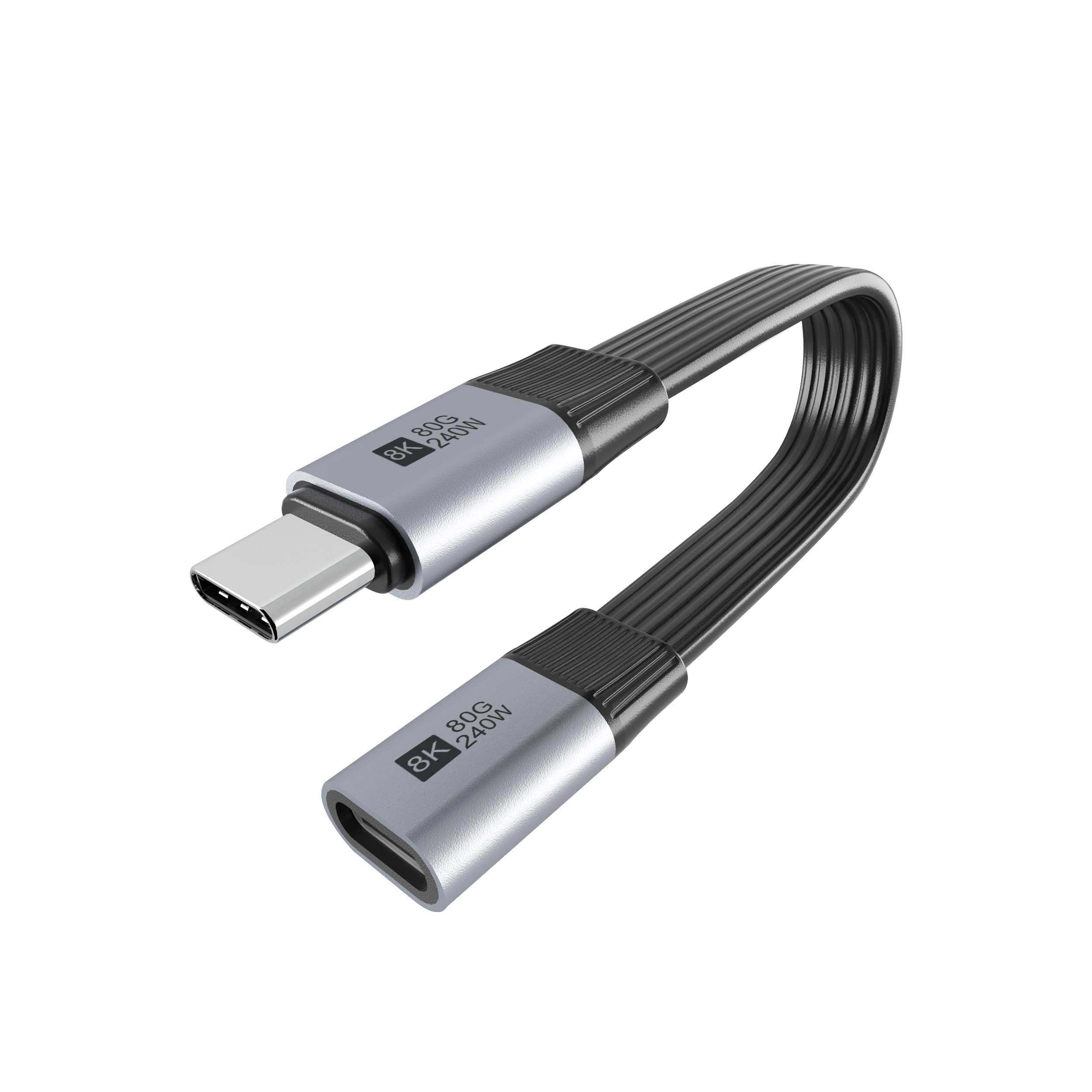
The practical rule is to identify the end marked for the host before the cable goes into a ceiling or a conduit, and to record that orientation on the drawing, because reversing it once the run is closed up means starting again. On a site with several runs of similar length, marking each end at both terminals saves more time later than any amount of labelling done afterwards, and it is the cheapest insurance on the whole job. Where a run has to carry high-rate video or storage traffic as well, a USB4 extension cable rated for 80Gbps and 240W is specified as a complete assembly precisely because the electronics and the connectors have to be matched to each other. The rate itself is set by the published specification rather than by any supplier: USB4 Version 2.0 defines an 80 Gbps operation mode, and the document is listed on the USB4 Version 2.0 specification page at usb.org.
Where Does the Chip Get Its Power?
Every active chipset needs a supply, and there are only two places it can come from: the bus, or an external feed. Most shorter active cables take what they need from the bus, which keeps installation simple but means the electronics are competing with the device for the same budget. On a long run, or on a run that also has to deliver charging current to the far end, that competition is usually what pushes the design toward an external feed or toward a host port able to supply more. The question is worth asking explicitly, because a chipset that does not quite get the power it needs tends to present as an intermittent link rather than as a dead cable.
What the extension does to a charging path
Charging is the part buyers most often leave out. Under USB Power Delivery 3.1 Extended Power Range the top of the range is 240 W, which is 48 V at 5 A, and any assembly carrying more than 3 A has to be electronically marked so the source can read the cable before it agrees a contract. Eilinks documents that step from the first sample. That marking requirement sits in the USB Type-C Cable and Connector Specification listed at usb.org, alongside the mechanical requirements for the connector itself.
How Length, Rate and Power Interact
These three values have to be read as one line and not separately, because each one constrains the others. A cable rated for a given length at one rate is not rated for the same length at a higher one, and a cable that carries data reliably may still be limited in the current it can pass to the far end. Quoting a length without a rate, or a rate without a length, leaves the supplier to guess, and the guess is usually optimistic. Where the run is moderate and the target is the 20 Gbps generation, a 20Gbps USB-C extension cable with 100W power delivery covers the case without the cost of the faster assembly, and it keeps the specification to one line that a supplier can quote against directly. Asking for a rate without a length, or the other way round, is what produces quotes that cannot be compared with each other. Anyone planning a batch order should look at the usb-c fiber extension cable spec first.
What to Put in the Specification
Write the direction, the power source for the chipset, the rate at the quoted length, and the current the assembly has to carry, and put all four on the same drawing rather than in an email thread. Ask which end is the host end, because that is the question that comes back most often after delivery. Eilinks’ build file answers that.
| Specification field | What to write | Where the figure comes from |
|---|---|---|
| Direction | Which end goes to the host | Supplier drawing |
| Chipset power | Bus powered or external feed | Product listing |
| Rate at length | Gbps at the quoted metre figure | Product listing |
| Charging current | Above or below the 3 A marking threshold | Type-C specification |
| Charging power | 48 V at 5 A for the 240 W top of the range | Power Delivery 3.1 |
- Mark the host end on the drawing.
- State how the chipset is powered.
- Quote rate and length together.
- Check current against 3 A.
- Quote 48 V and 5 A separately.
Questions buyers ask
Does an active extension work in both directions?
No. The chipset is arranged for one direction and the configuration pins differ between the two ends. Fitted the wrong way round the usual symptom is that nothing is detected, so mark the host end before it goes in and check the end markings against our note on reading power and speed markings.
Can two active extensions be joined?
Sometimes, but it is not something to assume. Each chipset adds latency and each extra joint is another place for a contract to fail, so a single cable of the required length is the safer order.
Does an active cable still need an e-marker?
Yes, if the assembly carries more than 3 A. Marking is a requirement about current rather than about length, so an active and a passive cable are treated the same way here. Ask for the marking to be stated on the drawing.
How do I know which end goes to the host?
Check the listing or the marking on the plug and confirm it with the supplier before ordering. Where the cable will be hidden in a ceiling, record the orientation on the drawing.
Where to go from here
An active extension is electronics that happens to look like a cable, and specifying it as though it were wire is what causes most of the problems. State the direction, the chipset power source, the rate at the quoted length and the current. Send the run length, target rate and current and we will confirm which active assemblies suit the job. Eilinks in China answers USB-C extension questions from the same inspection sheet that ships with the cable.
