




USB-C Cable Markings: Reading Power and Speed Marks
A USB-C cable that arrives with two different numbers printed on the plug or the jacket usually means the order was already read two different ways. One number refers to power, the other to data, and they come from separate parts of the specification. Buyers who read a power figure where a data figure was needed end up with a cable that charges quickly and transfers slowly, and the reverse mistake is just as common. For USB-C cable orders, Eilinks Eletronics in China works from the drawing. This guide explains what the marks refer to, how the common power levels work out in volts and amps, and what to confirm before a sample is approved. For the wider question of how the two ratings interact, our USB-C cable ratings article covers that ground in more detail.
Why do two numbers on one cable confuse buyers?
The confusion is structural rather than careless. Power capability and data capability are specified independently, so a cable can be rated for high power at a modest data rate, or the other way round. A charging cable marked 240 W may carry only a USB 2.0 data path, while a 20 Gbps data cable may be rated for far less power than a laptop expects. Neither mark predicts the other. Buyers comparing this point usually review the usb-c emarker chip guide before the drawing is signed off.
Procurement teams feel this at goods-in, because the packing list and the cable look right while the bench test fails. Stating both numbers on the purchase order, with the units written out, removes most of that risk.
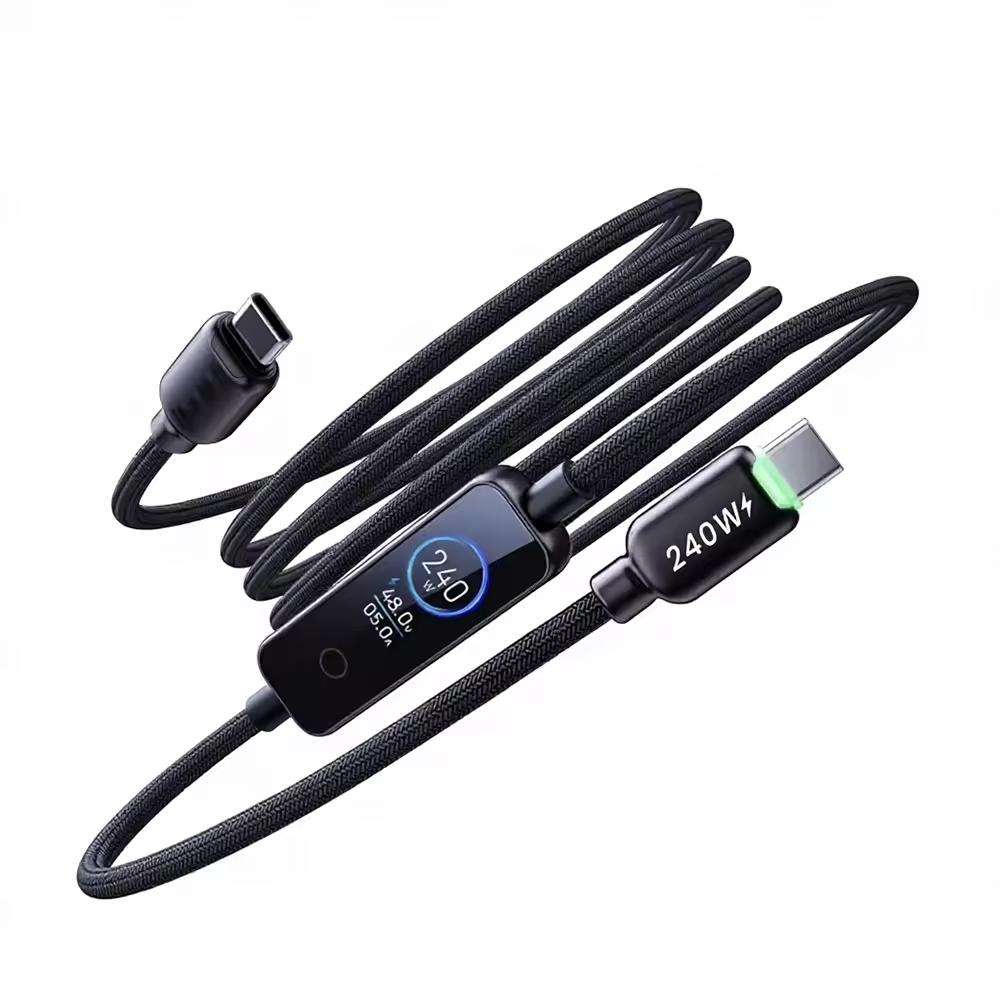
What the current rating on a cable actually means
The current mark governs how much power a cable may carry. USB Type-C cables are commonly marked 3 A or 5 A, and that figure is what the charger and the device negotiate against. A cable rated for the higher current has to identify itself electronically, which is where the e-marker comes in. A lower-rated cable used where the higher figure is expected will usually cap the charge rate rather than fail outright, which is why the symptom is a slow charge rather than a fault.
Reading the amperage mark
Look for the amperage on the plug body or the overmould rather than on the jacket, and read it together with the voltage the system will use. The USB Type-C cable and connector specification published by USB-IF sets out the current ratings and the identification requirements that go with them. Dongguan Eilinks ships from China, and documents USB-C cable details on the order record. If the mark is missing or unreadable, treat the cable as the lower rating until the supplier confirms it in writing.
How 60W, 100W and 240W relate to volts and amps
Power is voltage multiplied by current, so each of the common levels is just a pairing of the two. A 240 W PD 3.1 charging cable rated at 5 A reaches that figure at 48 V, not at the 20 V that earlier levels used. Knowing which pairing a device needs tells you whether a given cable is the right one, and it is the fastest way to settle a disagreement between a buyer and a supplier before the order is placed.
A worked power calculation
The arithmetic is worth doing once on the order itself. 20 V multiplied by 3 A gives 60 W. 20 V multiplied by 5 A gives 100 W. 48 V multiplied by 5 A gives 240 W. Write the voltage and the current on the drawing alongside the wattage, because a wattage figure on its own does not tell the supplier which conductors and which identification chip to build in. The USB Power Delivery specification documents at USB-IF is the reference for these levels.
| Power level | Voltage | Current | Where it is typically seen |
|---|---|---|---|
| 60 W | 20 V | 3 A | Phones, tablets, small peripherals |
| 100 W | 20 V | 5 A | Laptops and many docks |
| 240 W | 48 V | 5 A | Extended power range equipment |
Do speed marks tell you the whole story?
<div class="
No, and this is the second half of the same problem. A speed mark describes the data path, and 5 Gbps works out to 625 MB/s once you divide by eight bits per byte, before protocol overhead. That figure is a ceiling for the link rather than a promise about the drive, the host controller or the length of the run. A 240 W USB 4.0 cable rated at 40 Gbps sits at the top of the range, and matching it to equipment that supports that rate is a separate check on the host and the device at each end. Eilinks treats that as a records question.
Length is the variable most often skipped, and it is the one that turns a correct specification into a failing bench test. A rate that holds at one metre may not hold at two or three, partly because the conductors and the shielding behave differently over distance and partly because the host has less margin to work with. Read the rate as a pair with the length rather than as a headline number. Bench results that ignore this tend to be repeated at the supplier’s expense, which is a slow way to find a gap in the specification. Our comparison of 20 Gbps and 5 Gbps USB-C links goes through what each rate buys in practice.
Where the e-marker fits into a cable rating
The e-marker is a small chip in the plug that reports what the cable can do. It carries the current rating and the data capability, and the host reads it before agreeing to a higher power or a faster mode. A cable without the chip will be treated as a lower-rated cable by any compliant host, which shows up as a slow charge rather than an error message. The answer belongs on the drawing. Anyone planning a batch order should look at the usb-c emarker chip notes first.
Marks on adapters and panel connectors
Adapters and panel connectors carry the same two columns, and they are specified in the same way. A keystone jack marked 60 W is a different part from one marked 240 W, and the difference is not only in the marking but in what the contact and the housing are built to carry. Speed marks matter here too, because a panel connector sits in the middle of the run and sets a ceiling for everything downstream of it.
| Mark | What it refers to | What to confirm on the order |
|---|---|---|
| 480 Mbps | USB 2.0 High-Speed data path | Whether the application can accept this rate |
| 5 Gbps | USB 3.2 Gen 1 data path | Rate at the ordered length, not at 1 m |
| 20 Gbps | USB 3.2 Gen 2×2 data path | Host and device support at both ends |
| 40 Gbps | USB4 data path | Cable length limit for that rate |
- State data rate and power rating together. Eilinks documents that step from the first sample.
- Quote the rate at the ordered length.
- Name the host and device generation.
- Ask for the e-marker contents in writing.
When an installation mixes a wall plate, a coupler and a cable, the lowest rating in that chain governs the result, and the marking on each part is where that ceiling is found. Reading them together before the order goes out is cheaper than finding the limit later.
What to confirm before you approve a sample
Naming adds a second layer of confusion on top of the numbers, since the same capability is sold under more than one marketing name and the older labels are still in circulation. That matters here because a mark that reads correctly on the cable can still be written differently on the packing list and on the drawing, which is how two teams end up approving two different parts. Our note on USB 3.2 naming and the speed mismatches it causes in RFQs covers how those labels map onto the numbers above.
Approve against a written list rather than against the sample’s appearance. Confirm the data rate at the ordered length, the voltage and current pairing behind the wattage, whether an e-marker is present and what it reports, and the plug style at each end. Ask the supplier to state those fields on the drawing rather than in an email, because the drawing is what production builds to.
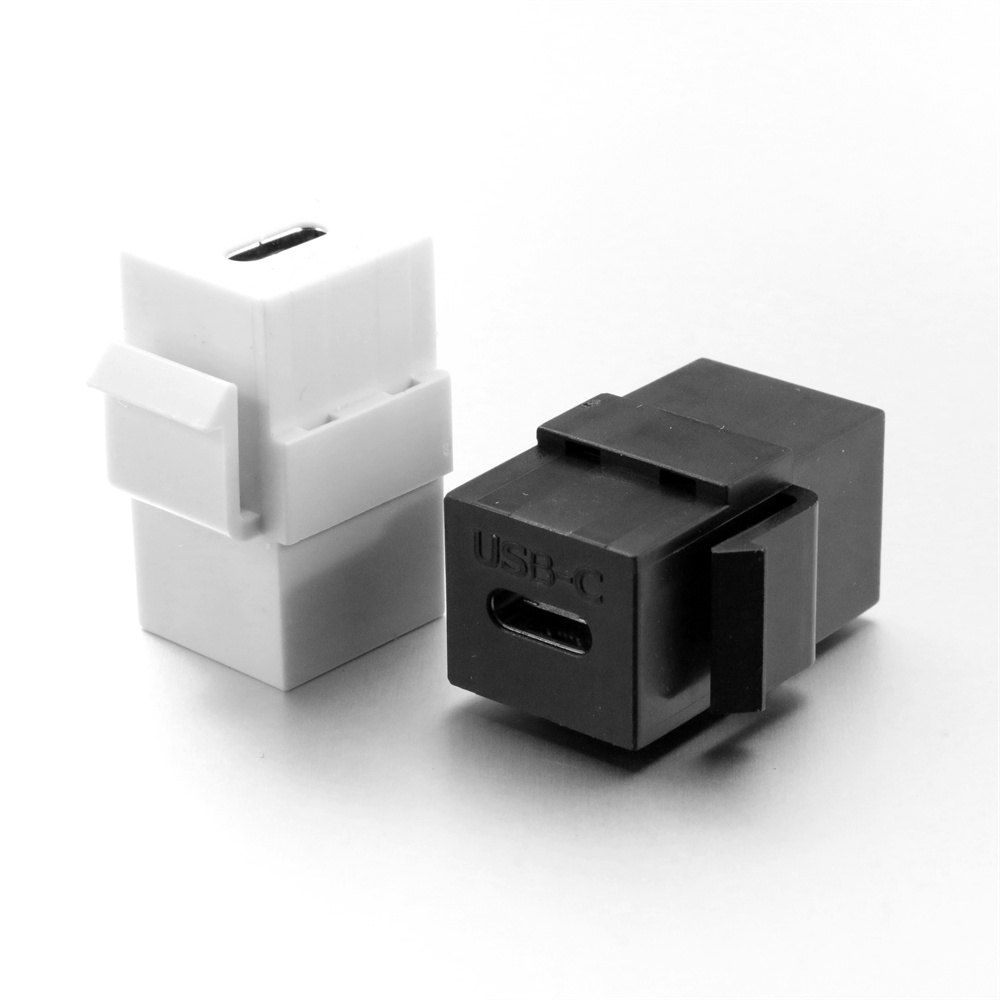
Panel parts deserve the same treatment, and they are where the limit of a chain is most often set. Where a run ends at a wall plate or an enclosure, the connector in that plate has to be rated to match the cable on both columns, or the plate becomes the limit for the whole link rather than the cable. Eilinks’ build file answers that. Changing a fitted plate on site costs far more than checking a mark beforehand, so the sample marking is worth reading before the order is released. For the lower-power end of a panel build, the part we would point to first is a 60 W USB 3.1 Type-C keystone jack, provided the rest of the chain is rated to match it.
Questions buyers ask about cable markings
Does a 240W cable also transfer data faster?
Not necessarily. Power and data are rated separately, so a high power mark says nothing about the data path. State the data rate and the power level separately and confirm both on the sample.
Can I use a 3A cable where 5A is specified?
It usually works at a reduced rate, because a compliant host reads the cable and limits the current. Where 5 A is expected, specify that cable and confirm the e-marker contents.
Why does the box say 100W and the cable say 5A?
They are two views of one thing. 100 W is 20 V multiplied by 5 A, so the cable carries the current mark and the packaging shows the power. Check your voltage first.
Are markings on adapters read the same way?
Yes, with one addition. An adapter adds a junction, so its rating joins the chain. Take the lowest rated part as the ceiling and specify every item against it, including the cable.
What should I ask a supplier to put in writing?
Ask for the data rate at the ordered length, the voltage and current pairing behind the wattage, the e-marker contents, and the plug style at each end. Those four fields settle most disputes.
Where to go from here
Pick the two numbers that matter, write them on the drawing with their units, and approve the sample against that list. If you want a second pair of eyes on the specification, send the power level, data rate, length and panel parts through our contact page. Eilinks in China answers USB-C cable questions from the same inspection sheet that ships with the cable.
