




USB 3.2 Locking Cable: Retention Checks for Moving Rigs
USB 3.2 locking cable is the data lead that holds its connector seated when a rig moves or a panel vibrates, and that retention feature is what separates it from a plain cord. This guide covers the screw-lock and latch mechanisms, the panel-mount options and the documents to request from a supplier before an order. A China USB 3.2 locking cable manufacturer builds these from the drawing, and Eilinks Eletronics reads the mounting and the motion first.
Retention is a mechanical question, not a speed question, and the same family of leads runs at 5, 10 and 20 Gbps under the USB 3.2 name while the lock on the shell is chosen on its own. The wider picture of how those line up is set out in our notes on industrial USB-C cable cell wiring, where the enclosure and the socket half are laid out before the moving half is picked.
What does USB 3.2 locking cable retention mean?
Retention is the force that resists a connector pulling out of its port when the cable is tugged or the host shakes. A plain USB-C plug relies on the friction of a spring latch that gives way at roughly 8 to 24 newtons, so a sharp pull or a sustained vibration can walk the plug out of the socket. A locking version adds a second, positive hold, either a threaded screw on each side of the shell or an over-centre latch that clips shut and needs a deliberate release.
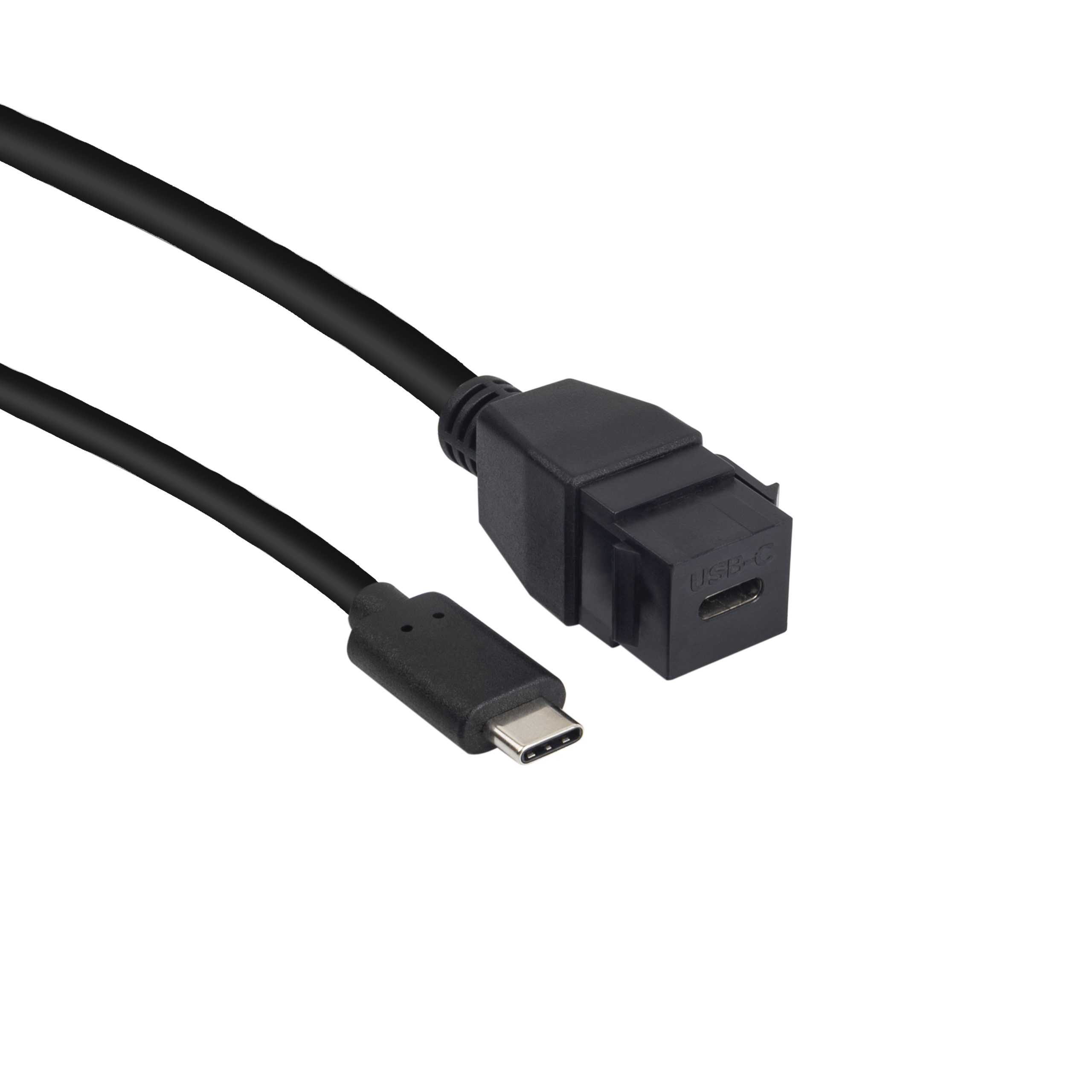
The three lane rates matter when matching the lead to the array. USB 3.2 Gen 1 runs at 5 Gbps, Gen 2 at 10 Gbps, and the Gen 2 by 2 mode reaches 20 Gbps only on a dual-lane Type-C assembly, each figure per the USB 3.2 specification at usb.org. A USB 3.2 locking cable for panel mount installs follows the same rule as any other, and a USB 3.2 keystone pigtail set in a wall plate shows both on one part.
Where a USB 3.2 locking cable fits and where it does not
The natural fits are machine-vision camera rigs, gantry and actuator assemblies, panel instruments and any host that moves while it talks. These are the places where a plain friction latch is asked to resist thousands of small shocks rather than one deliberate pull, and a positive lock is the cheaper answer over a season of uptime.
The poor fits are quiet desktops and single-use hookups that stay in one place. A locked lead costs more to terminate and is slower to plug in, so on a static bench the extra mechanism buys nothing. Eilinks asks for the mounting and the travel before it asks for the quantity, because those two answers decide whether a lock is even part of the part. Where a run also has to cross a gap, start from a China-built screw-lock USB-C data cable and treat length as its own line on the drawing.
Screw lock or latch on a USB 3.2 locking cable: what decides?
Screw locks win where vibration is continuous and the panel is thick enough to hold a threaded jack; a snap latch wins where the cable is connected and released many times a day and hands are gloved. The screw version seats fasteners on both sides of the shell and stays put until a driver is used, so it is the stronger hold and the slower disconnect. The latch version springs shut, survives a wide temperature band, and gives way with a fingertip.
| Factor | Screw lock | Spring latch |
|---|---|---|
| Hold under vibration | Positive, resists continuous shake | Good for repeated shock, loosens over cycles |
| Connect effort | Two screws, needs a driver | Push until it clicks |
| Release effort | Undo both screws | One deliberate squeeze |
| Best panel thickness | Thicker, threaded jack | Standard unthreaded port |
| Cycles per day | Low, held long term | High, released often |
- Count how often the link is released in a shift
- Check the host port for threaded holes
- Match the lock to the motion, not the rate
A screw-lock or latch USB 3.2 locking cable holds as long as the seated connectors stay mated, so the durability rating behind those figures is worth a reading. Our note on mating cycle limits on the connector sets the insertion figure a lock has to live with, and it is the number a spec sheet should carry next to the retention claim.
How much vibration can a USB 3.2 locking cable hold?
There is no single vibration number for the cable, and any listing that prints one without a test standard should be read with care. What a lock is really doing is raising the pull-out force the joint can take before the contacts separate, from the friction of a plain latch to a positive mechanical hold. A pair that has to carry 10 Gbps or 20 Gbps can use the same lock, because the conductors and the retention are separate.
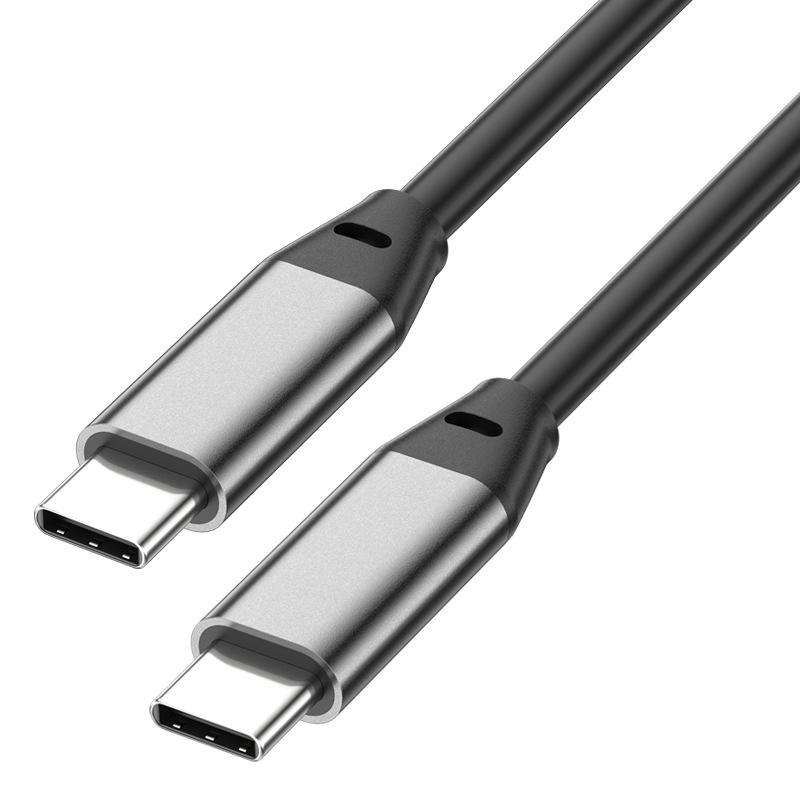
Eilinks clamps the strain relief during build, so once the shell is locked the failure moves to the solder joints or the harness rather than to the connector face. A Type-C connector is rated for about 10,000 insertion and withdrawal cycles per the USB Type-C specification, and a lock does not change that rating; it changes what happens between insertions. A locked joint that stays mated for many shifts will outlast one that is plugged and pulled every shift, so plan the strain relief and the lock together.
What to confirm before ordering a USB 3.2 locking cable
Six items decide whether a locked assembly survives its first season on the rig. The first three are physical, and the last three come back as a support ticket rather than as a part.
| Check | What to confirm | Failure mode if missed |
|---|---|---|
| Motion type | Continuous vibration or slow travel | Plain latch walks out of the port |
| Lock type | Screw lock or spring latch | Lock mismatched to gloved hands |
| Host port | Threaded holes present or absent | Screw lock has nothing to bite |
| Lane rate | 5, 10 or 20 Gbps | Rig misses the rate the array needs |
| Strain relief | Clamp point behind the shell | Load lands on the solder joints |
| Repeat drawing | Which party holds the file | Second batch does not match the sample |
A drawing that names the motion, the lock type and the lane rate closes four of those six before a sample is requested. Eilinks reads the same six off every enquiry, and a China-based USB 3.2 locking cable supplier comes back with a question about the panel rather than a number, which is the sign the drawing is being read rather than the listing. A repeat batch is then drawn up as a USB 3.2 Gen 2 C-to-C data cable with the lock called out on the same line as the rate.
Documents and CE marking requirements for export orders
Documentation is where an otherwise sound purchase stalls. USB 3.2 locking cable CE marking requirements sit with the finished product placed on the market, so the importer carries the file rather than the component maker, and the lead appears on the bill of materials of the machine it serves. USB-IF certification requirements for USB 3.2 cable apply where the certification mark or the certified name is used on the pack, and the lane rates quoted here trace back to the USB 3.2 specification. The lane rates and the connector durability behind those figures are published in the USB 3.2 specification at usb.org, and that is the reference a drawing should point at when the label on the box says 10 Gbps and the rig adds a lock. Dongguan Eilinks keeps the retention claim and the lane rate on separate lines so the two stay distinct on a repeat order.
- Name the motion, the lock type and the lane rate on the drawing
- Confirm the host port carries threaded holes for a screw lock
- Record which party holds the technical file
- Approve a sample under the real vibration of the rig
Questions buyers ask
Is a screw-lock cable worth it for a camera rig?
It is when the camera or the rig moves while it captures. A screw lock resists the continuous pull and vibration that walk a plain latch out of the port over a shift, and the disconnect cost is one driver turn. On a static bench it buys nothing, so the motion profile is the deciding factor rather than the cost of the lead.
Can a USB 3.2 locking cable carry 20 Gbps?
Yes, if the assembly is the dual-lane Type-C build that the 20 Gbps rate needs. USB 3.2 reaches 20 Gbps only in the Gen 2 by 2 mode with two lanes, and the lock sits on the shell, so retention and rate do not limit each other. Confirm the listing states the 20 Gbps rate and the dual-lane construction together.
Why does a locked link still drop on a moving gantry?
Because the lock holds the connectors together but not the strain on the cable body. When a gantry travels, the load lands on the strain relief and the solder joints unless a clamp takes the bend behind the shell, so a drop under motion is usually a relief problem that a lock cannot solve on its own.
What changes on the drawing for a repeat order?
The motion type, the lock style, the lane rate and the clamp point, plus which party holds the technical file. Those five decide whether the second batch matches the first sample and whether the locked link keeps its lane rate under load.
Where the checks lead
This kind of order is worked from the drawing rather than from a listing, and a USB 3.2 locking cable factory in China will ask about the motion and panel before it asks about the quantity. A USB 3.2 locking cable for machine vision and gantry work is specified by retention first, because the lock is what keeps its lane rate seated in the port under load.
Once the motion type, the lane rate and the host-port detail are settled on the drawing, send the enquiry to the Eilinks USB 3.2 cable desk, and the assembly can be matched to the rig rather than to the catalogue.
