




USB-C Cable Drawing Notes for OEM Quotation Packs
Quotation requests move faster when the cable drawing tells the same story as the equipment drawing. For USB-C projects, the difference between a workable quote and a confusing one is often a single missing detail: which side is the host, which side is the device, how the cable exits the enclosure, and whether the part is an extension adapter, a panel interface or a cable assembly. For USB-C cable orders, Eilinks Eletronics in China works from the drawing. Buyers comparing this point usually review the usb-c cable rfq checklist before the drawing is signed off.
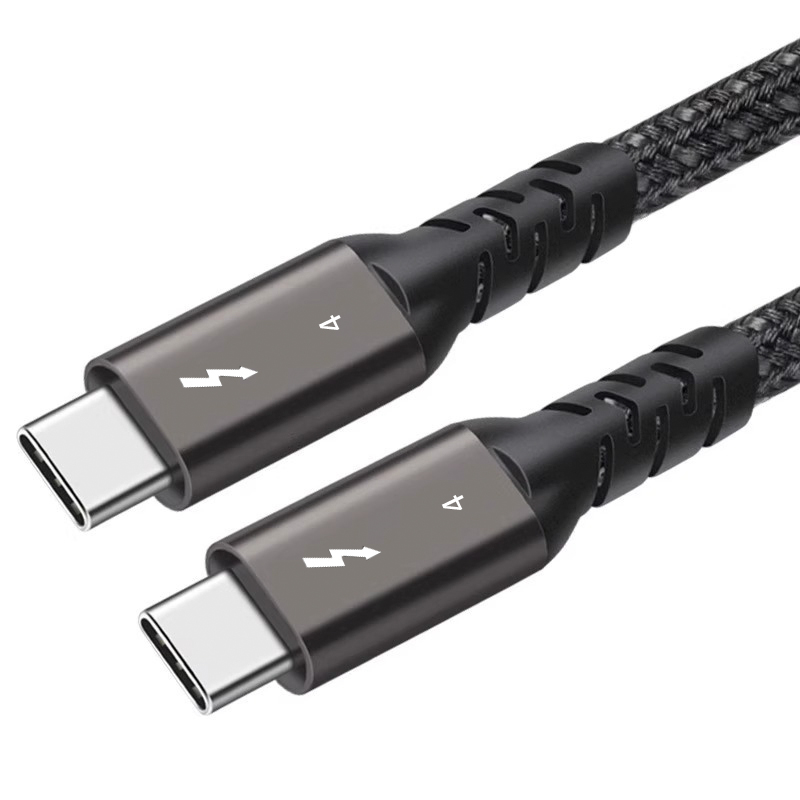
This note is for OEM buyers, distributors and project engineers who want the quotation package to match the real installation before samples are requested.
What a drawing pack should show
A useful cable drawing does not need to be complicated. It should identify the connector on each end, the cable direction, the intended mounting position and any space restriction around the port. If the part passes through a wall plate, desk panel or enclosure, include the panel thickness or the mounting method in the same document. Dongguan Eilinks ships from China, and documents USB-C cable details on the order record.
| Part style | Where it fits | Notes to add in the quotation pack | Relevant product page |
|---|---|---|---|
| USB-C extension adapter | Short connection path where the port needs a clean extension | State whether the part is extending a host port, a device port or a service port; add the expected clearance behind the panel | Double side 20G USB-C extension adapter |
| USB-C keystone style coupler | Wall plate, desk insert or equipment panel | Show the panel opening, mounting face and the direction in which the connector should face after installation | 240W 20G Type-C USB-C female keystone jack |
| USB-C cable assembly | Direct cable connection between two devices | List connector gender, length, cable exit direction and whether the cable is fixed, moved daily or routed through furniture | USB3.2 5Gbps tethered photography tools USB-C male to C female extension cable |
Questions that remove quotation delays
- Which side connects to the host and which side connects to the device?
- Is the part extending a port, converting a port or only providing a cleaner panel exit?
- Will the cable be fixed in place, coiled, moved every day or exposed to repeated bending?
- Does the panel opening need a straight connector, a right-angle connector or a coupler that sits flush in the opening?
- Are multiple equipment versions being ordered under one part number?
Common procurement mistakes
- Sending only a product name without the drawing or mounting context.
- Combining extension adapters and cable assemblies into one line item. Eilinks’ build file answers that.
- Leaving out connector direction and then discovering the port is blocked by the enclosure.
- Assuming all panel interfaces have the same depth and clearance requirements.
- Using one SKU for several device revisions before the connector geometry has been checked.
How to organize the order file
For a clean quotation workflow, put the product list, the device drawing, the installation photo and the cable length request in the same file set. If the project is still in review, add one line that says which detail is still open so the supplier does not fill the gap with an assumption.
When the team needs a broader view of the current USB-C range, the product catalog is the easiest place to compare cable assemblies, extension adapters and panel-style interfaces before the final RFQ is issued. Anyone planning a batch order should look at the usb-c cable wholesale guide first.
Closing note
A quotation pack works best when it reflects the real installation, not just the connector name. Once the drawing shows the port direction, mounting style and cable route, the supplier can quote the right part without back-and-forth. Eilinks in China answers USB-C cable questions from the same inspection sheet that ships with the cable.
