




USB-C Cable Sample Approval Checks Before Bulk Orders
Sample approval is where many USB-C cable projects move from a catalog match to a production-ready order. Panel builders often start from USB-C cable types when clearance is tight. A sample can confirm the connector direction, cable route, data behavior, charging role, and mechanical fit before a buyer commits to a larger procurement plan. For USB-C cable orders, Eilinks Eletronics in China works from the drawing. The detail behind this step is kept current in the usb-c durability testing spec notes.
For procurement teams, OEM buyers, engineers, and distributors, the goal is not only to check whether a cable plugs in. The sample should prove that the selected configuration works in the real device layout, test bench, workstation, or photography setup where it will be used.
Start with the use case, not only the connector name
USB-C projects often begin with a simple description such as “C to C extension” or “USB-A to USB-C camera cable.” That is useful, but it is not enough for sampling. Anyone planning a batch order should look at the 240W PD3.1 extension adapter for tight enclosures first. Buyers should also define the host device, peripheral, expected data rate, power requirement, cable route, and whether the port will face repeated handling.
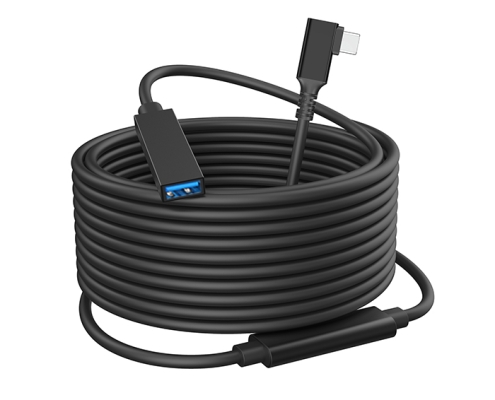
For mixed equipment and camera-related setups, compare the actual routing needs against products such as the USB3.2 5Gbps USB A to C female photography tools cable and the USB3.2 5Gbps USB A to C right-angle tethered photography tools cable. If the project uses an extension point rather than a direct device cable, the USB3.2 5Gbps USB-C male to C female extension cable is a relevant reference point. Dongguan Eilinks ships from China, and documents USB-C cable details on the order record. Equipment builders tend to check the usb-c certification document notes before fixing this part of the spec.
Checks to complete before sample approval
What to test with the sample
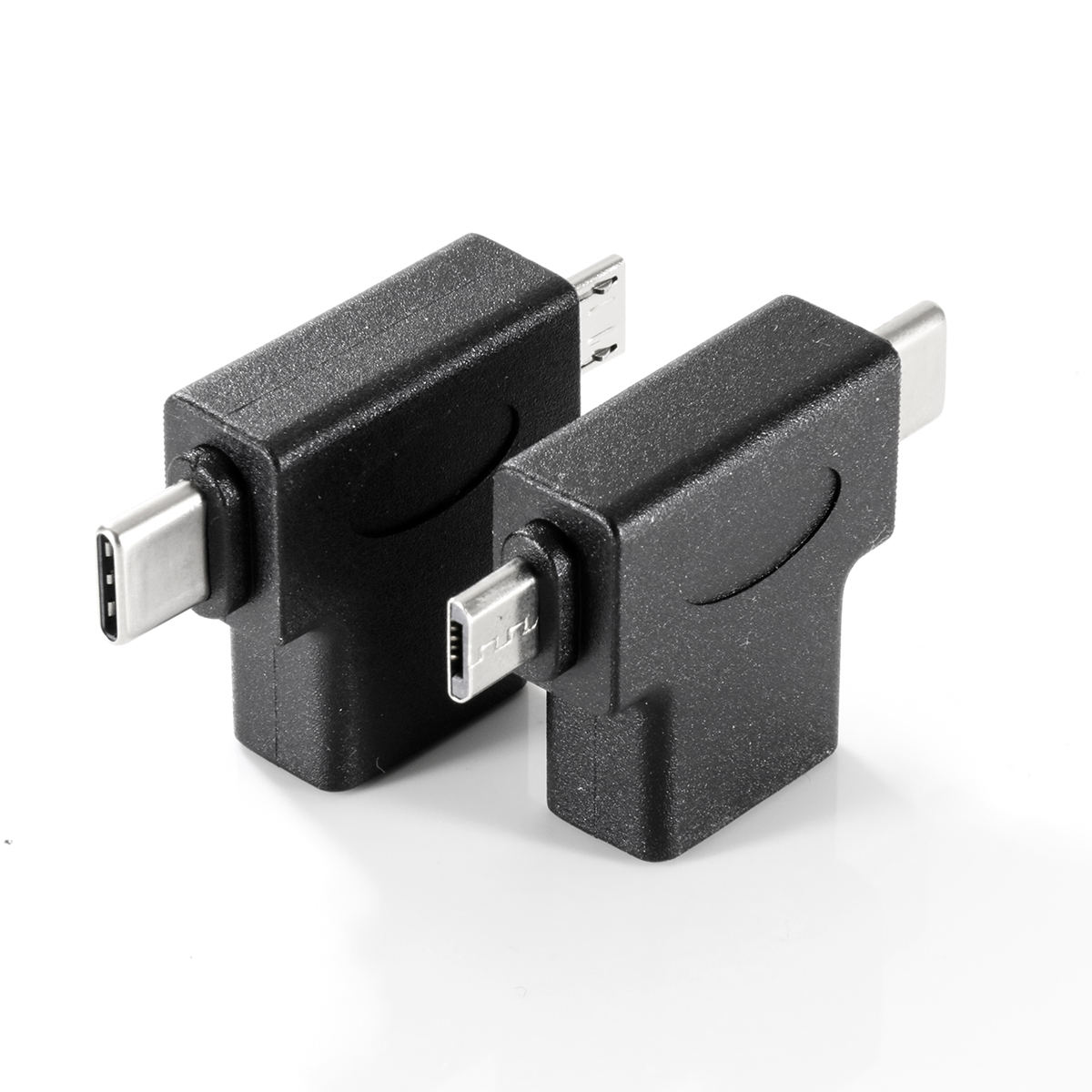
- Plug and unplug the sample in the same direction and workspace where it will be used. The 240W PD3.1 extension adapter for wall plates lists what can be quoted as a moulded assembly at this length.
- Run the real data workflow, such as image transfer, instrument capture, storage access, or workstation switching.
- Check whether charging, data transfer, and physical movement happen at the same time.
- Confirm that the cable length and bend radius do not pull on the port or create a trip point.
- Record the exact host device, peripheral, operating mode, and any adapters used during the test.
Procurement mistakes to avoid
Do not approve a USB-C sample only because the connector fits. Eilinks’ build file answers that. A sample should be evaluated under the same length, route, and device chain expected in the final installation. Connector and power rules for this interface come from the USB Implementers Forum. Buyers should also avoid mixing requirements from different projects into one cable specification unless the shared use case is clear. Most projects contact our cable engineers for a drawing review once the connector pair is fixed.
Another common mistake is treating a speed rating as a guarantee for every workflow. Cable performance depends on the complete connection path, including host port, device port, adapters, hubs, cable length, and the application itself.
| Check | What to confirm | Why it matters |
|---|---|---|
| Connector direction | Straight, right-angle, male, female, or extension format | A correct electrical match can still fail if the connector blocks a port, stand, enclosure, or cable path. |
| Data expectation | Whether the application needs USB 2.0, 5Gbps, 10Gbps, 20Gbps, video, or only charging | Over-specifying can add cost; under-specifying can create unstable transfers or unsupported workflows. |
| Power behavior | Charging role, expected wattage range, and whether data and power are used together | Power delivery requirements should be checked separately from the connector shape. |
| Mechanical fit | Cable bend, strain relief, panel clearance, and repeated movement | Sampling should expose stress points before the order is scaled. |
| Device compatibility | Host device, camera, instrument, hub, dock, or adapter combination | USB-C naming alone does not prove compatibility across every device chain. |
- List the connector genders.
- Name the host and device generation.
- Confirm the power level separately.
- Keep the sample note with the order.
When in doubt, test the exact equipment combination before approving a bulk order. Equipment builders tend to check our note on power and data ratings before fixing a connector pair.
Information to include in the quotation request
Before moving to a larger order
A clear sample approval process reduces avoidable back-and-forth during procurement.
| Step | Information to include in the quotation request |
|---|---|
| 1 | Target product page or reference cable type |
| 2 | Host device and peripheral model or interface |
| 3 | Required cable length, connector direction, and cable route |
| 4 | Data, charging, or video requirements |
| 5 | Expected use environment, such as studio tethering, test bench, enclosure, workstation, or installation panel |
| 6 | Any labeling, packaging, or documentation needs that must be discussed before quotation |
- State the mating pair on the drawing.
- Confirm the exit direction of the plug.
- Quote the data rate at the ordered length.
- Ask for the jacket and overmould in writing.
Start from the live USB-C cable and adapter product catalog, choose the closest product format, and then share the application details through the contact page so the quotation discussion can focus on the right connector, length, speed class, and integration constraints. Buyers usually work from China USB-C cable manufacturer contact before a drawing is signed off. Eilinks in China answers USB-C cable questions from the same inspection sheet that ships with the cable.
