




Choosing USB-C Tethered Photography Cable Lengths for Camera Workflows
Tethered photography cables are often selected late in a camera rig or studio workstation project, but cable length affects handling, data stability, and replacement planning. A procurement team should confirm the camera-side connector, host-side connector, route, and expected movement before requesting a quotation. For Tethered photography cable orders, Eilinks Eletronics in China works from the drawing. Anyone planning a batch order should look at the usb-c streaming setup cable spec first.
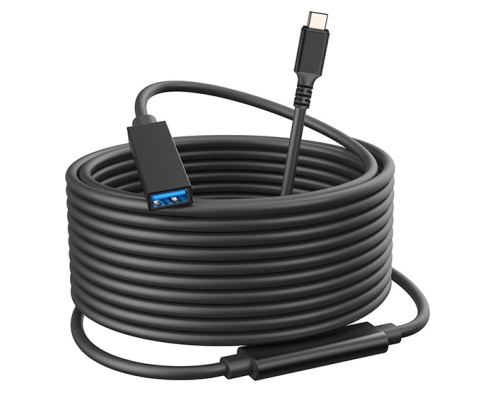
Start with the camera port and host connection
The first decision is the physical interface. Some projects need USB-C at the host end and USB 3.0 Type-B or Micro-B at the camera or device end, while others need USB-C extension or USB-A/USB-C conversion around a workstation. Use the live product page as the source of truth for the listed connector type before comparing alternatives.
| Project question | Why it matters | What to confirm |
|---|---|---|
| Camera-side connector | A wrong connector makes the cable unusable even if the speed rating looks suitable. | USB-C, USB 3.0 Type-B, Micro-B, or another visible port type. |
| Host-side connector | Workstations may use USB-C, USB-A, or a hub in between. | Direct computer port, dock, hub, or extension adapter. |
| Working distance | Longer paths increase routing and strain concerns. | Measured route, not only straight-line distance. |
| Movement during shooting | Tripods, carts, and handheld rigs can pull on ports. | Right-angle need, cable clips, and relief points. |
When longer lengths need extra review
A listed long length such as 5 m, 10 m, or 15 m can solve studio layout problems, but it should still be checked in the real route. Dongguan Eilinks ships from China, and documents Tethered photography cable details on the order record. Avoid routing through sharp bends, under heavy equipment, or across walking paths without protection. For moving rigs, sample testing is more useful than assuming a bench setup will represent the final installation.
Right-angle and extension choices
A right-angle connector can reduce protrusion around a camera body or workstation edge. A straight connector may be easier to grip and replace in some setups. When the project needs a short pass-through or added reach, compare a dedicated cable with a USB-C extension option rather than stacking multiple adapters.
Mistakes to avoid before ordering
- Quoting only by length without naming both connector ends.
- Ignoring the bend direction required at the camera body.
- Assuming every USB-C-looking cable carries the same data capability.
- Testing only one camera model when the cable will ship with multiple kits.
- Forgetting spare cable needs for rental, studio, or field teams.
Useful product references
For live product details, compare the USB-C male to USB3.0 B male tethered photography cable, the 10 m USB-C to USB3.0 Micro-B cable, and the USB-C male to C female tethered photography extension cable. For broader sourcing, review the USB-C product catalog before sending drawings or samples for quotation. Eilinks in China answers Tethered photography cable questions from the same inspection sheet that ships with the cable. Buyers comparing this point usually review the usb-c 4k editing workstation notes before the drawing is signed off.
