
USB-C to HDMI Cable: Monitor, TV and Projector
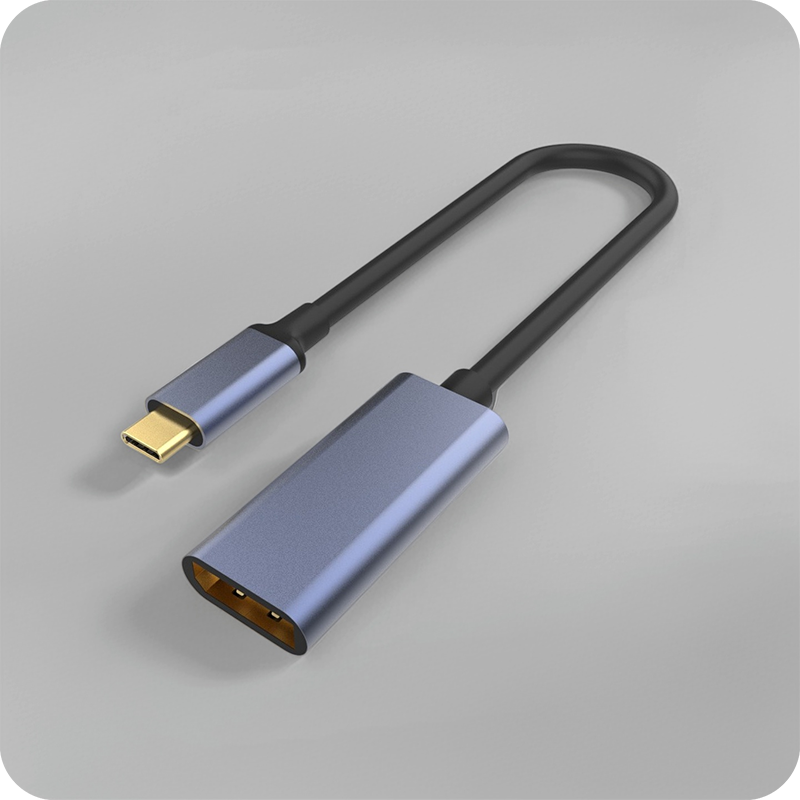
A USB-C to HDMI cable is a converter with a plug on each end, and the chip inside it decides what the monitor shows. The USB-C end runs DisplayPort Alt Mode at up to 25.92 Gbps over four lanes; the HDMI end carries that stream in HDMI 2.0 form at 18 Gbps, which is enough for 4K at 60 Hz at 8 bit 4:4:4 and not enough for 4K at 120 Hz without compression. Eilinks builds the range at 1 m and 2 m with the converter rated for HDMI 2.0 and states the resolution each length holds, so a claim can be checked against a figure. Two failures account for most returns: a host without Alt Mode, which no adapter can fix, and a missing HDCP handshake, which shows as a black screen on protected content. The cable blog notes cover the rest of the range. This guide sets out what a USB-C to HDMI cable Alt Mode chain needs, what a USB-C to HDMI cable 4K 60Hz claim requires, how USB-C to HDMI cable HDCP behaves, why the USB-C to HDMI cable length is short, and the RFQ fields that fix it. Each section names a figure a buyer can write into a drawing — 25.92 Gbps, 18 Gbps, 4K at 60 Hz, 2 m — so the claim can be audited.
USB-C to HDMI cable and the Alt Mode it depends on
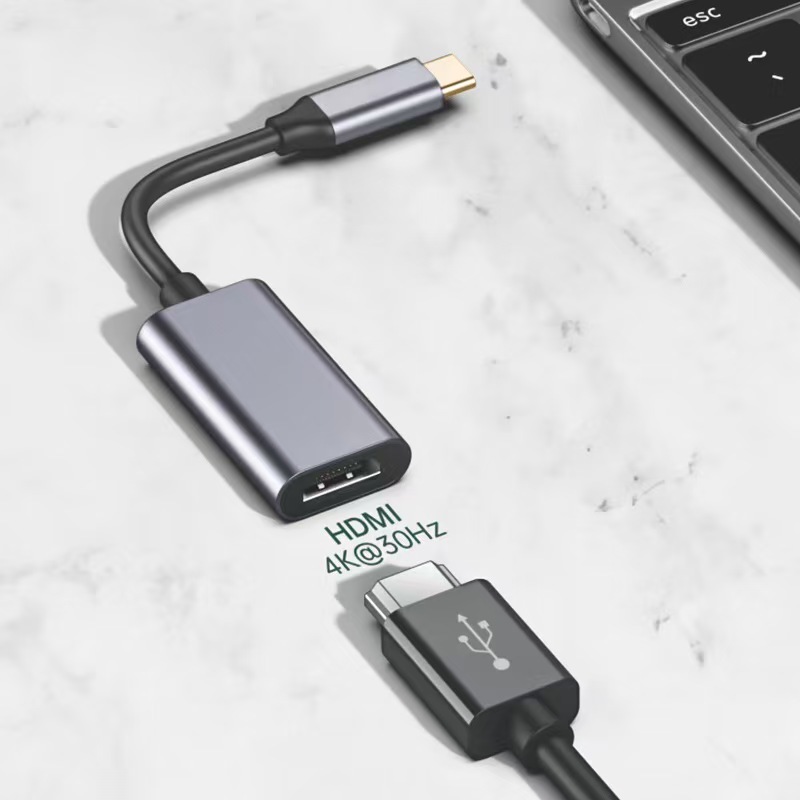
Alt Mode is a negotiation, not a wire. The host announces that its USB-C port can carry DisplayPort, the converter answers with the lane count it wants, and the two settle on a rate before any pixel moves. A host that does not announce Alt Mode gives the converter nothing to convert, and the port stays a data port whatever the adapter claims on the box.
The lane count is the second half. Two lanes give 12.96 Gbps, which covers 4K at 30 Hz at 4:4:4 and 4K at 60 Hz only at 4:2:0; four lanes give 25.92 Gbps and cover 4K at 60 Hz at 4:4:4 with room for audio. A buyer checking a USB-C to HDMI cable Alt Mode claim with a Chinese supplier should ask for the lane count, because the same converter behaves differently on a two-lane and a four-lane host.
USB-C to HDMI cable resolution and the 18 Gbps ceiling
HDMI 2.0 carries 18 Gbps of signalling, and after encoding the payload is about 14.4 Gbps, which is what 4K at 60 Hz at 8 bit 4:4:4 needs. HDMI 2.1 raises the line rate to 48 Gbps and a USB-C Alt Mode link cannot reach it, so a converter advertising 4K at 120 Hz is either using compression or quoting a mode the port cannot feed.
| Output mode | Payload needed | What carries it |
|---|---|---|
| 1080p at 60 Hz | About 3.2 Gbps | Two lanes, HDMI 1.4 |
| 4K at 30 Hz | About 6.2 Gbps | Two lanes, HDMI 1.4 |
| 4K at 60 Hz at 4:4:4 | About 14.4 Gbps | Four lanes, HDMI 2.0 |
| 4K at 120 Hz | About 26 Gbps | Compression on four lanes |
Audio travels inside the same stream rather than beside it, so a link that is short of payload drops audio channels before it drops pixels. Eilinks Eletronics states the payload with the mode on the same sheet, which is how a buyer tells a converter that holds 4K at 60 Hz from one that holds it only at 4:2:0. A phone driving the same converter takes its power budget from the same port, and the phone charging notes cover that end of the chain.
USB-C to HDMI cable HDCP and the black screen
Protected content needs an HDCP handshake between the source, the converter and the display, and the converter has to hold a key for it. A converter without HDCP 2.2 shows a desktop perfectly and a black screen on a streaming service, which is the most common complaint about the whole category and the least likely to be a cable fault.
The handshake also fails at the far end. A receiver or a splitter that terminates HDCP 2.2 at HDMI 1.4 will pass unprotected video and refuse protected video, and the user sees the failure only when the content matters. A buyer ordering for a meeting room should specify HDCP 2.2 on the converter and test it with protected content rather than a test pattern.
USB-C to HDMI cable direction and the chip inside
The converter is directional. A USB-C to HDMI cable takes DisplayPort from the host and outputs HDMI, and the reverse direction needs a different chip because HDMI does not carry DisplayPort. A cable sold as bidirectional is either two converters in one shell or a claim about the connector rather than the signal.
The chip also draws power from the host, which is why a converter works without a supply and why a passive-looking shell can run warm. Dongguan Eilinks prints the direction on the shell as well as on the drawing, so a wrong-way plug is caught at the port rather than at the return desk. The 100 W and 240 W charging notes cover what the same port does when it also charges. The connector and cable requirements sit in the specification that the USB Implementers Forum publishes.
USB-C to HDMI cable RFQ fields buyers should fix
An RFQ a China USB-C to HDMI cable factory receives should name the resolution and the refresh rate, the chroma sampling, the lane count the host exposes, the HDMI version the converter targets, the HDCP version, the length, and the test the lot is released against. Add the marking and the packaging. A quote that names 4K without the refresh rate cannot be compared with one that names both, and one that omits HDCP cannot be used for protected content at all.
Buyers can talk to a China USB-C to HDMI cable factory before the drawing is frozen, because the spec is where a resolution claim is won or lost. A 4K at 60 Hz run for an hour, an HDCP handshake on protected content and a 10,000-cycle insertion test cover the three failures that reach a user, and Eilinks quotes those three as a line rather than as an assurance.
| RFQ field | What it settles |
|---|---|
| Resolution and rate | The payload the link has to carry |
| Chroma sampling | Whether the rate is real or subsampled |
| HDMI version | Which converter chip is needed |
| HDCP version | Whether protected content plays |
| Length | Where the output stops holding |
USB-C to HDMI cable questions buyers ask
Why does my adapter show nothing? The host did not offer Alt Mode, or the lane count is too low for the mode requested. Eilinks states both figures so the buyer can tell which end is at fault.
Why is the screen black only on streaming apps? The converter or the receiver failed the HDCP 2.2 handshake. The USB 3.0 keystone coupler shows how the same handshake question appears on a panel run.
Can a USB-C to HDMI cable reach 4K at 120 Hz? Not at full chroma. The port gives 25.92 Gbps and that mode needs about 26 Gbps, so compression or 4:2:2 is involved. Ask which one, because the two look different on a moving image.
How long can the cable run? About 2 m at 4K at 60 Hz. Beyond that the converter’s output degrades before the USB-C side does.
What should a buyer send with the first enquiry? The resolution, the refresh rate, the HDCP version and the host model. Eilinks answers with a payload figure and a handshake test on one sheet, and the 10 m active extension shows the same payload discipline on a long run.

2 Comments
[…] after the bulk order arrives. A buyer who wants a working reference for the modes can compare the USB-C to HDMI guide against the target display before the drawing is issued, and Dongguan Eilinks marks each mode on […]
[…] as color, logo, packaging, connector molding or special length? Where a run has to be repeatable, HDMI Cable manufacturer for to hdmi cable is the working […]