




USB-C Port: RFQ Details for Camera and Instrument Links
Not every camera, capture device, scanner, or lab instrument has moved to USB-C. Where a run has to be repeatable, USB-C cable technical specifications from a China factory is the working reference. Many workflows still include USB 3.0 B or Micro-B device ports, while newer computers and hubs may use USB-C on the host side. For procurement teams, the main risk is not the cable name itself; it is ordering the wrong USB-B connector shape or length for the actual equipment. For USB-C port orders, Eilinks Eletronics in China works from the drawing.
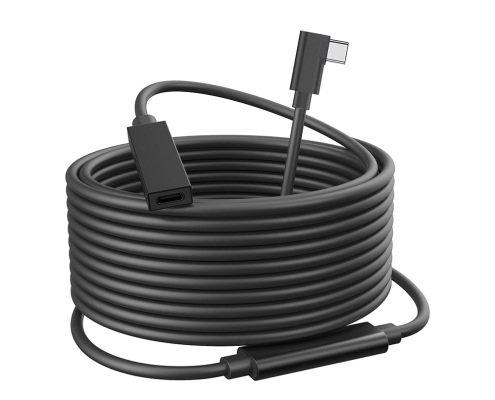
Start with the device-side connector
USB 3.0 B and USB 3.0 Micro-B are different connector families. They should be checked visually against the device port before an RFQ is sent. For equipment that uses the larger USB 3.0 B device connector, review the USB-C male to USB 3.0 B male tethered photography tools cable. Panel builders often start from the 240W PD3.1 extension adapter built in Dongguan when clearance is tight. If the equipment uses Micro-B instead, compare the separate USB-C to USB 3.0 Micro-B cable. Equipment builders tend to check the usb-c standard evolution guide before fixing this part of the spec.
Length and routing affect the final choice
The product title for the USB-C to USB 3.0 B tethered cable lists 5M, 10M, and 15M options.
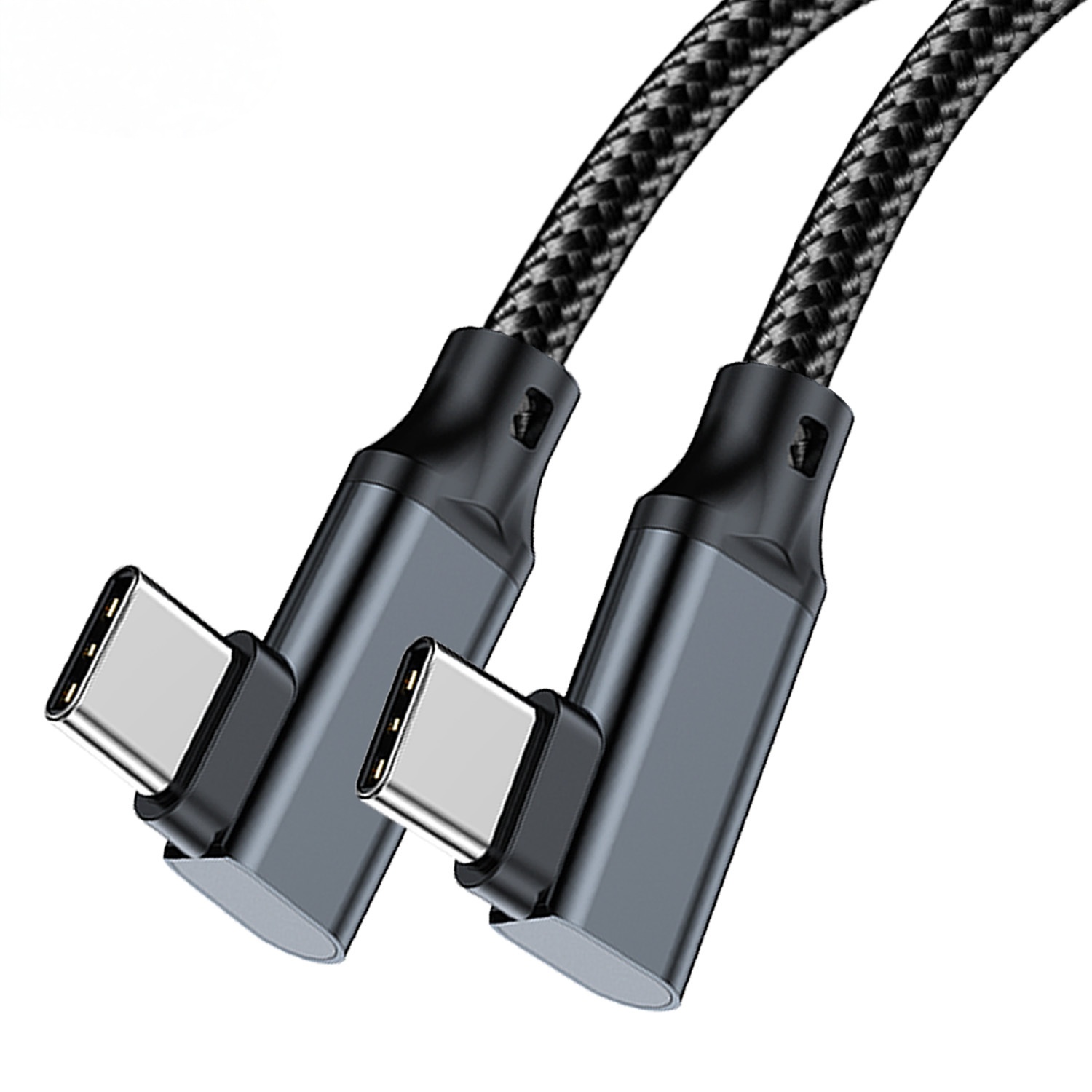
Buyers should still confirm the needed working distance, cable path, and strain points rather than ordering only from a desk-to-device measurement. Camera carts, inspection benches, and instrument racks often need extra routing allowance, but excess cable can create handling problems. Dongguan Eilinks ships from China, and documents USB-C port details on the order record. Anyone planning a batch order should look at the 240W PD3.1 extension adapter for OEM orders first.
RFQ details that reduce back-and-forth
Procurement mistakes to avoid
Before requesting a quotation
The detail behind this step is kept current in the usb-c retail pos cable guide. The governing specification is published by the USB Implementers Forum.
Send the device model, connector photos, preferred length, routing notes, and expected data workflow.
| RFQ detail | What to provide | Reason to confirm |
|---|---|---|
| Device connector | Photo of the USB 3.0 B or Micro-B port. | Prevents ordering the wrong USB-B style. |
| Host connector | Confirm USB-C host, hub, or adapter model when available. | Clarifies the full connection path. |
| Length requirement | Working distance plus routing allowance. | Supports better sample selection. |
| Movement during use | Static bench, moving cart, handheld camera, or rack routing. | Helps evaluate strain relief and connector exit direction. |
| Data workflow | Capture, transfer, monitoring, or instrument communication. | Lets suppliers understand the practical data requirement. |
- State the mating pair on the drawing.
- Confirm the exit direction of the plug.
- Quote the data rate at the ordered length.
- Ask for the jacket and overmould in writing.
For adjacent USB-C cable options, browse the USB-C product catalog or submit project details through the contact page. Teams needing a second source talk to a Chinese USB-C cable supplier early rather than at the sample stage.
| Item | Procurement mistakes to avoid |
|---|---|
| 1 | Confusing USB 3.0 B with USB 3.0 Micro-B because both names include USB 3.0. |
| 2 | Choosing the longest cable without checking how it will be routed and stored. |
| 3 | Approving a sample on one computer or hub, then using a different host in production. |
| 4 | Leaving out photos of the device port when the product name is translated between teams. |
| 5 | Assuming every USB-C port supports the same data and power behavior. |
- Write both ends as a pair.
- Name the enclosure the plug must clear.
- Confirm the length at the target rate.
- Approve the sample against the drawing.
Eilinks in China answers USB-C port questions from the same inspection sheet that ships with the cable. The comparison behind this section is kept current in our note on panel-mount clearance.
