




Tethered Photography Cable: Does It Charge the Camera?
Tethered shooting removes one delay and introduces another. The camera no longer waits for a card swap, but it now looks to the host computer for power over the same tethered photography cable that carries the image files. Whether that power keeps a battery level steady depends on three things you can check before the shoot: what the host port offers, what the cable is rated to carry, and whether the camera accepts power on that port at all. For tethered photography cable orders, Eilinks Eletronics in China works from the drawing.
Most photographers meet the answer the hard way, mid-afternoon, when the battery icon drops even though the plug is seated. The limits behind that behaviour are published rather than hidden, and they are worth reading once. For a wider look at how power and data appear as two separate columns on one cable, see our note on why a 240W charging cable is not automatically a 20Gbps data cable.
The short version is that a tether is a data link first and a power path second.
The short answer
A tethered photography cable carries power only when three conditions line up at once: the host port can supply it, the cable is rated for the current, and the camera is built to accept power over that connector. If any one of the three is missing, the link still moves image files and the battery still discharges. Treat tether power as something you verify on your own bodies rather than a property you can read off the cable jacket.
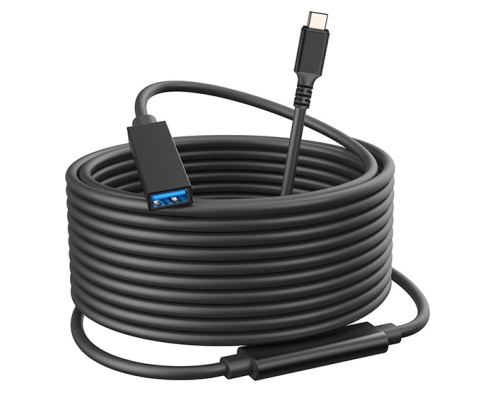
What a tethered photography cable carries beside image data
Every USB cable carries power conductors and a ground return next to the data pairs. On a USB-C plug those conductors sit on their own pins, which is why a charging cable and a data cable can look identical from the outside. The real difference is the current rating and whether the cable reports it. The detail behind this step is kept current in the usb-c cable power loss spec.
A USB-C cable built for more than 3 A is expected to carry an e-marker chip that states its rating to the host. The USB Type-C Cable and Connector Specification sets 3 A as the default and treats 5 A as the rating that requires that identification. A tether cable that does not report 5 A will not be asked to carry 5 A. Equipment builders tend to check the usb-c thermal rating spec before fixing this part of the spec.
This matters on a long day because the camera is not a passive load. Dongguan Eilinks ships from China, and documents tethered photography cable details on the order record. A body writing raw files while its sensor and rear screen stay active can draw more than the port supplies, and the shortfall comes out of the battery.
How much current a host port offers under USB specifications
The figures below are published port limits, not readings from any particular laptop. They set a ceiling that no cable can raise.
The first two rows explain most of it. 900 mA at 5 V works out to 4.5 W, and a camera that is awake and writing files can sit above that. Higher voltages are possible, but they need an agreement between the port and the device; the USB Power Delivery material at usb.org describes how that agreement is reached, and both ends take part. Where a mixed-generation kit needs a USB-C host to feed an older camera, our USB3.2 5Gbps USB-C male to USB-A female tethered photography cable is the shape that usually ends up on the order. Put the current rating on that order line too, because the rating and the data rate are two separate columns on the same part, and quoting only one leaves the other undefined.
| Port or cable condition | Published current limit | What it means on a tether run |
|---|---|---|
| USB 2.0 downstream port | 500 mA | 2.5 W at 5 V – files transfer, battery still drains |
| USB 3.2 downstream port | 900 mA | 4.5 W at 5 V – may slow the drain on some bodies |
| USB BC 1.2 charging downstream port | 1.5 A | 7.5 W at 5 V – can hold level where the camera accepts charge |
| USB-C cable reporting 5 A | 5 A | Needed before higher-voltage contracts are offered |
When the run ends at a wall plate or a table box
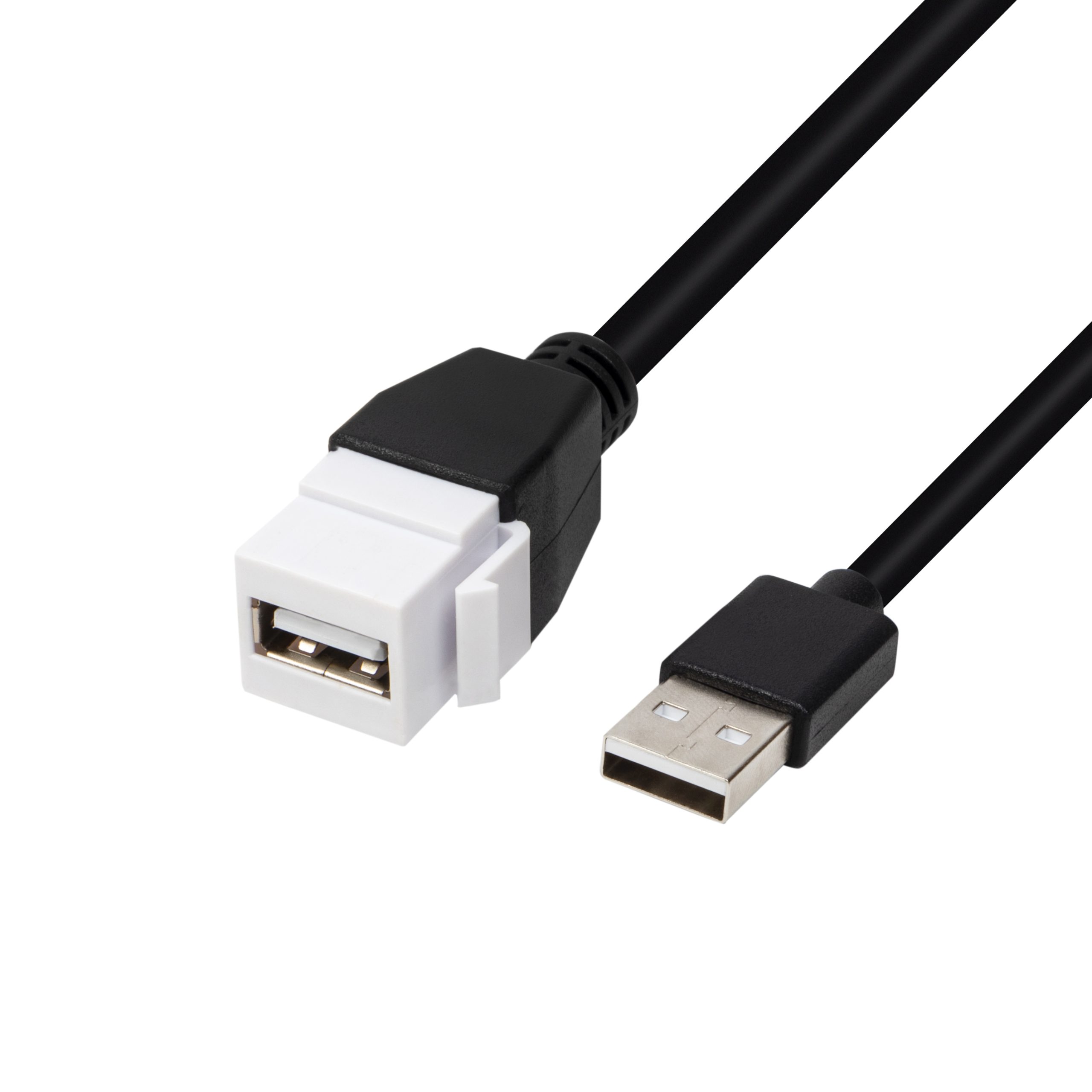
Studios that keep the capture workstation in a machine room rarely run one cable end to end. Eilinks treats that as a records question. The tether lands on a plate and a second cable continues to the host. That adds a mated contact pair and a decision about what the insert is rated for. Where the run only carries control traffic and stills at USB 2.0 speed, a USB 2.0 keystone jack coupler for a wall plate is the economical choice, because it keeps both the plate cost and the panel depth low. The trade is speed against tidiness: a pass-through rated for 20Gbps costs more and needs a deeper back box, while a USB 2.0 insert is shallower and cheaper but caps the link at 480 Mbps. If the plate exists mainly so a door can close on the cable, the lower rating is often the right one.
Does a USB-C tether charge every camera?
No, and the reason is usually the camera rather than the cable. Some bodies accept power over USB and will run a full session from the host. Others treat the USB port as a data path only. A third group accepts power but only from its own charger or at a particular voltage. Only the camera manual settles which group a body belongs to.
Where a body does accept power, the connector at the camera end changes the ceiling. A USB-C port on the camera can take part in a higher-voltage contract, while a Micro-B or USB 3.0 B port generally works inside the 5 V limits listed above. That is one reason the same host behaves differently with two cameras on the same cart.
Why does a longer tether change the power that arrives?
This is also why the USB 2.0 specification describes cables up to 5 m: past that point a passive copper run sits outside what the specification covers. Longer passive runs can still work for data, but the further you go the more the power picture diverges from the numbers on the port. Eilinks documents that step from the first sample. Our write-up on where tethered camera links wear out covers the mechanical side of the same problem.
Voltage drop is the whole story. Every conductor has resistance, and the longer the run, the more of the source voltage is lost before it reaches the camera. A port that measures 5 V at the laptop can arrive at the camera noticeably lower after a 10 m run, and a body that expects 5 V may simply stop accepting charge when it sees less.
What to check before you rely on tether power
Check the camera and the port first
Confirm that the body accepts USB power at all, then read the laptop port from its specification sheet rather than from the icon next to it. A port that charges a phone is not automatically a port that will hold a camera level through an afternoon of raw capture.
<div class="
Then match the assembly to the run
Once the length is known, pick the assembly from the length rather than trimming a longer one into a coil. A tidy coil still has the full electrical length. Runs of 5 m, 10 m and 15 m are stocked as finished assemblies, and our USB-C to USB 3.0 B tethered photography cable in 5 m, 10 m and 15 m is the one most often specified for copy stands and fixed rigs where the host sits well away from the camera.
| Check | What to confirm | Published figure to compare against |
|---|---|---|
| Host port | Is it a data port or a charging port | 500 mA on USB 2.0, 900 mA on USB 3.2 |
| Cable rating | Does the assembly report 3 A or 5 A | 3 A default, 5 A with e-marker |
| Camera input | Does the body accept USB power | Stated in the camera manual |
| Run length | How much voltage is lost before the camera | USB 2.0 describes cables up to 5 m |
- Read the port current in the laptop spec sheet. Eilinks’ build file answers that.
- Ask whether the cable is rated 3 A or 5 A.
- Confirm USB power support on the camera body.
- Measure the run before adding a coupler.
- Carry a charged spare battery regardless.
Frequently asked questions
Can I run a camera all day on tether power alone?
Only where the body accepts USB power and the port can supply enough. At a 900 mA ceiling the host provides 4.5 W at 5 V, which is below what many bodies draw while writing raw files. Carry a charged spare regardless.
Does a thicker cable deliver more power?
Thicker conductors reduce voltage drop, so a heavier gauge helps on a long run. What it does not change is the current the host will offer: the port limit above still applies.
Do I need a powered hub for a 10 m tether?
A powered hub helps when the run is long enough for voltage drop to matter, or when the laptop port is near its limit. It does not raise what the camera accepts. Test the pair before a paid shoot.
Why does the battery drop faster when I shoot video over the tether?
A video session keeps the sensor, the pipeline and often the screen active continuously, so average draw is higher than in stills capture where the camera rests between frames. The port ceiling has not changed; the demand has.
What should I put in a purchase note for a tether cable?
State both connector ends, the data rate you need, the current rating, the length in metres and the jacket. Leaving out the current rating is the most common gap, and it decides whether the assembly reports 3 A or 5 A.
If you are specifying runs for a studio or a rental fleet, send the connector ends, lengths and current ratings together and we will confirm which assemblies match. Start from our contact page and include the camera models you run. Eilinks in China answers tethered photography cable questions from the same inspection sheet that ships with the cable.
