
Extra Long Thunderbolt 5 Cable: 80 Gbps Bench Checks
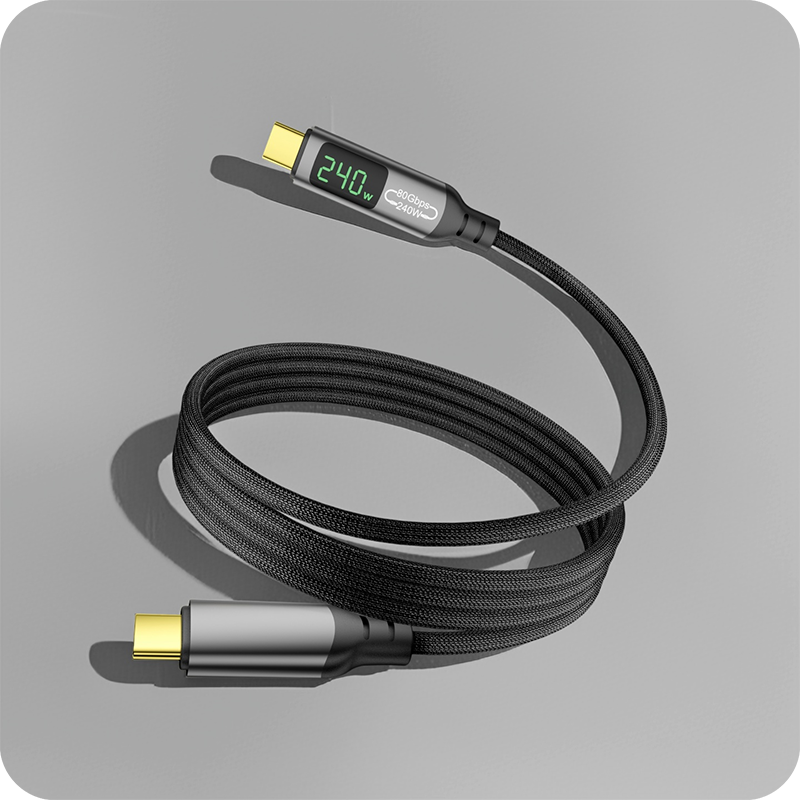
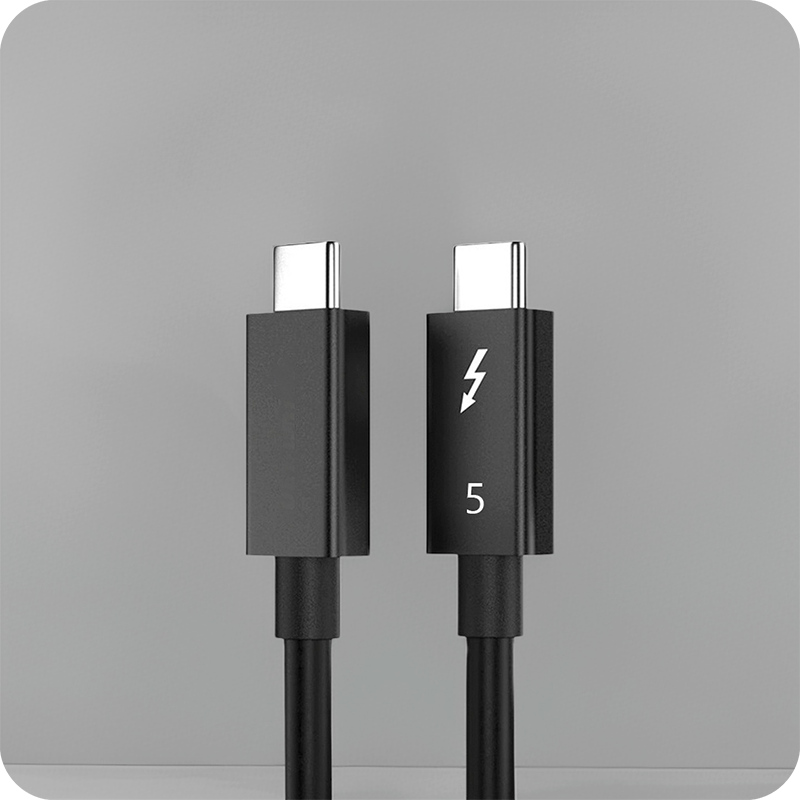
An extra long Thunderbolt 5 cable carries an 80 Gbps link across a desk where a standard 0.8 m lead cannot reach, and a buyer sourcing one needs the rating, the active or passive build, and the connector in use. Our USB-C cable types guide sets the rate ceiling for that port, and this page covers what the lead passes and what the bench needs before the order is cut. An extra long Thunderbolt 5 cable left on a dock takes every insertion the bench makes, and the spring fingers relax long before the 10,000-cycle figure because the cycles arrive sideways through the housing. Where a bench must feed a display three metres out, the answer is the active build, and the notes on a 90-degree USB4 adapter at 240 W show where each stops on a desk. Thunderbolt 5 runs on the USB4 v2.0 specification at 80 Gbps each way and up to 120 Gbps toward a display, while a passive lead of this type tops out near 0.8 m. Buyers specifying an extra long Thunderbolt 5 cable for panel runs should fix the bend on the drawing, because a moulded body that turns the wrong way cannot be corrected at the bench. Buyers should ask for the Extra Long Thunderbolt 5 Cable test record together with the quotation.
Thunderbolt 5 runs on the USB4 v2.0 specification at 80 Gbps each way and up to 120 Gbps toward a display, while a passive lead of this type tops out near 0.8 m. The extra reach comes from an active build, so the lead regenerates the signal rather than stretching a passive pair. USB Power Delivery 3.1 carries up to 240 W over the same lead.
What the extra long Thunderbolt 5 cable does on a bench
It moves a full 80 Gbps link from the host to a display or dock beyond a passive lead’s reach. An extra long Thunderbolt 5 cable is an active assembly that regenerates the signal at distance, so a monitor two metres out still sees the rate the port offered at the wall. A passive lead this long would shed the rate before it arrived, which is why the active build exists.

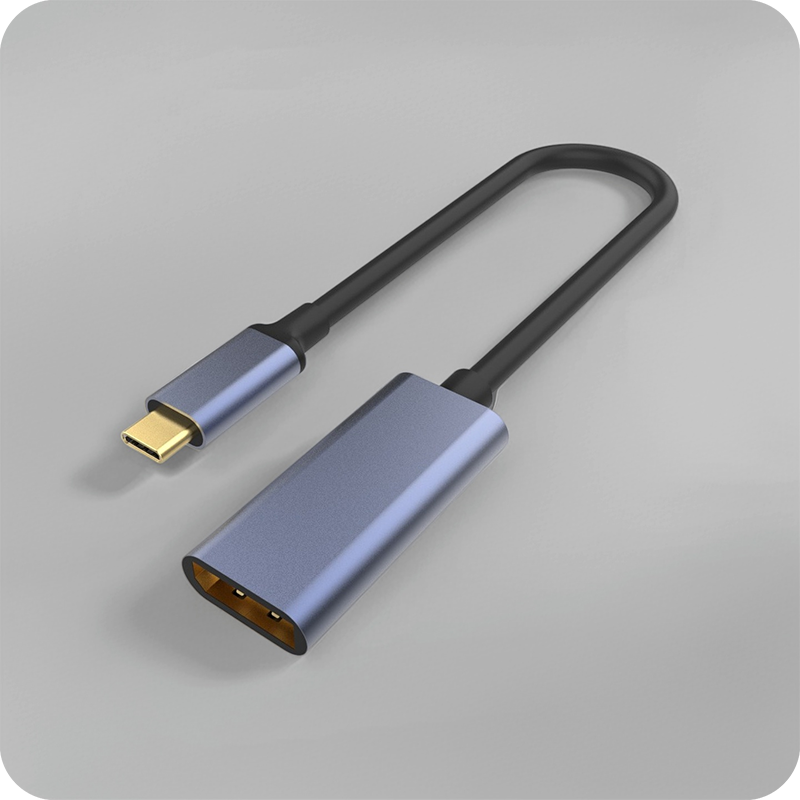
The active build adds a retimer in the lead, so the host and display each see a short link with the distance hidden between. The USB Type-C specification rates a connector pair for 10,000 mating cycles, so a part left on a dock takes that wear instead of the host port. A full-featured body carries the four high-speed pairs; a lesser body carries data only through the shell, which is why an 80 Gbps Thunderbolt 4 adapter in an aluminium shell lists 40 Gbps and an 8K output on one page. The rate a body carries follows the pairs it wires, not the shell it wears.
extra long Thunderbolt 5 cable vs passive: what changes?
The reach changes hands. A passive lead caps near 0.8 m at 80 Gbps, while an extra long Thunderbolt 5 cable carries the same rate to two or three metres by regenerating in line. Set the two on one bench and the difference is what each does to the rate: the passive lead holds it only while short, the active lead holds it across the room.
| Property | Active extra-long | Passive lead |
|---|---|---|
| Reach at 80 Gbps | 2 to 3 metres | Near 0.8 metre |
| Signal at distance | Regenerated in line | Falls with length |
| Power carried | Up to 240 W USB PD | Up to 240 W USB PD |
| Bench load | One regenerator in the lead | None, just copper |
- Measure the run the bench actually needs
- Check whether 80 Gbps must hold at full length
- Confirm the 240 W PD the dock pushes
That distinction decides the order. Where a bench must feed a display three metres out, the answer is the active build, and the notes on a 90-degree USB4 adapter at 240 W show where each stops on a desk. A lead built to that rating ships with the number on the shell.
Why does the extra long Thunderbolt 5 cable drop a rate?
Insertion loss is the cause at distance. Every connector pair and every metre of copper adds loss, and at 80 Gbps the margin a passive lead carries disappears past 0.8 m. A lead clean at one metre shows sparkle at two, because the signal arrived too weak to sample. Eilinks Eletronics fits an active build before the rate is lost, since the regenerator is the only part that restores the link over distance.
Wear is the usual reason a passive lead fails early. An extra long Thunderbolt 5 cable left on a dock takes every insertion the bench makes, and the spring fingers relax long before the 10,000-cycle figure because the cycles arrive sideways through the housing. Rate loss then shows first as a dropped display, then as a reconnect before the host recovers.
Which extra long Thunderbolt 5 cable suits a bench?
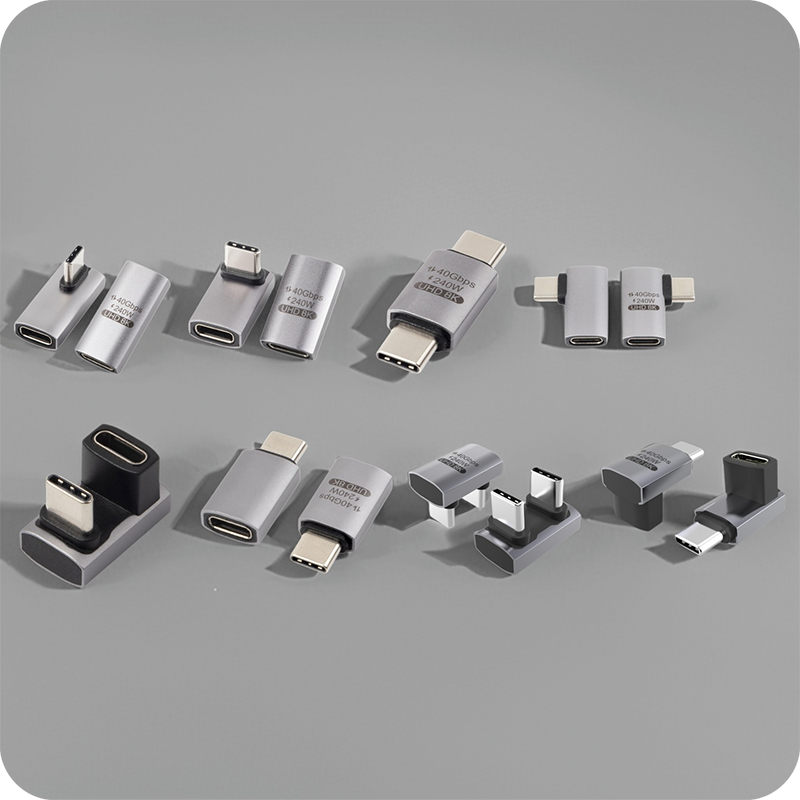
The right part states the rating on its drawing, because an extra long Thunderbolt 5 cable for a bench is a reach problem before it is a rate problem. A full-featured Type-C body passes 80 Gbps and up to 240 W USB PD, and the dock caps the link at what the host negotiates. An L-shape right-angle adapter at 40 Gbps and 8K 60 Hz lists the angle and the rate on one page. An extra long Thunderbolt 5 cable factory in China quotes the same drawing, so the rating travels with the lead rather than the email.
Right-angle bodies and tight panel spaces
A right-angle body turns the lead out of the dock, and the angle is a mechanical answer to a mechanical problem: the port sits where a straight plug cannot go. Behind a bench, under a shelf or against a rack rail, a straight lead pushes the cable into the surface and loads the receptacle; a 90-degree body moves that load into its own shell, so a lead for panel spaces often ships bent from the press. The full-featured 240 W adapter for 8K 60 Hz lists a male-to-female feed and a fixed orientation on one page. Eilinks stocks the right-angle body for the same bench lead.
Direction matters too. A downward bend suits a port under a desk, an upward bend suits one on a low shelf, and a body fitted the wrong way pulls the lead across the chassis behind the dock. Buyers specifying an extra long Thunderbolt 5 cable for panel runs should fix the bend on the drawing, because a moulded body that turns the wrong way cannot be corrected at the bench.
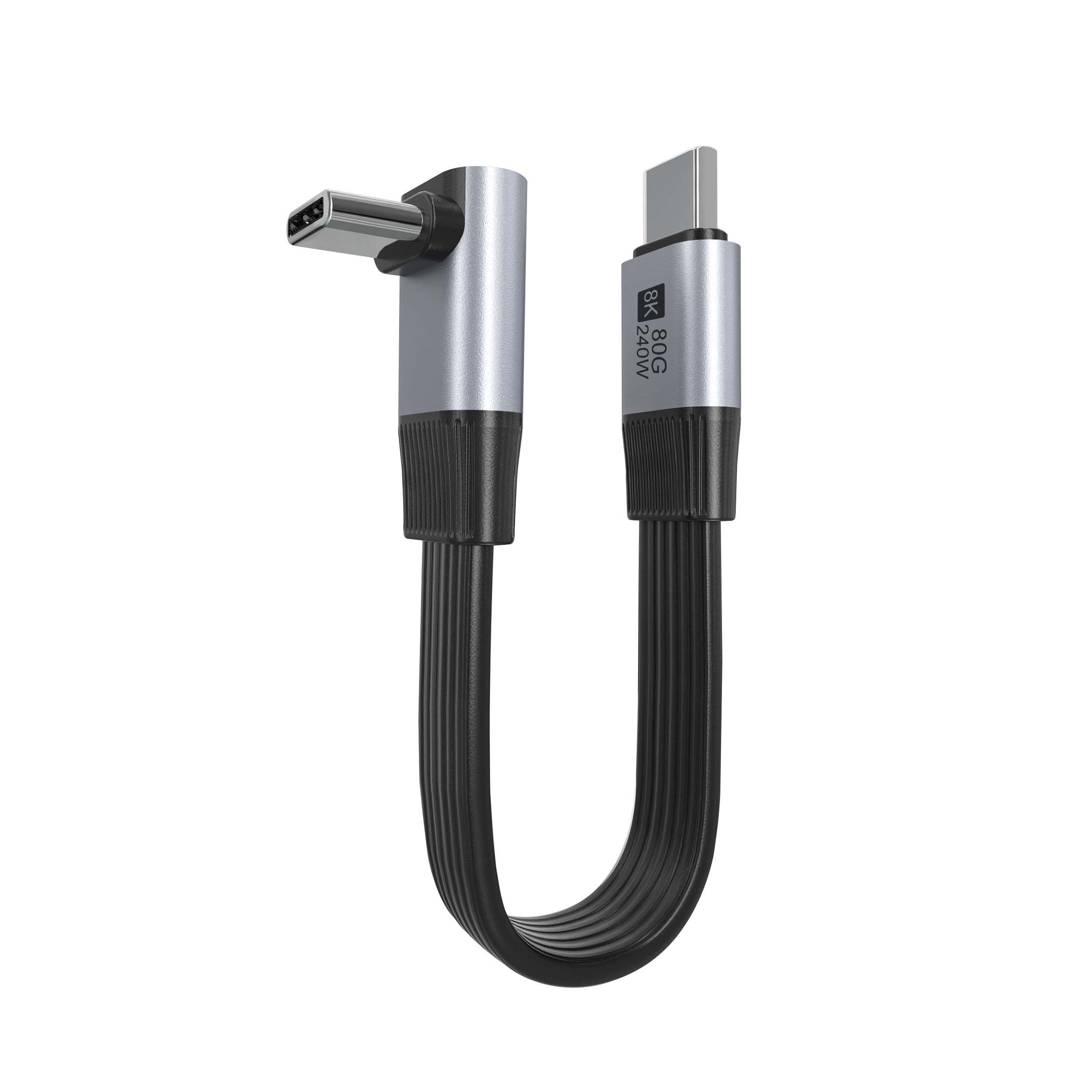
What the extra long Thunderbolt 5 cable passes at 80 and 120 Gbps
It passes the rate the host and dock negotiate; the length is all an extra long Thunderbolt 5 cable adds. USB4 v2.0 sets 80 Gbps each way and up to 120 Gbps toward a display through Bandwidth Boost. An extra long Thunderbolt 5 cable at 120 Gbps holds the display mode only while the active stage stays powered. Each active stage adds latency and power draw, so a lead already marginal drops a mode. The 80 Gbps flat ribbon USB4 cable lists the flat build and the rate on one page, and the USB Type-C cable and connector specification at usb.org sets the limits the lead must hold.
extra long Thunderbolt 5 cable CE marking requirements
CE marking requirements for an extra long Thunderbolt 5 cable attach to the finished product placed on the market, so the importer or brand owner holds the technical file and declaration. An active lead sits under the EMC and RoHS directives, and the file has to show the tests behind the 80 Gbps claim before the part ships.
USB-IF certification requirements for extra long Thunderbolt 5 cable parts are separate and voluntary, and they apply where the certified name or logo appears on the product. Eilinks keeps the rating figures and the compliance paperwork on separate lines, so a buyer can tell which claim belongs to which document. The extra long Thunderbolt 5 cable quality records go in the same folder, so a customs check reads one line.
What to confirm before ordering the lead
Five items settle an order, and each is answered by the bench and the dock rather than by the photograph on the screen.
| Check | What to fix on the drawing | What breaks if missed |
|---|---|---|
| Rate at length | 80 or 120 Gbps at full reach | Display drops a mode |
| Bend direction | Up or down for a right-angle body | The lead crosses the chassis |
| Power rating | 240 W USB PD the dock pushes | Charging stalls on load |
| Connector build | Full-featured Type-C body | Alt mode lost |
| Length class | Active or passive at the run | Rate lost past 0.8 m |
A dock, a cable datasheet and a bend direction close four of the five. An extra long Thunderbolt 5 cable manufacturer works from those three documents. Eilinks reads the same five off every enquiry before the lead is pressed.
- Name the rate the bench needs at full length
- Fix the bend direction against the dock
- State the 240 W PD the connector must hold
- Approve a sample on the real bench
Questions buyers ask
Will an extra long Thunderbolt 5 cable slow the display?
It passes the rate the host and dock negotiate, so an 8K link at 120 Gbps stays at 8K on a rated active build. A passive lead past 0.8 m adds loss, and that is where the rate is lost on a long run.
Can the cable carry 240 W to a dock?
Where the body is full-featured Type-C, yes. USB PD 3.1 EPR carries up to 240 W through the same lead, so a lesser body cannot pass it and the dock charges slowly. A host feeding the bench caps the power at what it negotiates, and the lead only carries what the port offers through the connector.
Does the cable work as a bench extender?
As a reach, yes; as a passive length, no. The active build adds two to three metres and one regenerator, so it keeps a link working across a bench the port cannot reach. The Thunderbolt 4 cable length checks from a China supplier show the same point measured on a real bench rather than a drawing.
What should a China extra long Thunderbolt 5 cable supplier provide?
The rate at length, bend direction, 240 W rating, full-featured body and length class settle the order before a sample is cut on the real bench. A supplier that asks for the dock first works from the bench, not a catalogue photo on a screen, because the bench decides the fit in the end.
Match the rate and bend direction to the bench, and keep the build active where 80 Gbps must hold past 0.8 m. Eilinks Eletronics works from the bench drawing and cable grade; a China extra long Thunderbolt 5 cable supplier can take the enquiry to the Thunderbolt desk for a drawing review once those are settled.

1 Comment
[…] so a receiving check compares the part with the drawing, not a photo. The bench method for an extra-long Thunderbolt 5 cable shows what a sample check should cover before an order is […]