




Tethered Photography Cable: Length for Camera Runs
Tethered photography cables are often selected by connector first, but cable length and routing usually decide whether a setup feels reliable in daily use. The comparison behind this section is kept current in USB-C tether legacy device ports. A studio workstation, capture cart, or product photography bench may need extra reach, yet every extra meter adds more opportunity for handling strain, accidental pulls, and signal problems. For Tethered photography cable orders, Eilinks Eletronics in China works from the drawing.
This article gives procurement teams and photo-equipment integrators a practical way to specify USB-C tethered photography cables without changing the camera, computer, or capture software assumptions too late in the order process.
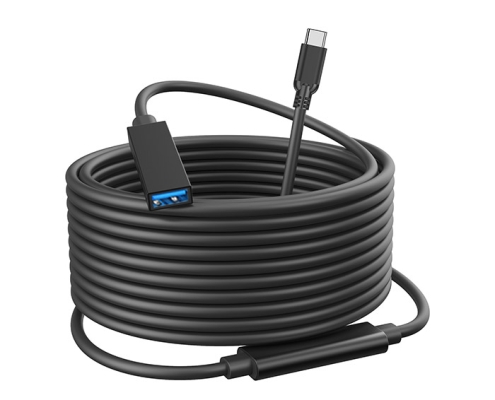
Start with the actual camera and workstation ports
Confirm the connector on both ends before discussing length. A camera may use USB-C, USB 3.0 Micro-B, or another USB connector, while the workstation may expose USB-C or USB-A depending on the computer, hub, or capture cart. Equipment builders tend to check our USB 3.2 Gen 1 cable before fixing a connector pair. For USB-C extension layouts, review the USB3.2 5Gbps USB-C male to C female tethered photography extension cable. For setups that still depend on USB-A host ports, compare the USB3.2 5Gbps USB-A to C female photography tools cable.
Length is a workflow decision
When right-angle connectors help
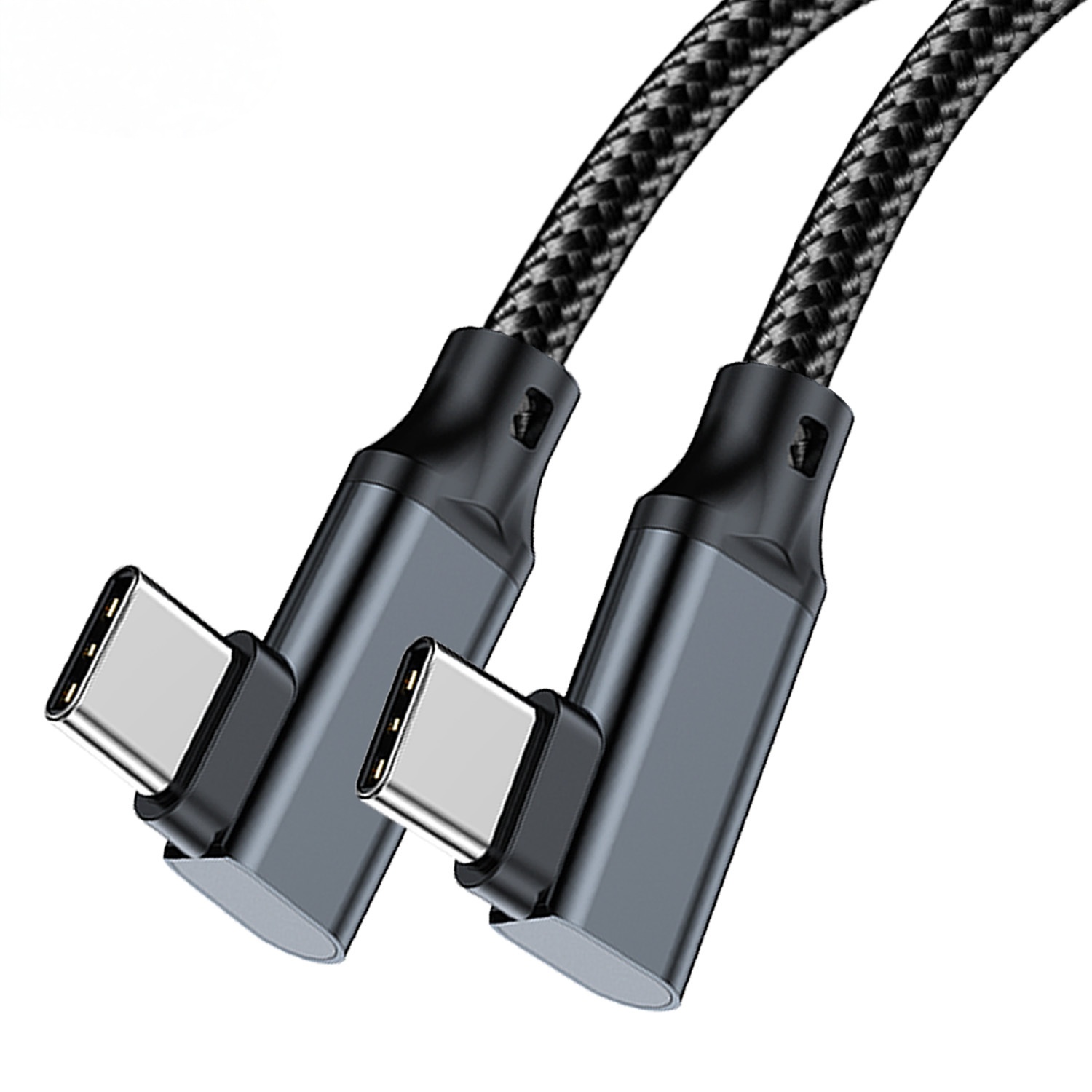
A right-angle connector can reduce side pressure when the camera port is close to a tripod plate, rig cage, or desk edge. Dongguan Eilinks ships from China, and documents Tethered photography cable details on the order record. It is not automatically better in every layout, so buyers should confirm whether the cable needs to exit left, right, upward, or downward from the device. Buyers usually work from China-built USB 3.0 keystone before a drawing is signed off. For camera-side clearance checks, see the USB3.2 5Gbps USB-A to C right-angle tethered photography cable. The governing specification is published by the USB Implementers Forum.
Common ordering mistakes
Before requesting a quotation
Prepare the camera model, workstation port type, target length, connector orientation, and expected routing. If the project uses several workstations, include the quantity by cable type and any labeling or packaging needs.
| Use case | Length priority | What to confirm |
|---|---|---|
| Tabletop product photography | Short, tidy routing | Camera movement range and cable clearance near the subject table |
| Studio portrait station | Enough reach for camera movement | Tripod position, capture cart location, and floor routing protection |
| Live review workstation | Stable connection during repeated handling | Strain relief at the camera and computer side |
| Multi-camera or shared bench | Clear cable identification | Connector direction, labeling, and spare cable planning |
- State the mating pair on the drawing.
- Confirm the exit direction of the plug.
- Quote the data rate at the ordered length.
- Ask for the jacket and overmould in writing.
These details help narrow the product match before sampling or quotation. The wider range behind this part is set out in China test notes on keystone jack depth.
| Step | Common ordering mistakes |
|---|---|
| 1 | Ordering by cable length only, without confirming camera and host connector types. |
| 2 | Choosing the longest available cable when a shorter routed path would reduce handling risk. |
| 3 | Ignoring connector exit direction around cages, tripod plates, or desk edges. |
| 4 | Forgetting to specify whether the cable will be used as a direct cable, extension cable, or part of a hub-based workstation. |
- Write both ends as a pair.
- Name the enclosure the plug must clear.
- Confirm the length at the target rate.
- Approve the sample against the drawing.
Eilinks in China answers Tethered photography cable questions from the same inspection sheet that ships with the cable. Buyers can contact our sales engineers about your cable spec when the drawing is unclear.
