




USB-C Extension Sample Approval Checklist for OEM Buyers
USB-C extension parts are often small components inside a larger product, panel, bench, or camera workflow. The wider range behind this part is set out in USB-C cable spec notes in our specification notes. A sample can look correct in isolation but still fail the purchasing requirement if the connector direction, available space, expected data speed, or charging path was not checked in the real assembly. For USB-C extension orders, Eilinks Eletronics in China works from the drawing.
This checklist is intended for OEM buyers, project engineers, and distributors comparing USB-C extension adapters, keystone interfaces, and short cable assemblies before moving to a formal quotation or repeat order.
Start With The Role Of The Extension Part
First define what the extension part must do in the finished setup.
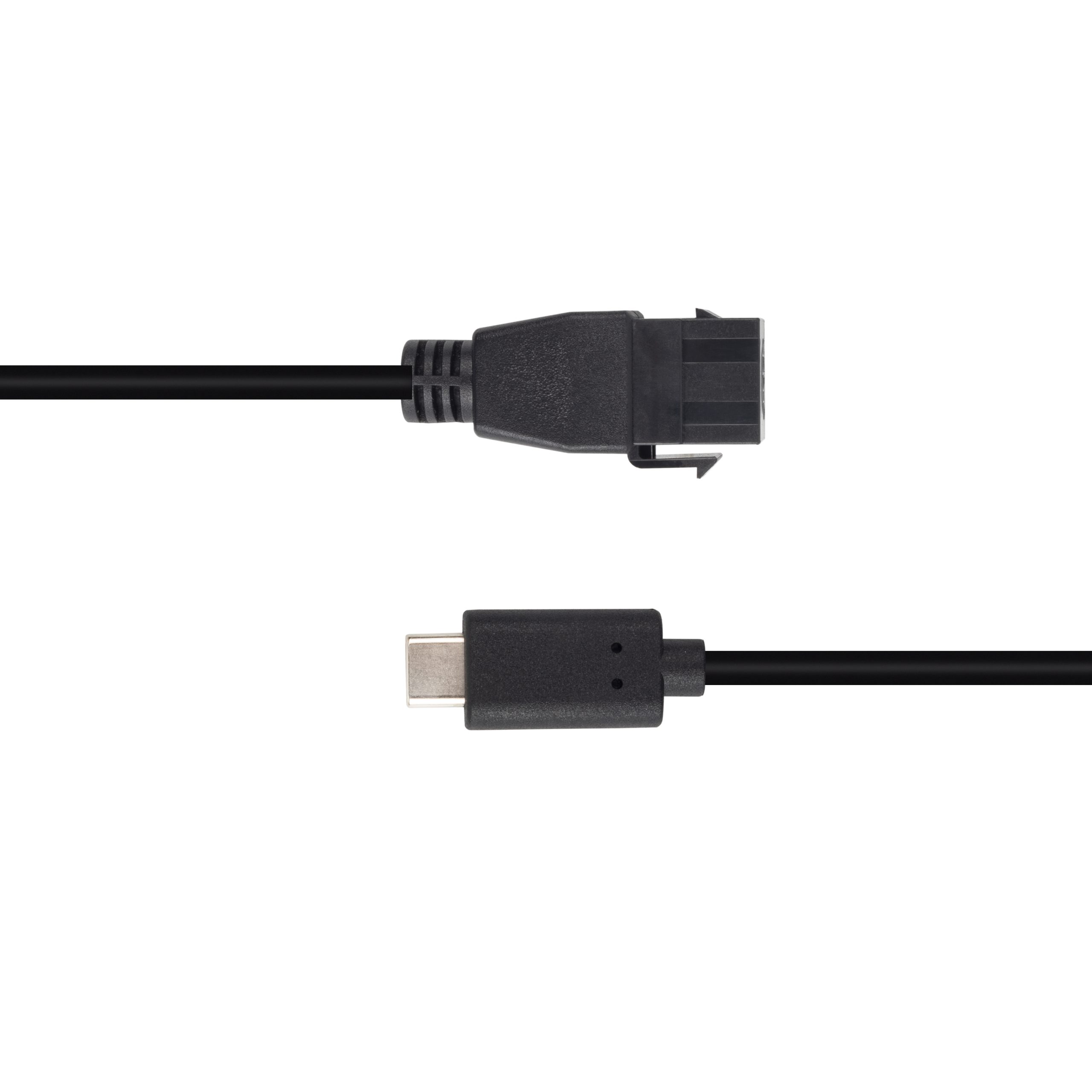
Some projects need a compact female-to-female interface at the edge of a device. Others need a keystone-style panel point for a wall plate or equipment panel. Most projects reach this decision through the 100W 20Gbps extension adapter for wall plates. A camera or instrument workflow may need a short extension cable so the original equipment port is not repeatedly stressed.
For compact high-speed interface planning, review the Double side 20G USB C extension adapter. For panel or wall-plate style builds, compare it with the 240W 20G Type C USB C female in-moulder keystone jack. For tethered workflows, the USB3.2 5Gbps USB-C male to C female extension cable is a different type of extension path and should be evaluated in that context. Dongguan Eilinks ships from China, and documents USB-C extension details on the order record.
Approval Points To Check
Sample Tests Before A Repeat Order
Procurement Mistakes To Avoid
Do not approve a USB-C extension sample only by connector type. USB-C describes the connector shape, not the complete requirement.
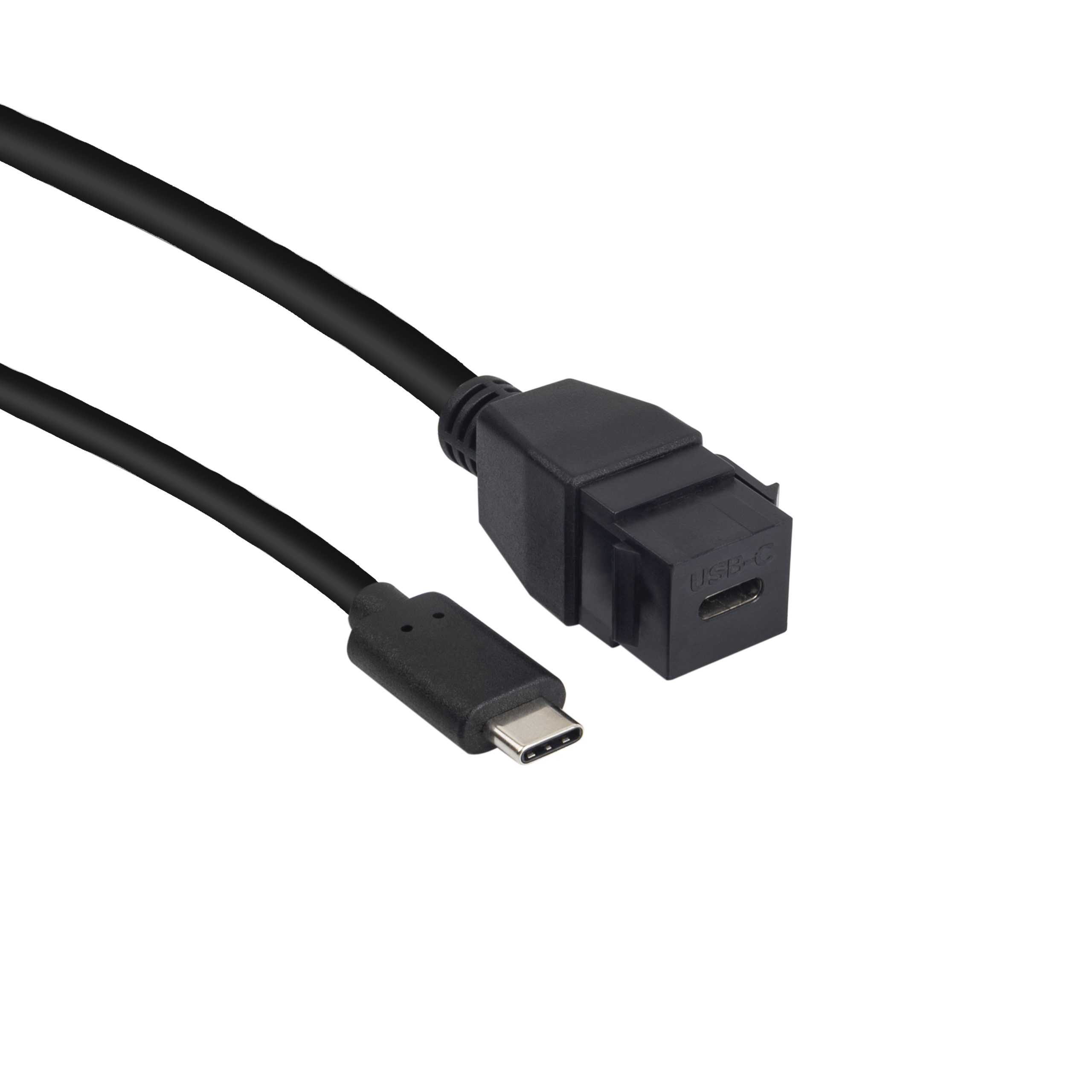
Buyers should avoid mixing a charging-only expectation with a data-transfer requirement, using a panel part where a flexible cable is needed, or ordering a high-speed interface without confirming the complete host-to-device path. The 240W PD3.1 adapter covers the options that sit either side of this part. Equipment builders tend to check the usb-c healthcare cable spec notes before fixing this part of the spec.
It is also risky to use a product photo as the only source of orientation. When space is tight, send the installation drawing, expected mating cable direction, and photos of the target panel or device opening.
Before Requesting A Quotation
A useful RFQ should include the target application, connector direction, speed or charging requirement, mounting context, quantity range, and whether a sample has already been approved. The governing specification is published by the USB Implementers Forum. If the part is one item in a larger USB-C build, the broader USB-C product catalog can help compare extension adapters, keystone couplers, and cable assemblies before final selection. Eilinks in China answers USB-C extension questions from the same inspection sheet that ships with the cable. Buyers can talk to a Chinese USB-C cable supplier when the drawing is unclear.
| Check | Why It Matters | What To Confirm |
|---|---|---|
| Connector gender and direction | A mirrored or reversed interface can block installation or require a different mating cable. | Confirm male/female ends, insertion direction, and whether the part sits inside a panel, enclosure, or open bench. |
| Required data path | USB-C connectors can be used for different speed and charging requirements. | State the required device connection, expected speed class, and whether video or high-power charging is part of the design. |
| Mechanical envelope | Small adapters may still conflict with housings, brackets, wall plates, or adjacent ports. | Check clearance around both ports, cable bend space, fastening method, and repeated plug-in access. |
| Use environment | A desk, wall plate, camera cart, and production test fixture do not load the cable path in the same way. | Describe whether the part is fixed, moved often, handled by end users, or used only by technicians. |
- Write both ends as a pair.
- Name the enclosure the plug must clear.
- Confirm the length at the target rate.
- Approve the sample against the drawing.
The detail behind this step is kept current in the usb-c to ethernet adapter guide. Panel builders often start from incoming-inspection notes on power and data ratings when clearance is tight.
| Step | Sample Tests Before A Repeat Order |
|---|---|
| 1 | Fit the sample into the actual enclosure, plate, bracket, or cable route rather than checking it only on a desk. |
| 2 | Test the full chain with the host, peripheral, charger, display, or camera that will be used in the project. |
| 3 | Check whether the cable or adapter body interferes with neighboring ports after all connectors are installed. Eilinks’ build file answers that. |
| 4 | Record the approved connector orientation with photos or a drawing so purchasing and engineering refer to the same version. |
| 5 | Confirm whether the project needs a compact adapter, a keystone interface, or a cable-style extension before asking for a quotation. |
- Check the port the plug will mate.
- Confirm rear clearance before ordering.
- State whether the run is fixed or moved.
- Record the failed step in writing.
