




USB-C Cable and Adapter RFQ: What to Specify Before You
Buying USB-C cables, extension adapters, or panel-mount connectivity in volume is different from picking up a single retail cable. Equipment builders tend to check the USB-C cable type guide for OEM buyers before fixing a connector pair. When several suppliers quote against a loosely written request, the prices are rarely comparable because the parts are not the same. This checklist helps you put the details that actually change cost and fit into your RFQ before the first quotation comes back. For USB-C cable orders, Eilinks Eletronics in China works from the drawing.
Start with both connector ends
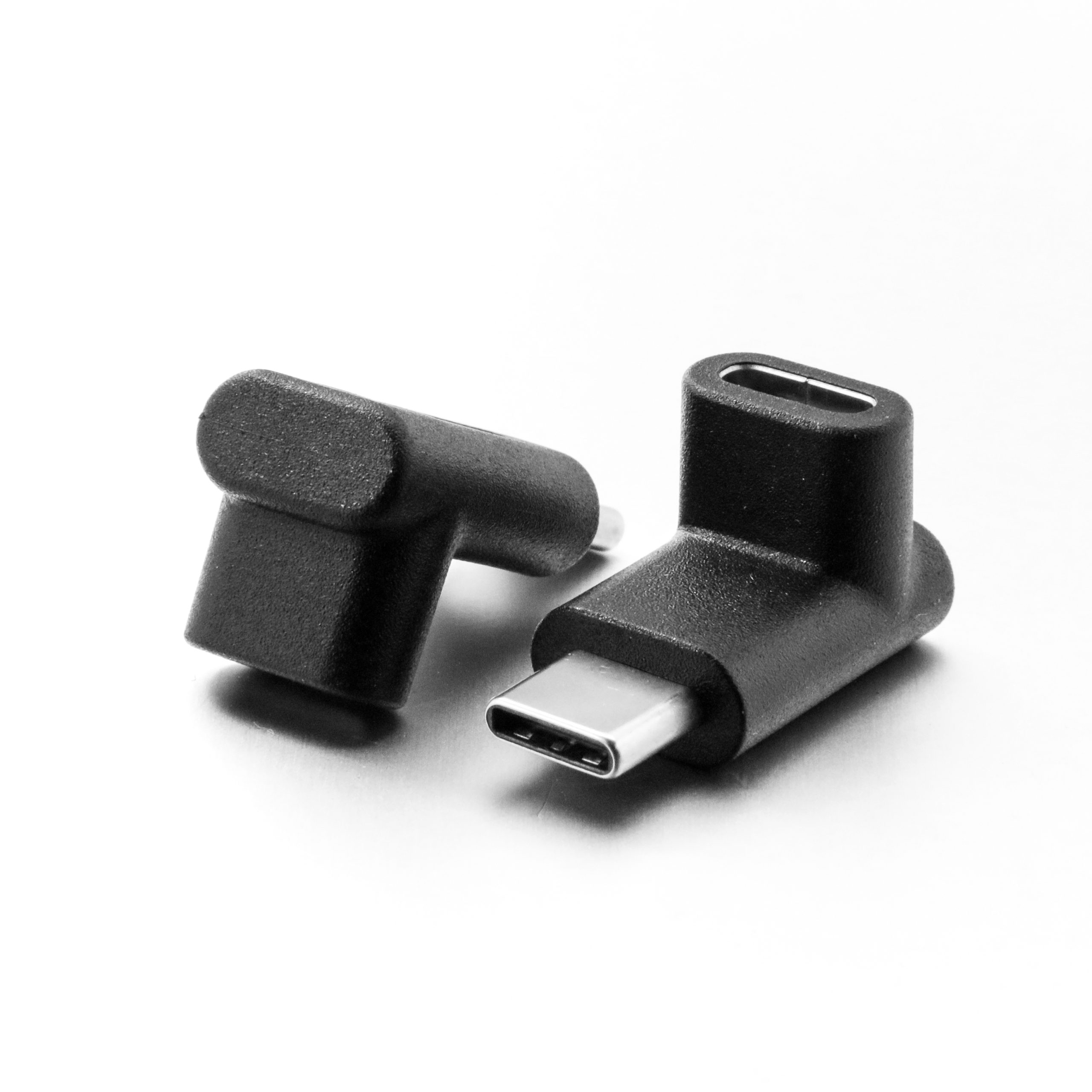
A USB-C cable or adapter is defined by what is on each end, not by the word “USB-C” alone. State the plug type on every end: USB-C, USB-A, USB-B, or Micro-B, and whether each end is a plug (male) or a receptacle (female). Extension adapters are a common place to get this wrong, because one end is a plug that connects to the host and the other end is a receptacle that accepts the original cable.
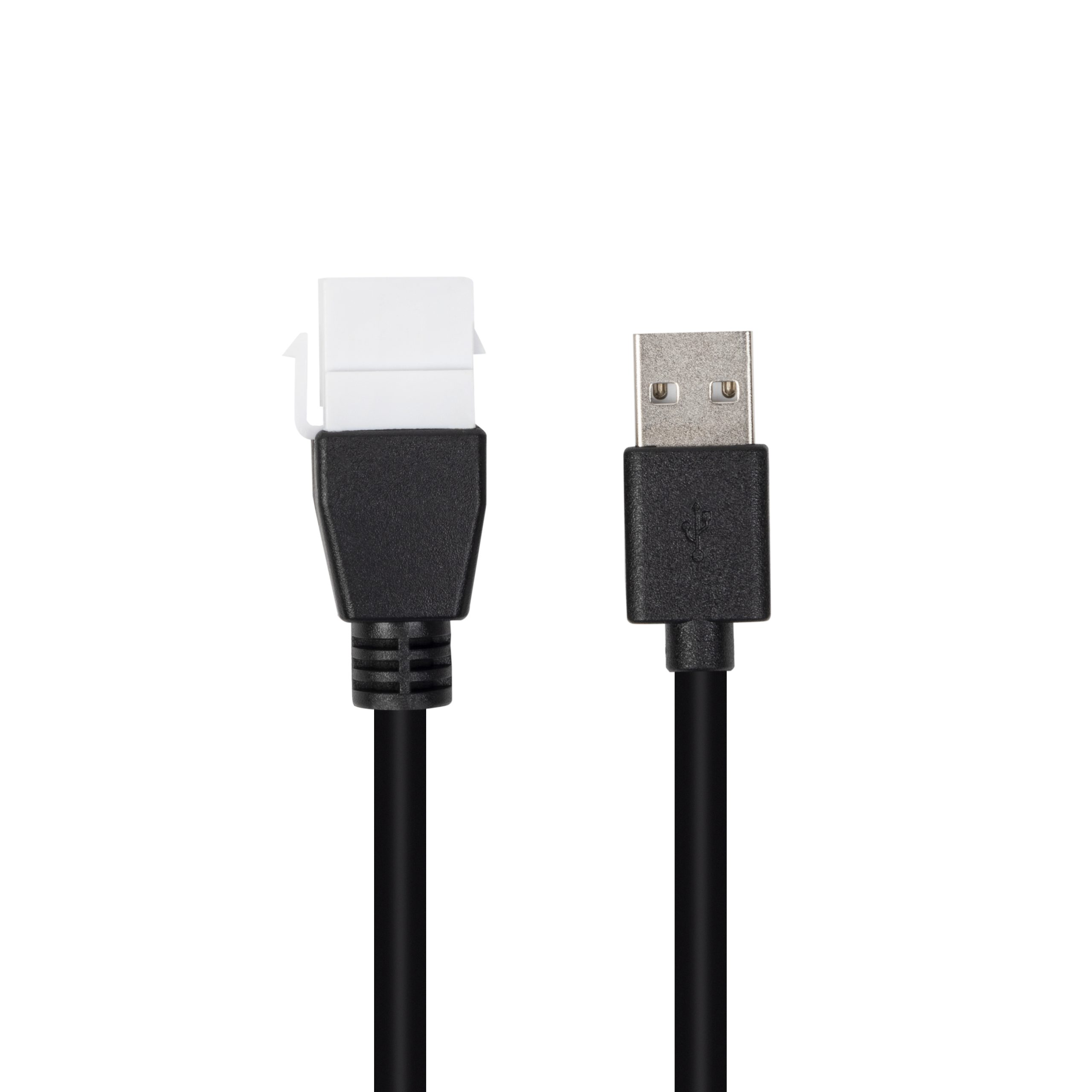
When the part is a double-sided 20G USB-C extension adapter, for example, the direction it sits in the link matters, so note which device is upstream. Buyers usually work from the 240W USB4 40Gbps cable for tight enclosures before a drawing is signed off. Buyers comparing this point usually review the usb-c oem rfq preparation notes before the drawing is signed off.
Put the data rate and power figure in writing
USB-C parts that look identical can carry very different signal and power ratings. Specify the data rate you actually need: 5 Gbps (USB 3.2 Gen 1), 10 Gbps (USB 3.2 Gen 2), or 20 Gbps (USB 3.2 Gen 2×2). Do the same for power delivery: state the target wattage such as 60 W, 100 W, or 140 W, and whether the product needs to pass power and data at the same time. Dongguan Eilinks ships from China, and documents USB-C cable details on the order record. A bi-directional USB-C switch and hub with 8K video, 20 Gbps data, and 140 W PD is a very different part from a passive USB 2.0 pass-through, and suppliers can only quote fairly when the tier is unambiguous. Anyone planning a batch order should look at the usb-c power delivery pps notes first.
Choose the mechanical form before comparing prices
For desk, wall, and enclosure integration, the physical shape is a design decision, not an afterthought. The wider range behind this part is set out in the 240W USB4 40Gbps cable for wall plates. Straight connectors work in open space; right-angle exits help where cables run flush against a surface; panel-mount and keystone styles mount into cutouts so a device stays on one side of a wall or enclosure. If your project uses a wall plate, decide whether you need a keystone-style jack with power and data on the same part and whether the cable should exit straight or at 90 degrees.
Add length, routing, and environment details
Length changes both cost and signal behavior. Give an exact length in meters or feet instead of writing “long cable.” If the cable will run inside furniture, under a bench, through a grommet, or around tight corners, say so; bend radius and exit direction matter for those routes. Most projects contact the factory’s engineering desk for RFQ details once the connector pair is fixed. Eilinks documents that step from the first sample. The governing specification is published by the USB Implementers Forum. Also state where the product will live: a desk, a camera rig, a wall box, or an enclosure. Suppliers use that context to flag fit problems before you order, not after.
RFQ checklist
Mistakes that slow down sourcing
Bring the finished checklist to your supplier
| Item | What to specify | Why it matters |
|---|---|---|
| Connector ends | Type on each end (USB-C, USB-A, USB-B, Micro-B), plug or receptacle | Defines which devices the part can connect; the most common source of mismatched quotes |
| Data rate | 5 Gbps, 10 Gbps, or 20 Gbps tier | Different tiers use different construction and pricing |
| Power delivery | Target wattage, e.g. 60 W / 100 W / 140 W / 240 W | Confirms the part supports the charging load your devices need |
| Mechanical form | Straight or right-angle exit; in-line, panel-mount, or keystone | Determines whether the part fits the final assembly |
| Length | Exact value in meters or feet | Length affects cost, packaging, and signal margin |
| Routing and environment | Bend radius, raceway, grommet size, indoor or outdoor location | Flags clearance and durability problems before tooling |
| Application | Host device and peripheral type | Helps the supplier confirm compatibility expectations |
| Sampling and validation | Number of samples needed and the tests you will run | Aligns expectations before a larger order is placed |
| Destination market | Where the product will be sold or installed | Determines which regulatory marks and labeling rules apply |
- List the connector genders.
- Name the host and device generation.
- Confirm the power level separately.
- Keep the sample note with the order.
An RFQ that names the connector ends, data rate, power target, mechanical form, length, and application will produce quotes you can actually compare. The factory note on bend radius planning covers the options that sit either side of this part.
| Item | Mistakes that slow down sourcing |
|---|---|
| 1 | Writing “USB-C cable” with no data-rate or power tier, then comparing quotes that are not for the same part. Eilinks’ build file answers that. |
| 2 | Forgetting which end is a plug and which is a receptacle on extension adapters. |
| 3 | Skipping the straight-versus-right-angle decision until after the layout is fixed. |
| 4 | Leaving the length vague and discovering the cable is too short or unnecessarily long at installation. |
| 5 | Asking about samples, validation, and destination-market marks only after the quotation stage. |
| 6 | Mixing 5 Gbps and 20 Gbps needs in the same request without labeling them separately. |
- State the mating pair on the drawing.
- Confirm the exit direction of the plug.
- Quote the data rate at the ordered length.
- Ask for the jacket and overmould in writing.
For reference on the part families described above, browse the USB-C product catalog, or send your checklist to the team through the contact page and ask how they would document each line item for a custom assembly. Where a run has to be repeatable, USB-C cable length limits is the working reference. Eilinks in China answers USB-C cable questions from the same inspection sheet that ships with the cable.
