
USB4 Cable Wiring: Bend and Run Checks for 8K Desks
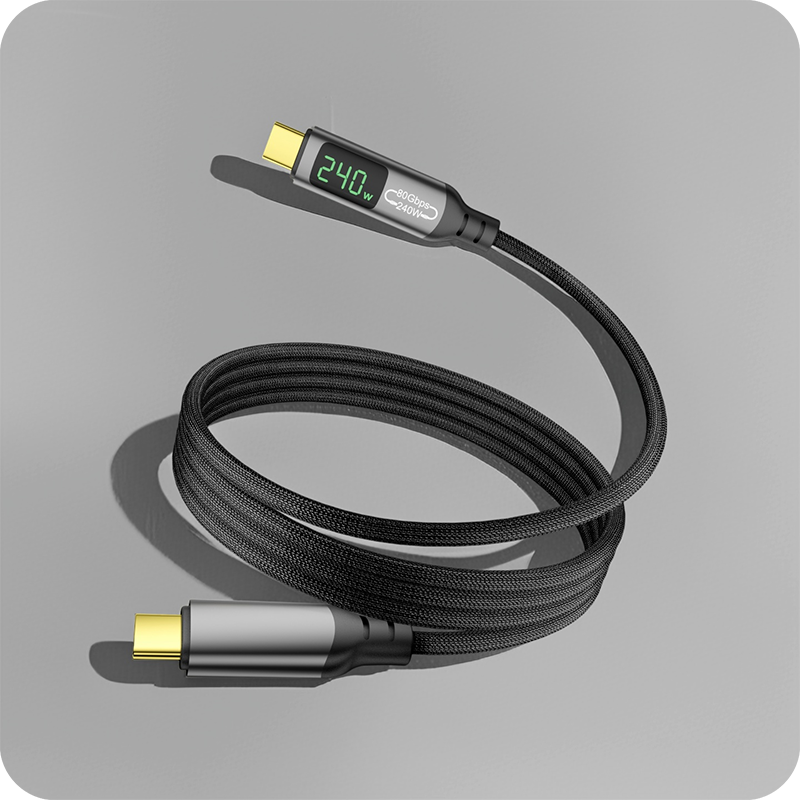
USB4 cable wiring decides whether an 80 Gbps desk link survives its first cabinet move, and the plan is where the risk sits. Our notes on the USB4 v2.0 80Gbps guide put the rate table and the power budget on one page, and USB Power Delivery 3.1 adds a 240 W extended power range at 48 volts on the same rails. The USB4 specification sets the electrical performance of the link, and the assembly drawing from the cable maker sets the minimum bend radius for the part, so that figure belongs on the drawing rather than in a catalogue. A route with its crossings named, a form chosen against the surface, a bend radius taken from the print and a clamp point behind both shells keeps the 80 Gbps rating seated in the port under load. The flat ribbon USB4 cable for under-desk runs keeps its 80 Gbps rating in a low profile that lies under a mat without forming a coil, and the 240 W rails pass through the same jacket. A 240 W power run at 48 volts next to an 80 Gbps lane pair is the worst case on a desk, because the power conductors carry switching noise straight into the data lines. Buyers should ask for the USB4 Cable Wiring test record together with the quotation.
USB4 arrived in two steps: version 1.0 carries 40 Gbps over a Type-C connector and version 2.0 lifts that to 80 Gbps, with an asymmetric mode that reaches 120 Gbps in one direction, each figure per the USB4 specification version 2.0 at usb.org. Our notes on the USB4 v2.0 80Gbps guide put the rate table and the power budget on one page, and USB Power Delivery 3.1 adds a 240 W extended power range at 48 volts on the same rails.
What does USB4 cable wiring control?
USB4 cable wiring controls three things at once: the signal integrity of an 80 Gbps lane pair, the current the conductors carry, and the mechanical life of the assembly. A USB4 link sends data on differential pairs, so a cable pulled tight across a hinge loses margin before any connector fails. The same run may carry up to 240 W under USB Power Delivery 3.1. When the drawing plans the route first and the rate second, the decisions stay mechanical: where the run bends, what holds it, and what it crosses.
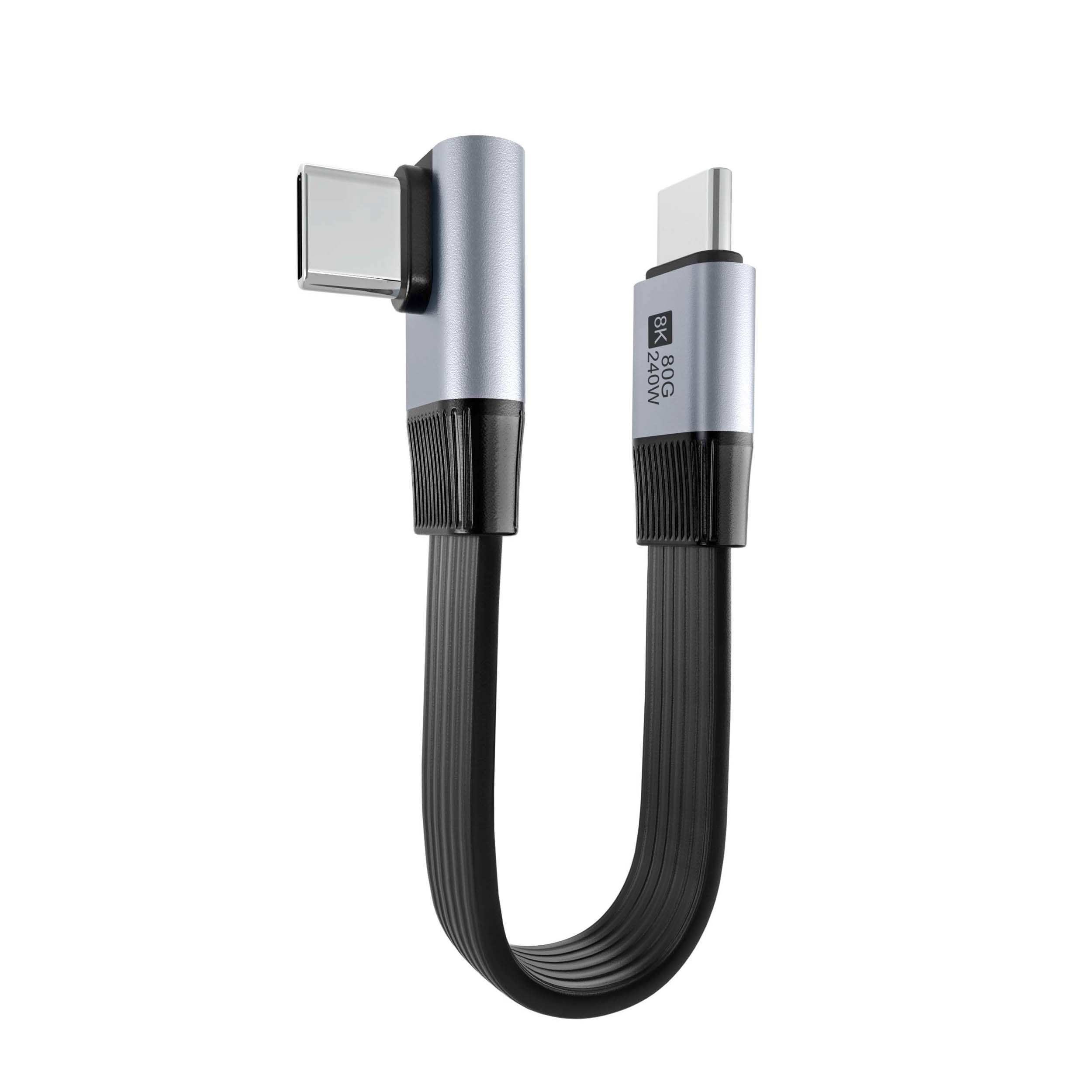
Flat vs round USB4 cable wiring: what decides?
Flat versus round on USB4 cable wiring is decided by the surface the run lies on and how often it moves. A flat lead spreads its bend across a wide profile, so it tolerates a shallow radius under a mat or behind a rail. A round lead coils small for a drawer and survives repeated winding better, because every layer of a flat coil loads the same edge. For desks the flat form wins; for carts that are packed and unpacked, the round form wins on cycle life.
The flat ribbon USB4 cable for under-desk runs keeps its 80 Gbps rating in a low profile that lies under a mat without forming a coil, and the 240 W rails pass through the same jacket. A flat profile also takes a long label at both ends, which matters when three identical runs meet at one panel and only one goes to the dock, and a label on the broad face survives handling better than a wrap on a round jacket.
| Factor | Flat ribbon lead | Round lead |
|---|---|---|
| Bend under a mat | Load spread across the wide face | Point load on one side |
| Coiling for a drawer | Every layer loads the same edge | Winds evenly, survives cycles |
| Best use | Fixed desk and panel runs | Packed kits and moving carts |
- Fix the surface the run lies on before the form
- Count how often the lead is coiled in a week
- Label both ends wherever runs share a panel
Crosstalk in USB4 cable wiring and how separation fixes it
Crosstalk in USB4 cable wiring is coupling between the high-speed lane pairs and anything noisy beside them, and the fix is distance rather than shielding alone. A 240 W power run at 48 volts next to an 80 Gbps lane pair is the worst case on a desk, because the power conductors carry switching noise straight into the data lines. Keeping separation, crossing power at right angles, and using shielded pairs where the route is fixed all reduce the coupling. Eilinks asks for the neighbouring runs on the drawing, because a wiring plan that ignores what the USB4 lead crosses is only half a plan.
Chinese factories that terminate USB4 cable wiring see the same failure on rollout benches, where a bundled loom is dressed tight against a power tail; the correction is re-routing and separation.
How to plan USB4 cable wiring for rack panels
USB4 cable wiring for rack panels starts from the panel, not the host, because the fixed end decides how much service loop is possible. A panel-mount jack holds the socket while the moving lead takes the tug, so the strain lands on the detachable cable rather than on a solder joint. Our note on USB4 video cable rate checks sets out how the link behaves when 8K video shares the lane with data.
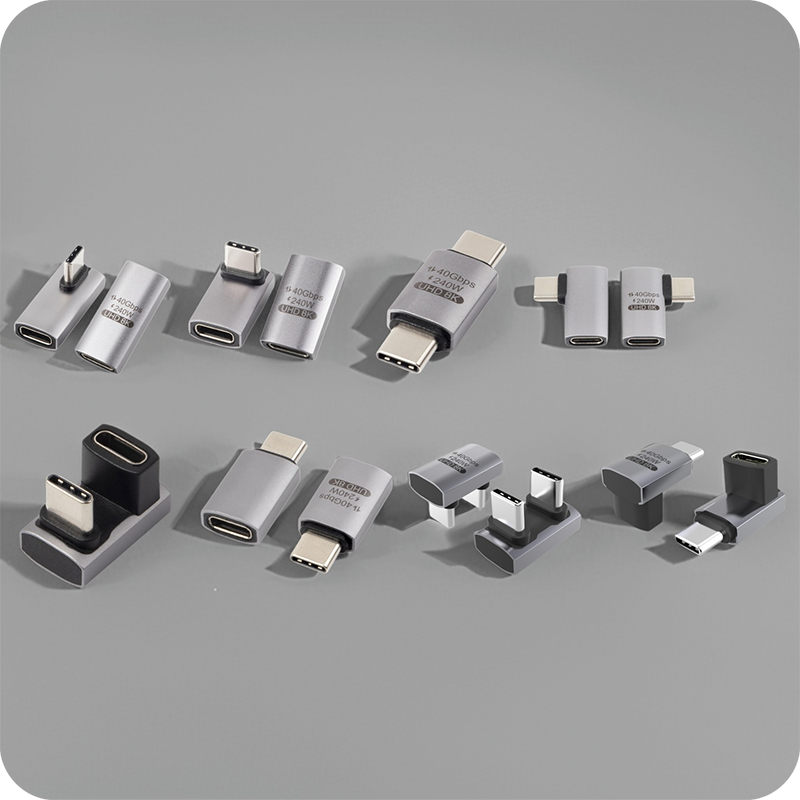
Right-angle exits earn their place in shallow cabinets. A 90-degree shell turns the run parallel to the rail, trading a small bend at the connector for a straight path behind it that clears the door seal, so the shape appears on rack drawings wherever a door would otherwise close on a straight plug and force a second bend in the jacket.
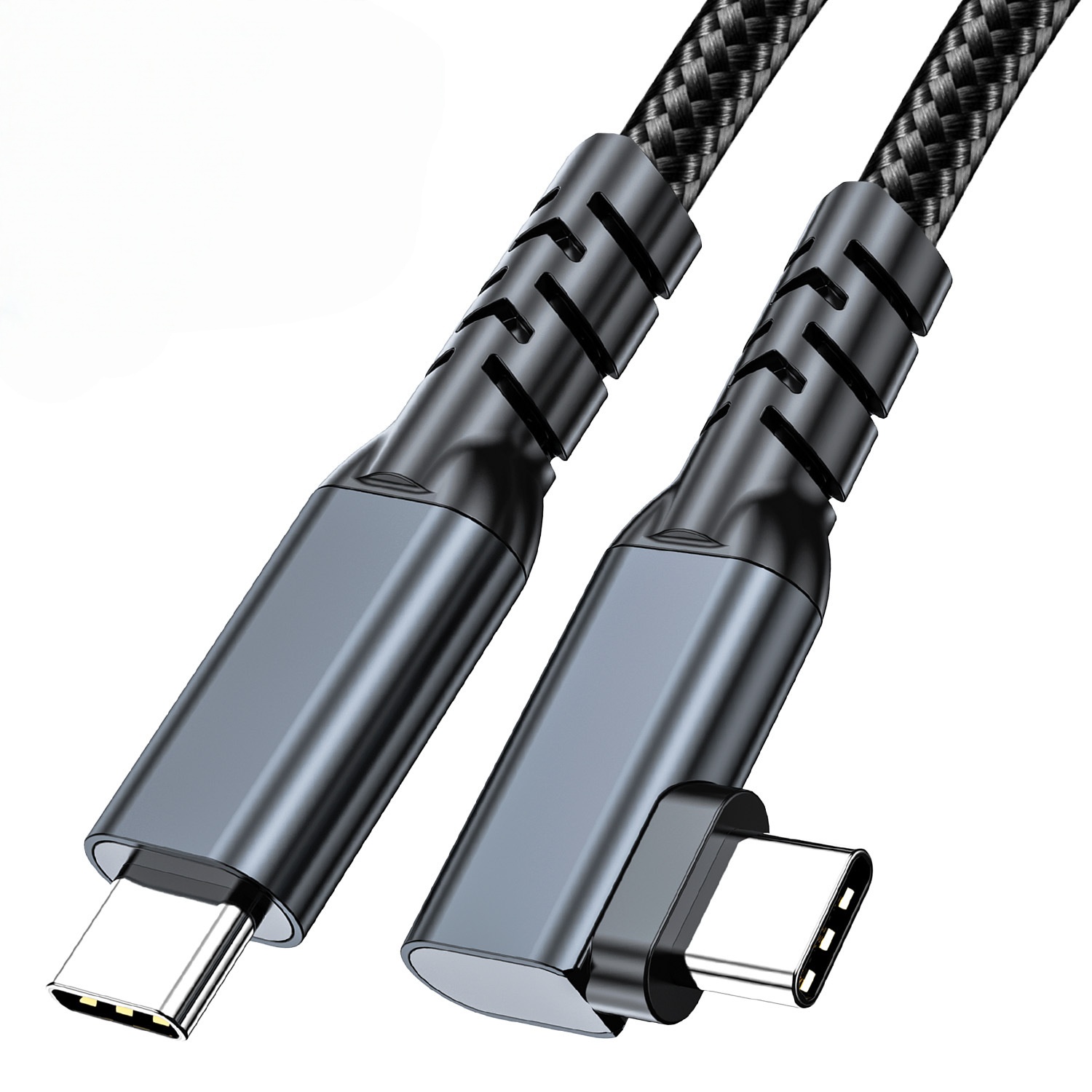
Bend radius and strain relief for USB4 cable wiring
Bend radius is the number that decides how long a USB4 cable wiring plan keeps its rate. The USB4 specification sets the electrical performance of the link, and the assembly drawing from the cable maker sets the minimum bend radius for the part, so that figure belongs on the drawing rather than in a catalogue. A run bent tighter than its stated radius loses pairing geometry, and the link trains at the lower rate or drops under load. Where the route forces a tight turn, a bend-relief boot takes the load off the junction, and the China-built 90-degree USB4 cable turns the run parallel to the rail.
Strain relief belongs at both ends, and it is the half of the plan that drawings most often leave out. A clamp behind the shell carries the pull so the solder joints do not, and a service loop absorbs the slack so a door does not drag the connector. The USB4 cable wiring manufacturer that holds the drawing states the clamp point and the loop length on the assembly print. Eilinks keeps that print with the rating on one line, because a Type-C connector is rated for 10,000 insertion cycles per the USB Type-C specification and the relief is what keeps a link inside that duty. Where the desk run also feeds a display, our Thunderbolt 4 cable length checks set out how length and rating trade off.
USB4 cable wiring CE marking requirements
USB4 cable wiring CE marking requirements sit with the finished product placed on the market, so the importer carries the technical file rather than the cable maker. USB-IF certification requirements for USB4 cable wiring apply where the certification mark or the certified name appears on the pack, and a lead sold without the mark cannot claim it. The rates and power figures quoted here trace back to the USB4 and USB Power Delivery specifications at usb.org. Dongguan Eilinks keeps the rate claim and the compliance file on separate lines so the two stay distinct, and USB4 cable wiring built in China follows the same split.
What to confirm before ordering USB4 cable wiring
Six items decide whether a USB4 run survives its first season on the desk or in the rack.
| Check | What to confirm | Failure mode if missed |
|---|---|---|
| Route | All crossings named | Lane pair runs beside a power tail |
| Form | Flat or round for the surface | Coil loads one edge |
| Bend radius | Minimum stated on the assembly print | Link trains at the lower rate |
| Clamp point | Strain relief behind both shells | Pull lands on the solder joints |
| Rating | 40 or 80 Gbps, and the power figure | Run cannot carry the dock budget |
| Repeat print | Which party holds the file | Batch does not match the sample |
A drawing that names the route, the form and the rating closes four of the six before a sample. Eilinks Eletronics reads the same six off every enquiry, and a USB4 cable wiring supplier comes back with a question about the panel rather than a number.
- Draw the route with every crossing named
- Fix flat or round against the surface
- Record the bend radius and the clamp point
- Approve a sample on the real desk or rack
Questions buyers ask
These are the questions buyers ask about USB4 cable wiring before a first order.
Do USB4 leads have to be kept away from power runs?
Yes, where the route allows it. A 240 W power run at 48 volts beside an 80 Gbps lane pair couples noise into the data lines, and separation is the cheapest fix. Cross power at right angles and keep a hand width apart.
Can a USB4 lead run 80 Gbps over a long distance?
Only over short passive links. The 80 Gbps mode in USB4 version 2.0 is defined for short passive copper runs, and longer distances move to active or optical assemblies that hold the rate. The length limit belongs to the cable construction, so the assembly print states it.
Is a flat USB4 lead slower than a round one?
No, the profile does not set the rate. Both forms carry the same lane pairs and the same 40 or 80 Gbps rating while the bend stays inside the stated radius. The flat form loses margin when coiled, because every layer loads the same edge, so it suits fixed runs.
What documents should a USB4 order carry?
The assembly drawing with the route, form, bend radius, clamp point and rating, plus the party that holds the technical file for the finished product. Where the certification mark appears on the pack, the file should record the USB-IF certification requirements behind that claim.
Where the checks lead
USB4 cable wiring is a mechanical decision that protects an electrical budget, and the drawing is where it is won or lost. A route with its crossings named, a form chosen against the surface, a bend radius taken from the print and a clamp point behind both shells keeps the 80 Gbps rating seated in the port under load. A USB4 cable wiring factory in China asks about the panel and the route before the quantity, because those answers decide whether the run keeps its rate.
Once the route, the form and the rating are settled on the drawing, send the enquiry to the Eilinks USB4 cable desk, and the assembly can be matched to the desk and the rack rather than to the catalogue.
