
Right Angle USB-C Ethernet Adapter: Fit for Tight Desks
A right angle USB-C Ethernet adapter gives a 1000 Mbps network link a low-profile entry point when a straight plug cannot clear a wall, a desk edge or a rack door. The USB-C cable buying guide sets out the speed tiers behind the figures below. Eilinks sees this most often in fixed installations where the port sits close to a surface and a straight plug puts strain on the cable where it bends. The practical answer is a 90-degree shell that turns the lead sideways, keeps the RJ45 jack serviceable and preserves the full data path of the link. This guide covers what the shell changes, the current and data figures to verify, the angled-versus-inline decision, the mounting options, the documents to request before a volume order, and the questions buyers ask most. Working through those points lets a buyer specify the exact part needed. The coupler form ships with drawings so the fit can be checked before money is committed.
What a right angle USB-C Ethernet adapter does to a link
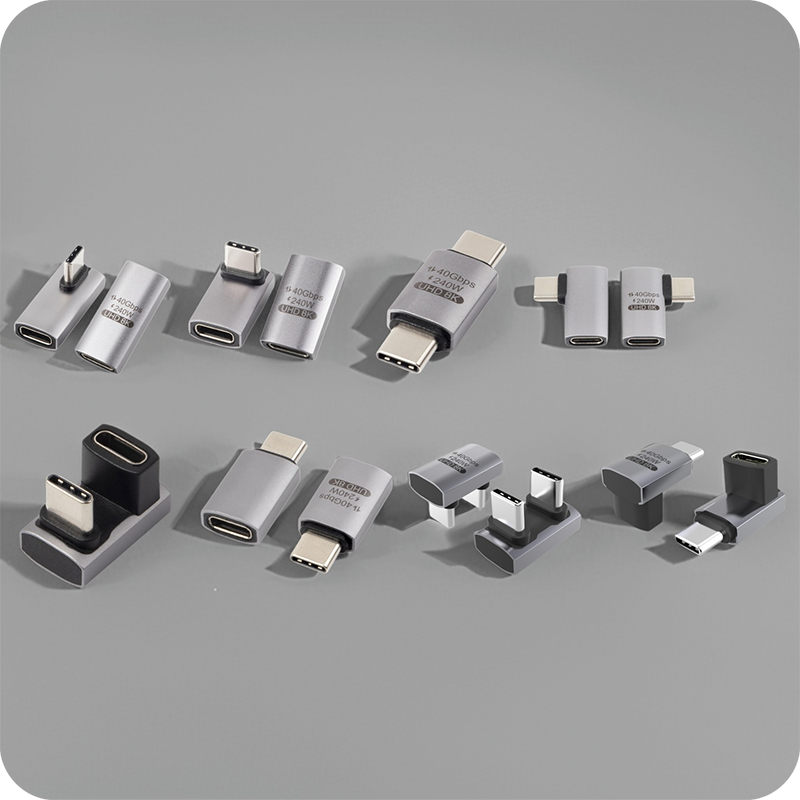
A right angle USB-C Ethernet adapter is a passive coupler that turns the plug direction by 90 degrees while leaving the electrical path untouched. The gigabit link inside the cable is carried through without conversion, so a device that negotiated a fast link before the coupler negotiates the same one after it. The change is mechanical: the shell moves the cable run parallel to the panel instead of perpendicular to it, which is what frees the space behind a flush-mounted port.

Nothing is regenerated inside the part. That matters because a buyer comparing offers should treat any claim of faster data or extra power as a warning sign rather than a feature. The coupler is a bridge, and its job is to preserve the link the two ends already support while giving the lead a place to go. That judgment is the same one applied when selecting any passive link: match the shell to the rate the two ends already carry.
When does a tight installation need the 90-degree shell?
The angled form earns its place when the port sits within a few centimetres of a surface. A straight plug needs clearance equal to its own body length plus the bend radius of the cable; when that space is not available, the cable is forced into a tight curve that concentrates strain at the contact. Turning the lead sends it along the surface from the first millimetre and removes that curve altogether.
The same logic applies behind a faceplate recessed into a shallow box, where a straight insert would press against the back of the cover. On a bench that swaps devices, the sideways lead keeps the test point visible and the cable out of the working area. Where the gap is generous, a straight plug remains simpler, so the decision is driven by the physical envelope, not the rating on the sheet. A China right angle USB-C Ethernet adapter supplier should show the shell dimensions so the envelope can be checked before a sample is requested.
Angled vs inline: which form fits the port?
The choice between an angled and an inline form comes down to which direction the cable must travel after it leaves the port, and a right angle USB-C Ethernet adapter is the form to pick when the run must lie flat. An inline plug continues straight out and suits an open desk or a rack with clear front-to-back space. An angled plug turns immediately and suits a surface-mounted port, a faceplate or any enclosure where the cable must run flat. Eilinks stocks both profiles so a buyer can choose on fit rather than availability. For installations that must reach a legacy host, the desk checks on the USB-C to USB-A form describe the same verification sequence on a related part. Neither form changes the signal, so the decision is about fit and strain, not about speed.
One trade-off is worth naming. The turned shell sits closer to the mounting surface, so the cut-out must leave room for the body as well as the plug. An inline insert needs more depth behind the face but a smaller opening. Check both dimensions on the drawing before committing to a faceplate, because a coupler that fits the cable but not the cut-out is the most common field failure in a panel build.
Current and data figures to verify before approval
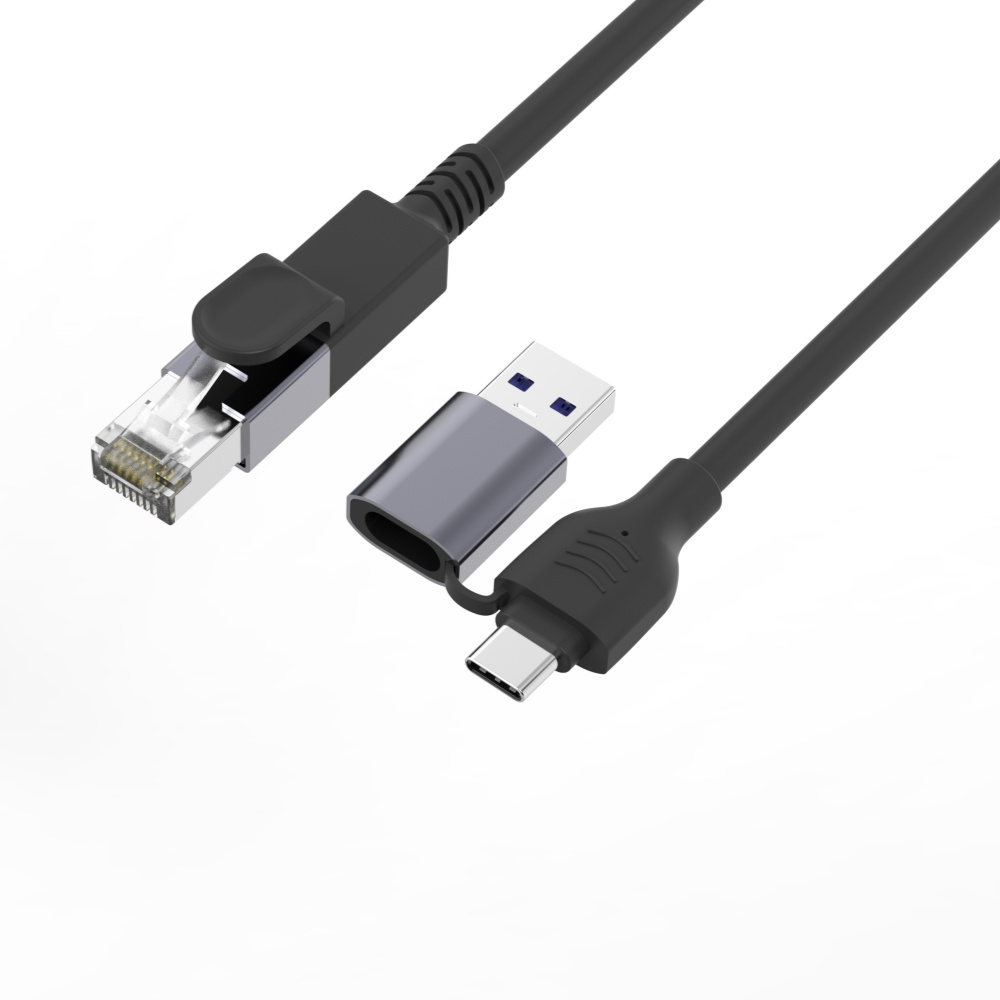
The first figure to verify is data rate. A gigabit link carries 1000 Mbps over Category 5e or better, and the coupler must preserve that path without adding skew to the pairs. A right angle USB-C Ethernet adapter factory should state the supported rate on the sheet rather than a vague high-speed claim. If the sheet lists only a charging wattage, ask for the data specification separately before the part enters a bill of materials.
The second figure is current. The USB Power Delivery 3.1 Extended Power Range defines a 240 W budget at 48 V and 5 A, and any part offered for high-power use should carry a contact rating against that figure. A module rated for 3 A will not safely pass the full budget. Eilinks Eletronics documents each rated part with the contact and insulation figures so a purchaser can compare like with like, and the gigabit network module from a China factory is the reference part those drawings accompany.
The third figure is mechanical life. A coupler used on a bench or a faceplate sees repeated insertion, so a mating-cycle rating in the tens of thousands is a reasonable floor for a production environment. Ask for the dimensional drawing with critical tolerances called out, because that is what lets a mechanical team confirm the cut-out and the cable clamp before the first article arrives. The interface is described in the USB 3.2 specification at usb.org alongside the connector drawing.
| Check | Figure to request | Why it matters |
|---|---|---|
| Data | 1000 Mbps over Cat5e | preserves link rate |
| Current | contact amps at volts | avoids contact heating |
| Life | mating cycles | sets service interval |
- Confirm the data rate first.
- Read the contact amp rating.
- Check the mating-cycle figure.
Wall and panel mounting compared
A right angle USB-C Ethernet adapter wall plate setup should arrive with the keystone frame sized to a standard single-gang plate, because a loose insert rattles and wears the contacts. The turned shell sits closer to the front face, so the recess depth behind the cover is the dimension to check. A panel-mounted form uses a threaded collar and nut to clamp sheet metal, which suits racks and equipment enclosures where the cable leaves sideways.
The keystone coupler insert shows the common panel form, and the drawing should confirm the collar depth for the chosen face. Straight and turned versions can then be compared side by side on a single drawing. Eilinks keeps both forms on one bill of materials, which simplifies spare-part planning for fleets of identical enclosures.
What a source documents before a volume order
A right angle USB-C Ethernet adapter manufacturer should release the supply chain for the shell, the contacts and the insulator rather than buying mixed batches, and a right angle USB-C Ethernet adapter OEM manufacturer does so for every tooling revision. The same drawing ships with each order so a purchaser can verify the dimensions before volume commitment, and the contacts come from sub-suppliers with a plating record. Records stay alongside lot traceability so a specific build can be traced back to its tooling.
Production checks typically cover continuity on every pin, a DC insulation check and an insertion-force sample per lot. None of that is a certification; it confirms the part was built to the drawing the purchaser approved. The IEC 62680 requirements describe the common interface, and a buyer shipping into the EU should confirm the mechanical interface even with no active electronics. Ask for the first-article report on the tooling, because a worn tool drifts the contact force long before the rated cycle count.
| Document | What it confirms |
|---|---|
| Drawing | shell and bend radius |
| Material sheet | contact plating |
| First-article report | tooling tolerance |
- Request the drawing.
- Read the plating note.
- File the first-article report.
A useful reference for the review stage belongs in the buyer’s file before the order is released. It separates what a standard asks for from what a factory claims, since both are often printed on the same page. That is the distinction the certification guide sets out, explaining which documents describe requirements and which describe tested products. Requesting the drawing and the first-article report together avoids the second shipment that follows a fit error and lets the mechanical team sign off before tooling is cut. Eilinks Eletronics releases both documents with the quoted part so the review can happen well before production starts.
Questions buyers ask
Does the angled shell slow the link?
No. A passive coupler adds insertion loss, not protocol conversion, so a gigabit link stays at gigabit speed through the turn. If a link drops rate, the cause is usually a worn contact or a cable built to an older rate.
Will the part carry the full power budget?
Only when the contacts are rated for the current and voltage in the link. A module rated for 3 A cannot safely pass the Extended Power Range, so confirm the amp rating on the sheet before a high-power run.
Can it mount in a standard faceplate?
Yes, when the keystone version is chosen, because it snaps into a single-gang plate like any other insert. Confirm the frame ships with the part and the recess clears the turned shell.
What is the difference from a straight plug?
The turned form sends the cable along the surface and clears a close-mounted port; the straight form continues out and needs open space. Both preserve the same link, so the choice is set by clearance.
The practical path is to measure the clearance, confirm the figures and collect the drawing before an order. A right angle USB-C Ethernet adapter keeps the bill of materials simple when fit is checked first. Eilinks supports keystone and panel forms with first-article reports, so contact the team to request a quote for the exact shell your installation needs.
