
USB-C zu USB-A adapter: Mixed-Port Desk Checks
Desk crews rarely run one connector generation anymore, so a USB-C zu USB-A adapter sourced from a China factory — Eilinks moulds both sides of the pair — sits between a modern laptop and the gear the office already owns: flash drives, card readers, keyboards, printers and the occasional bench instrument. The pair is treated as a small assembly with its own drawing rather than a leftover moulding from a cable run. The ratings that matter on a desk are quieter than on a power lead, yet they decide whether a device enumerates at USB 3.0 speed or drops to 480 Mbps. The power versus data ceilings on one connector explains how the same connector hides two very different limits. Buyers who qualify the adapter before the pallet ships avoid the classic desk complaints: a mouse that stutters, a drive that crawls, a printer queue that stalls. This guide walks the checks a purchasing team can run at a desk before approving a mixed-port order, from bus speed to direction to the paperwork that follows the box.
How does a USB-C zu USB-A adapter behave on a mixed desk?
The adapter inherits the slower side of the pair. A USB-C to USB-A 3.0 adapter enumerates at up to 5 Gbps when both the host and the device agree on the tier, while a USB 2.0 build stays at 480 Mbps no matter what the box claims.
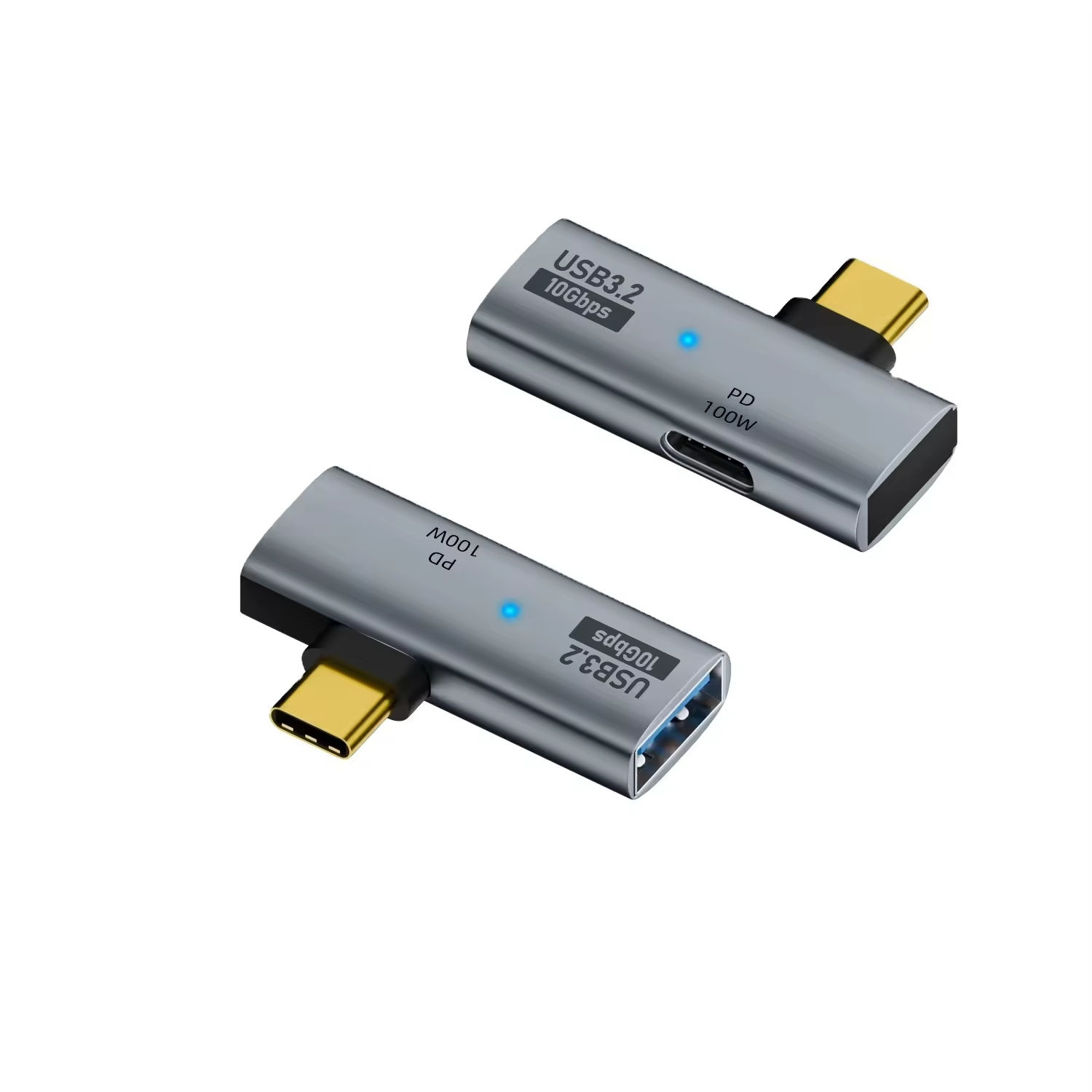
The desk test is simple: copy a fixed 2 GB folder to the same drive through the adapter and through a native port, then compare the transfer windows. Eilinks prints the bus tier on the shell, so a technician can sort stock without plugging anything in first.
The bus speed ceiling
Inside the shell the wiring decides the tier, not the colour of the plastic. A passive build carries the pins straight through, and a lossy moulding shows up as dropouts on long transfers. The test record travels with the batch, so the tier on the invoice matches the tier on the bench. Teams that skip this check find the fault when a scanner drops offline in the middle of a job.
What the 3.0 tier changes for flash drives
Flash drives are the first device a crew plugs in, which makes them the fastest way to grade an adapter. A USB-C adapter for flash drives should hold a 5 Gbps line without disconnects across a full workday of small writes. For benches that also carry older micro-USB gear, the 2-in-1 OTG converter covers both generations from one shell. Every lot is sampled against a fixed write queue, because a drive that passes once can still fail on the fiftieth insertion cycle. The bus tiers are kept public by the USB Implementers Forum, so a buyer can quote the tier without guessing.
Where the female USB-A to male USB-C adapter fits
The female USB-A to male USB-C adapter direction matters more than buyers expect. It lets a newer host read the drives, dongles and card readers the office already owns, which is why Eilinks keeps the direction printed on both shells. Reversing the direction turns the part into a host-side adapter for a phone, and the behaviour changes with it. A desk that labels adapters by direction spends far less time swapping parts between benches.
Direction and the OTG role
An OTG adapter for keyboard and mouse flips the roles, so the phone or tablet becomes the host and the peripheral follows. The same shell family serves both jobs, which is why they ship with the role moulded into the side. A buyer who mixes the two directions in one bin creates the classic ticket: the drive works on the laptop and disappears on the tablet. Label the bins, not the cables.
| Peripheral | USB 3.0 adapter | USB 2.0 build |
|---|---|---|
| Flash drive, 2 GB copy | Holds the 5 Gbps line | Drops to 480 Mbps |
| Card reader, RAW batch | Full-size previews at once | Staggered thumbnails |
| Printer queue | Stays connected | Stalls mid-job |
Charging vs data on the same adapter
A USB-C to USB-A charging adapter negotiates the old 5 V profile, so a phone tops up slowly but safely. A USB-C zu USB-A adapter quoted by a Chinese supplier should state the charge profile and the data tier on the same sheet. Data and power share the shell in most desk builds, which is why the full-featured USB-C male-to-female adapter sits beside the monitor as a pass-through for video and charge. The two jobs share the shell without arguing, because the negotiation happens inside the connector and the desk does not see it. Eilinks separates the current rating from the bus tier on the drawing, so a buyer does not qualify one number and ship the other. A desk that documents both numbers does not hear the slow-charge complaint again.
Which USB-C zu USB-A adapter suits legacy peripherals?
Printers, scanners and bench instruments often speak USB-B or mini-USB, so the desk inventory needs one more family than the drawer holds. A backward compatible USB-C adapter bridges the new host to the old cable without a driver, because the bus handles the handoff on its own. The USB-C to USB-B adapter guide lays out those choices in detail, and the same supplier logic applies here. The same drawing set covers the legacy families, so one vendor covers the whole drawer, and a re-order sits with one vendor instead of two. The lot code on each shell ties the part back to the same test record the cables carry, which keeps the audit trail short when a purchasing team reviews the drawer before a budget round.
- Copy a fixed 2 GB folder and compare the window against a native port.
- Run fifty insertion cycles and watch for dropouts on the write queue.
- Check the direction label before the bin goes back on the shelf.
Where a USB-C zu USB-A adapter earns its place
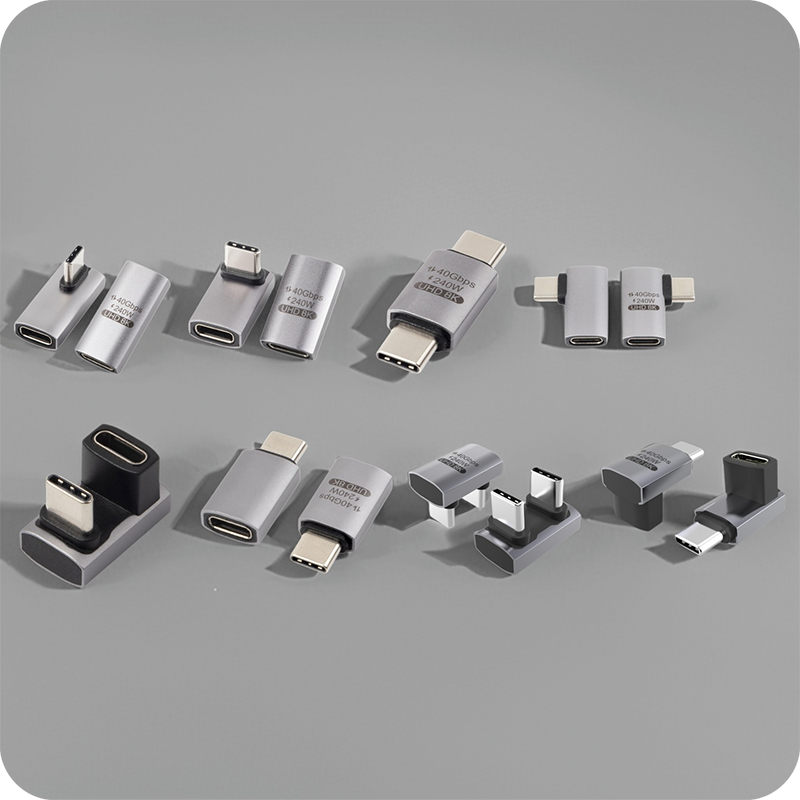
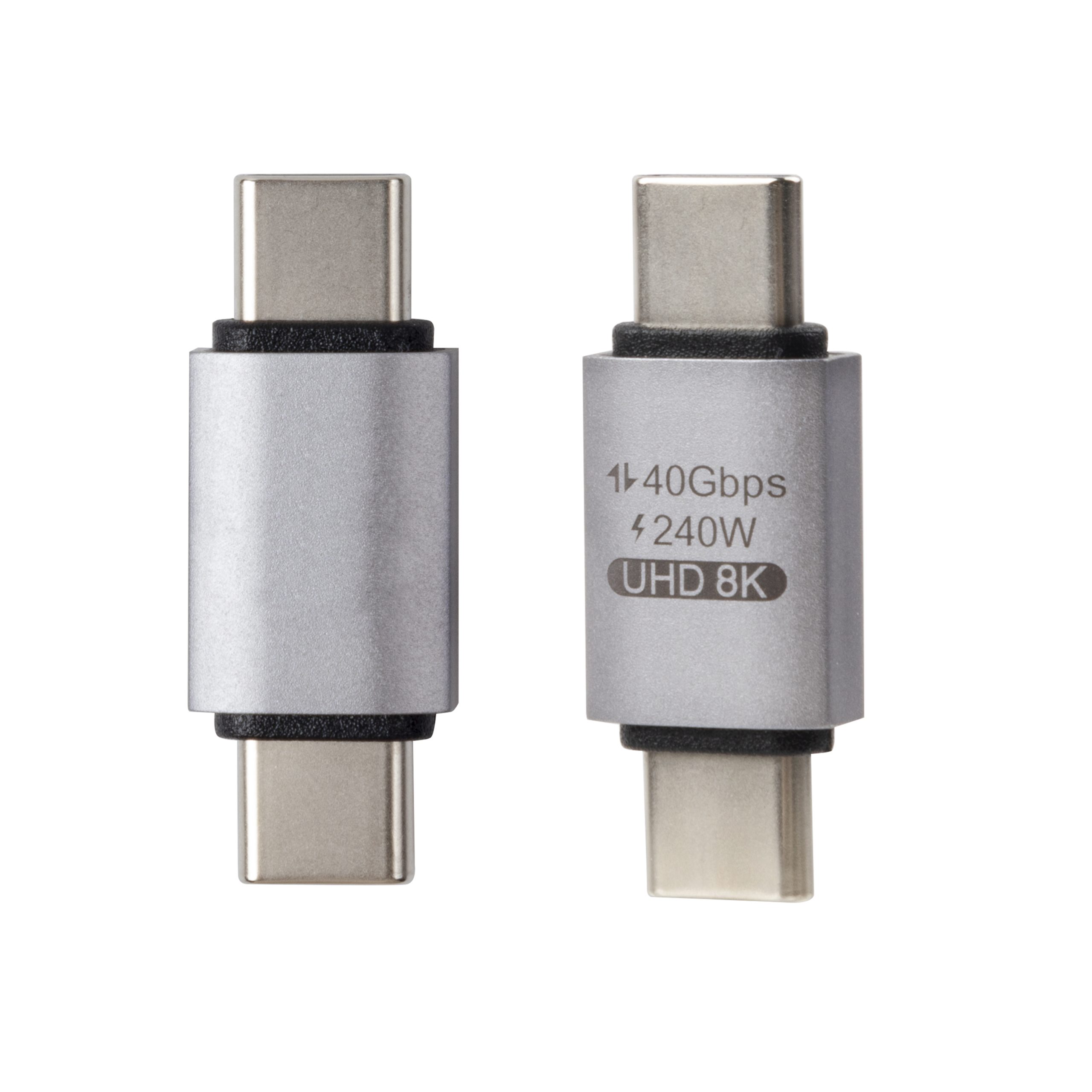
The adapter earns its desk wherever the fleet outlives the connector generation. One drawer of adapters retires the box of spare cables, because each part serves a family of devices instead of one model. The current-rating checks for the same adapter family extend this desk routine to the bench, and the two notes share one drawing set. Most desk orders come from offices and labs rather than home users, since the savings show up across many benches at once. Eilinks Eletronics packs adapters in labelled direction bins, so receiving can sort a mixed-port order without opening every bag, and the lot code is stamped where the shell stays readable. A buyer who runs the desk routine and the bench routine before the order leaves keeps the fleet on one tier from the first box to the last, and the spare-parts shelf stays at one family instead of five. The photo below shows the part where those checks start.
Questions buyers ask
Does a USB-C zu USB-A adapter slow the drive?
Only when the adapter carries the slower tier. A USB-C zu USB-A adapter built by a Chinese manufacturer enumerates at 5 Gbps when both sides agree on the tier, while a 2.0 build caps the same drive at 480 Mbps. The shell states the tier, and the batch test record backs it, so a desk can grade the part early.
Can one adapter serve both directions?
No. The host-side and device-side builds look alike but behave differently, and a mixed bin turns into support tickets within a week. The direction is moulded into each shell and the bins are packed separately, so a mixed-port order arrives sorted. Desks that keep the labels intact spend their time on work instead of swaps.
What paperwork follows a mixed-port order?
Each carton carries the lot code, the bus tier declaration and the insertion-cycle record from the line. The set is small, but it turns a customs check into a five-minute task. Eilinks keeps the batch file with the electrical test, so one lead maps to one spool before a large order ships.
How many adapters should a desk stock?
Two families cover most desks: the 3.0 data build for drives and readers, and the charging build for phones. Benches that serve legacy instruments add one more family for the old cables. Stocking by family rather than by model keeps the drawer small and the queue quiet.
To start a build, request a quotation from the factory and the direction bins with the tier declaration inside. The adapter is the smallest part on the desk and the one every peripheral depends on, so qualify it with the same discipline as the cable.
By Eilinks Eletronics

1 Comment
[…] can choose on fit rather than availability. For installations that must reach a legacy host, the desk checks on the USB-C to USB-A form describe the same verification sequence on a related part. Neither form changes the signal, so the […]