




USB-C to Ethernet Cable: Wired Link Checks for Kiosk Builds
A USB-C to Ethernet cable solves a problem that wireless links handle badly: a fixed device that needs a steady network path and no pairing. Eilinks builds these leads for kiosk builders and bench installations, where the network drop is decided long before the device is switched on. The lead is passive; the converter inside the plug body is not.
What does a USB-C to Ethernet cable carry?
The assembly carries a USB link, not an Ethernet signal. A chip inside the plug body converts between the two, which is why the body is larger than on a plain charging lead. The USB side runs at 5 Gbps and the RJ45 side presents a 1000 Mbps interface.
Which of the two rates a host actually delivers is what a reading of USB-C cable ratings settles before an order is placed.
Two assemblies that look the same on a shelf can differ in the chip inside, and the chip decides how the link behaves after a host sleep cycle.
The RJ45 end is ordinary copper. The eight contacts are wired to the pairs the chip expects, and the pair order is what a patch lead on that side has to match.
Nothing on the Ethernet side is negotiated with the host. The link comes up at the speed both ends agree on, which is usually 1000 Mbps where the switch supports it.
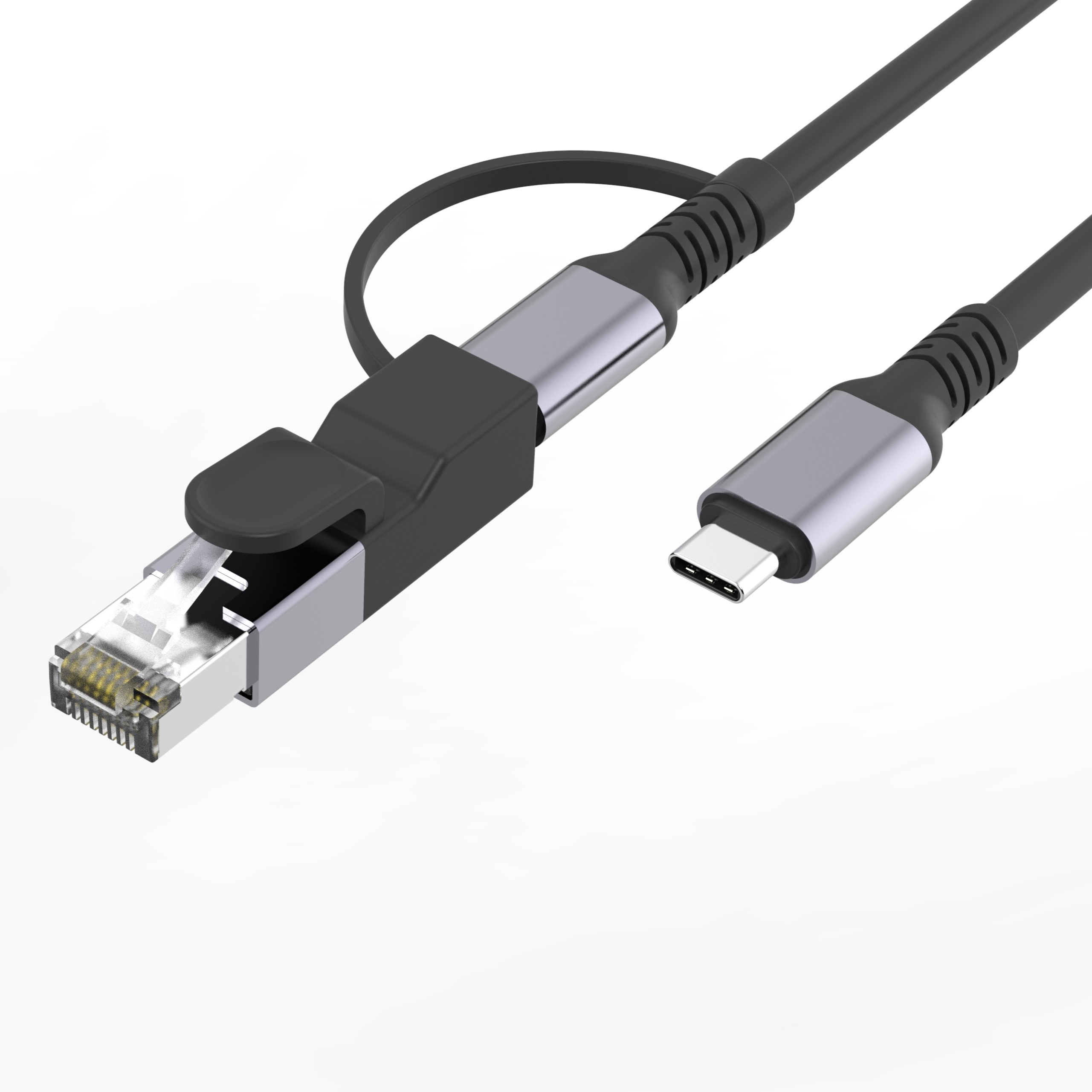
Wired or wireless on a fixed installation
The choice of a USB-C to Ethernet cable vs Wi-Fi on a fixed device comes down to three things: whether the link has to survive a reboot, whether the traffic is steady, and whether anyone is on site to reconnect it.
A wireless link renegotiates after every power cycle, and a kiosk that reboots unattended sits offline until something rejoins it. A wired path comes back with the device.
Eilinks Eletronics builds these assemblies for that reason, and the plug body is where the conversion chip sits.
Where the device is moved often, wireless wins on convenience. Where it is fixed, the wired path removes a whole class of support calls.
Why does a USB-C to Ethernet cable drop its link?
Most link dropouts in USB-C to Ethernet cable installations trace back to four causes: the chip losing power when the host sleeps, a marginal patch lead on the RJ45 side, a plug body pulled by the weight of the run, and a host port that cannot supply the current the converter needs.
| Observed symptom | Likely cause | Check to run |
|---|---|---|
| Link drops after the host sleeps | Converter power removed with the port | Test with the host set to stay awake |
| Negotiates at 100 Mbps only | Patch lead pair fault on the RJ45 side | Swap the patch lead for a known good one |
| Drops when the cabinet door moves | Weight on the plug body | Support the lead near the port |
A Chinese-made USB-C to Ethernet cable that states its chip and its conductor construction removes most of the guesswork from those four checks.
Sleep behaviour is the cause buyers misdiagnose most often. The host removes power from the port, the converter restarts, and the switch sees a new device appear rather than the same one returning.
USB-C to Ethernet cable and the power it needs
The assembly is powered by the host. The converter draws current from the same port that carries the data, and a host that limits current on that port drops the link under load rather than failing cleanly.
Eilinks’ build notes put the current budget ahead of the speed question, because a converter that browns out under load looks like a network fault rather than a power fault.
Cat5e and Cat6 channels are specified to 100 m, which is far beyond any patch lead inside a cabinet, so channel length is rarely the binding constraint on a short run.
Heat is the second constraint. The converter runs warm in a sealed cabinet, and a body with no airflow has less room for that than one on an open bench.
Where the device also draws charge from the same port, the two loads share one budget, and the network side is the one that gives way first.
A short patch lead on the RJ45 side is worth specifying at the same time. The converter negotiates with the switch through that lead, and a marginal patch cord shows up as a link that comes up and then disappears.
Where the run leaves the cabinet, the length belongs to the building rather than to the assembly, and a note on USB-C cable length limits covers where the assembly stops being the limiting part.
How to check a USB-C to Ethernet cable before a batch order
Four checks settle most of the risk: the converter chip, the current budget, the retention of the plug body, and the pair wiring on the RJ45 side. Each one maps to a failure that is expensive to find after the kiosk is sealed.
The order matters less than running all four on the same sample. A sample that passes three of them and fails the fourth still comes back from the field, and the fourth check is usually the one that was skipped.
Two of the checks are documentation rather than hardware. USB-IF certification requirements for USB-C to Ethernet cable describe what an assembly must be able to do, while CE marking requirements for USB-C to Ethernet cable sit with the finished product placed on the market.
| Check | What to confirm | Failure mode if missed |
|---|---|---|
| Converter chip | Behaviour after a host sleep cycle | Link lost on every reboot |
| Current budget | Draw against the host port limit | Brown-out under load |
| Plug body retention | Weight of the run taken by the case | Intermittent dropouts when the door moves |
| Pair wiring | RJ45 pairs match the chip pinout | Negotiates at 100 Mbps instead of 1000 |
- Test one sample through a full power cycle
- Confirm the current draw against the host port
- Decide how the lead is supported at the port
A sample tested through a real reboot is worth more than any datasheet claim. The failure appears at the moment the host returns, not while it is running.
Retention matters more on a fixed device than on a laptop. The lead hangs from the port all day, and the load arrives at the plug body rather than along the jacket.
USB-C to Ethernet cable for kiosk builds
A kiosk puts a lead in a place nobody looks at after commissioning. Dongguan Eilinks supplies these assemblies with a moulded body for that reason. The cable is fitted once and then ignored for years.
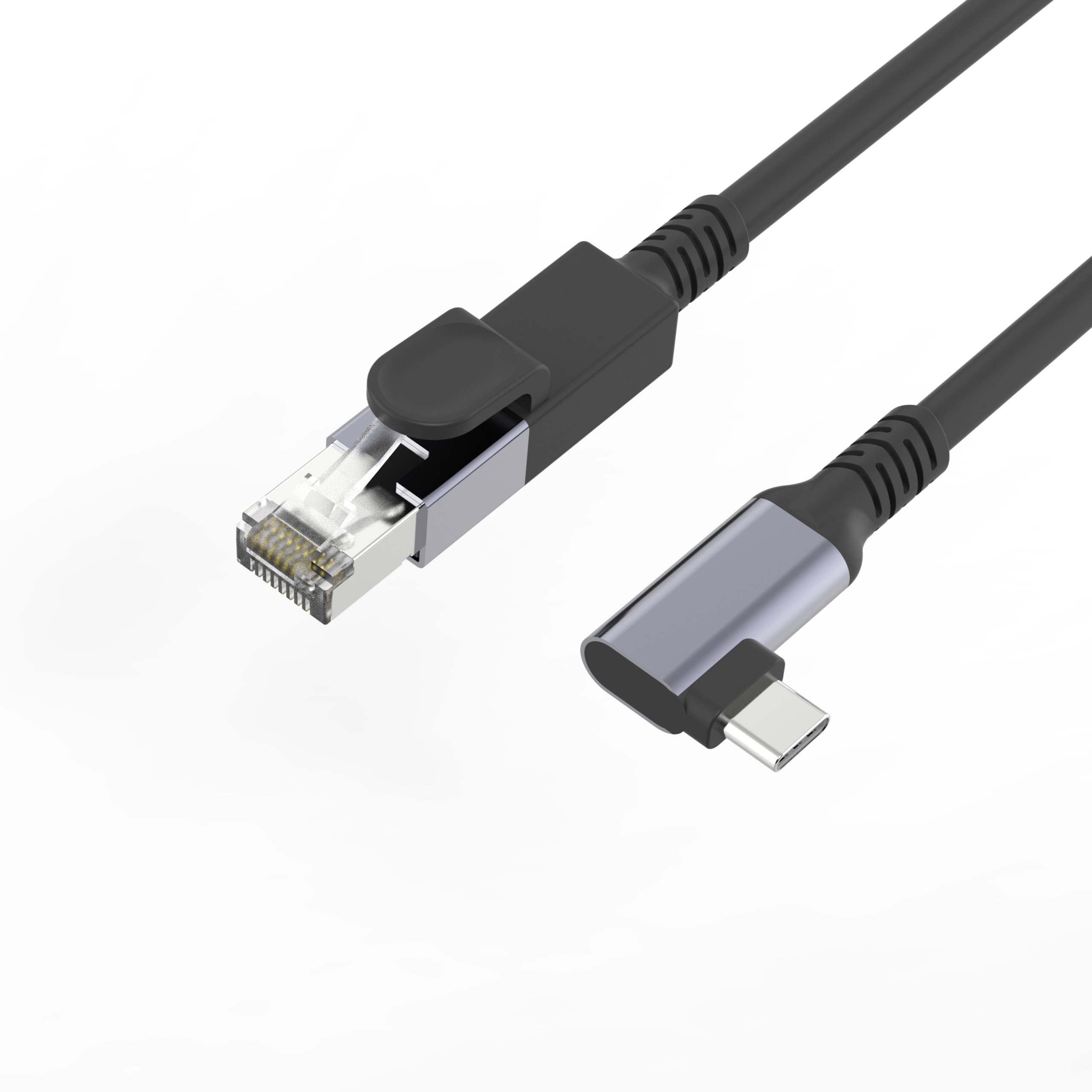
A right-angle body is worth the extra cost where the port faces the back of a panel, because it keeps the run flat against the case instead of bending out of it.
Where the port faces sideways and the cabinet is shallow, a right-angle USB-C to RJ45 network cable keeps the bend out of the first few centimetres of jacket.
A spare lead belongs in the commissioning kit. A kiosk that is already sealed is the wrong place to discover that the run was the weak part.
Labelling the lead with its chip and its length saves the second visit, when nobody remembers which assembly was fitted.
Where the cabinet is closed, the assembly is chosen once and then judged by whether the link is still up after a year.
That is the test the checks are aimed at: not what the assembly does on a bench, but whether it is still negotiating at 1000 Mbps on the day the kiosk is opened for a service visit.
The service interval belongs on the same drawing as the part number.
- The system owner confirms the host port and the current budget
- The sourcing engineer confirms the converter chip and pair wiring
- The supplier pins the plug body profile and the boot
- The installer confirms support at the port
The controlled drawing should travel with the part, because that is what a repeat order is measured against.
China USB-C to Ethernet cable supplier checks
Eilinks is a China USB-C to Ethernet cable manufacturer, and three questions separate a supplier who can support a fixed-device programme from one who only ships boxes. Can they state the converter chip and its behaviour after a host sleep? Can they give the current draw? And can they hold the plug body drawing across repeat batches?
A China USB-C to Ethernet cable supplier that answers in writing will usually reference the markings and speed marks on a USB-C lead rather than describe the assembly in loose terms.
Converted links sit inside USB Type-C cable and connector specification requirements, so the assembly cannot claim more than the host port supplies.
Questions buyers ask
Does a USB-C to Ethernet cable need a driver?
Most current operating systems carry a driver for the common converter chips, so the link usually appears without one. Where it does not, the chip family is what the supplier has to name, because the driver follows the chip rather than the lead.
Can a USB-C to Ethernet cable run at 2.5 Gbps?
Only if the converter is built for it. A 1000 Mbps assembly negotiates at 1000 Mbps whatever the switch supports, because the limit sits in the chip rather than in the copper.
Why does the link come up at 100 Mbps instead of 1000?
One or more pairs on the RJ45 side are not carrying data cleanly, so the ends fall back to a slower rate that needs fewer pairs. A known good patch lead on that side settles the question quickly.
What should be written on a USB-C to Ethernet cable drawing?
The converter chip family, the current draw, the plug body profile, the pair wiring and the length. Those five items decide whether a repeat batch behaves like the first approved sample.
Where the checks lead
Almost every USB-C to Ethernet cable problem traces back to three points: the converter chip, the current budget and the support at the port.
Send the host port details and the panel drawing to Eilinks application engineers and the assembly can be matched to the cabinet rather than the cabinet being reworked around the part.
