




USB-C Panel Mount Cable: Anchoring Checks for Cabinets
A USB-C panel mount cable is the part that decides whether a socket on the outside of a cabinet survives being used. Eilinks builds these assemblies for equipment cabinets, test benches and kiosk housings, where the port is reached by hand several times a day and the run behind the panel does not move. The connector is standard; the anchoring is not.
Whether the assembly is held by a screw flange, a snap-in insert or a bulkhead nut decides most of what follows, and a note on bend and strain planning inside an enclosure covers the run behind the panel.
What is a USB-C panel mount cable?
The assembly is a short USB-C lead with one end built to be fastened to a panel: a female socket on the outside face, a tail on the inside, and a body that takes the load when a plug is pushed in or pulled out. The Type-C plug itself measures 8.3 mm by 2.5 mm, which is small enough that the panel, not the connector, is what keeps the socket steady.
Two families cover most orders. A screw-mount body is fastened through the panel with two or four screws and a flange; a snap-in or keystone-style body clips into a rectangular opening. Both are sold under titles that rarely say which one they are.
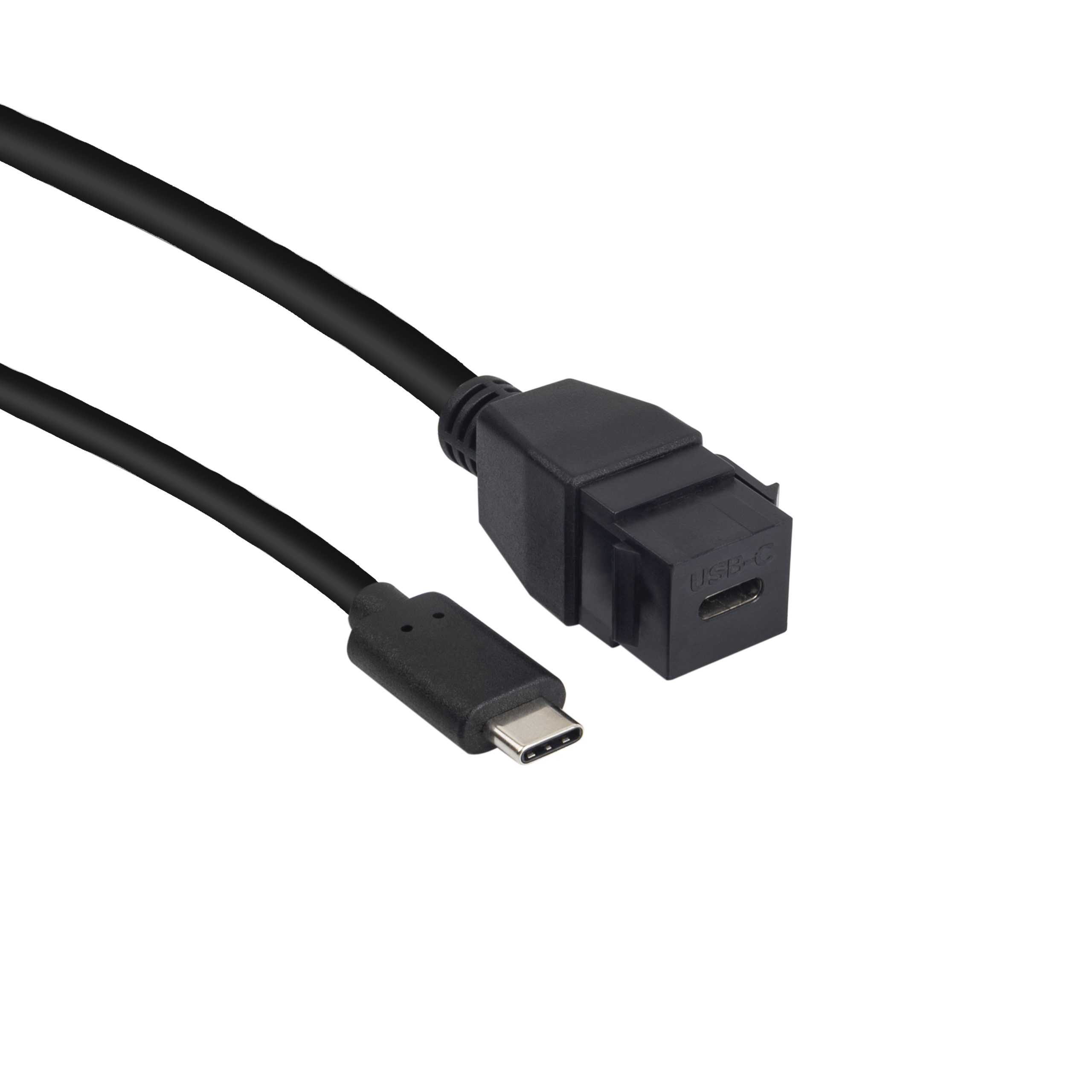
The electrical side matches any other lead of the same grade: 5 Gbps for a USB 3.2 Gen 1 assembly and 10 Gbps for Gen 2, with power delivery negotiated between the host and the device.
What changes at the panel is mechanical rather than electrical. A socket that moves under a plug wears the mating surfaces, and that shows up as an intermittent link long before anything fails.
USB-C panel mount cable vs keystone jack on a cabinet panel
The choice of a USB-C panel mount cable vs keystone jack comes down to where the load lands. A keystone insert is held by the plastic frame around a rectangular opening, so the panel takes the push. A screw-mount body is held by its own fasteners, so the load goes into the sheet metal around the screw holes instead.
Eilinks Eletronics builds both versions, and the drawing that ships with the order states which one the opening is cut for.
A thin panel favours the keystone route because there is less metal to thread. A thick panel, or a door that is opened often, favours the screw mount, because the fasteners can be re-tightened without replacing the insert.
Neither route tolerates an opening cut to the wrong size. A rectangular cut that is a fraction wide leaves the insert free to move, and no amount of tightening removes that movement.
Why does a USB-C panel mount cable come loose?
The failure that arrives most often, a loose USB-C panel mount cable, has four causes and only one of them is a faulty assembly. The fasteners were not tightened to a stop, the panel is thinner than the body was designed for, the tail inside the cabinet hangs from the socket, or the plug is being pushed in by the cable rather than by the operator.
| Observed symptom | Likely cause | Check to run |
|---|---|---|
| Socket moves when a plug is inserted | Fasteners loose or panel too thin | Measure the panel and re-torque |
| Link drops when the door moves | Tail weight pulling on the socket | Add a service loop behind the panel |
| Insert sits proud of the panel face | Opening cut oversized for the body | Compare the opening with the drawing |
A Chinese-made USB-C panel mount cable that states its panel thickness range and its fastener type removes most of the guesswork from those four checks.
Where does the strain relief belong?
Strain relief for USB-C panel mount cable belongs where the load enters the assembly, and that point is the panel opening rather than the plug. A moulded boot behind the flange spreads a pull over a longer section of jacket.
Eilinks’ build notes put a service loop of about 100 mm behind every panel assembly, because a tail pulled straight into a cable tray transmits every movement of the door back to the socket.
The inside run matters as much as the outside one. A tail that leaves the socket at a right angle and then bends again within a few centimetres puts two bends into one short length of jacket.
How to check a USB-C panel mount cable before a batch order
Four USB-C panel mount cable anchoring checks settle most of the risk: the panel thickness the body accepts, the fastener or clip type, the clearance behind the opening, and the strain relief at the flange.
The order matters less than running all four on the same sample, and where the panel is used and re-used, panel port protection for repeated plug-in workflows covers the wear that follows.
Two of the checks are documentation rather than hardware. USB-IF certification requirements for USB-C panel mount cable describe what an assembly must be able to do, while CE marking requirements for USB-C panel mount cable sit with the finished product placed on the market. Neither document replaces a sample, and neither tells the buyer whether the fasteners will still be tight after a year of service. The useful question is whether the paperwork describes the body that was actually shipped, and that is answered by measuring the opening against the drawing rather than by reading either document on its own.
| Check | What to confirm | Failure mode if missed |
|---|---|---|
| Panel thickness | The body accepts the sheet gauge in use | Socket loose or insert crushed |
| Fastener or clip | Screw mount or snap-in matches the opening | Body cannot be fitted without rework |
| Clearance behind | Room for the tail and the service loop | Tail bent hard against the socket |
| Strain relief | Moulded boot covers the flange transition | Jacket splits at the panel opening |
- Measure the panel at the opening, not at the drawing
- Confirm the body type against the cut
- Leave room for the service loop behind the flange
A sample fitted to a piece of sheet metal of the same thickness as the cabinet is worth more than any drawing. A panel that flexes under a plug load behaves differently from a rigid one.
Where the opening already exists, pass-through selection for equipment enclosures covers which bodies will fit an opening that was cut for something else.
USB-C panel mount cable for equipment cabinets
An equipment cabinet puts a socket where nobody looks after commissioning. Dongguan Eilinks supplies these assemblies with moulded flanges for that reason. The socket is fitted once and then judged by whether the plug still seats firmly after a year of service.
A screw-mount flange is worth the extra cost where the panel is opened for service, because the fasteners can be checked without removing the assembly from the opening. A clip-in body is faster to fit the first time and slower to check afterwards.
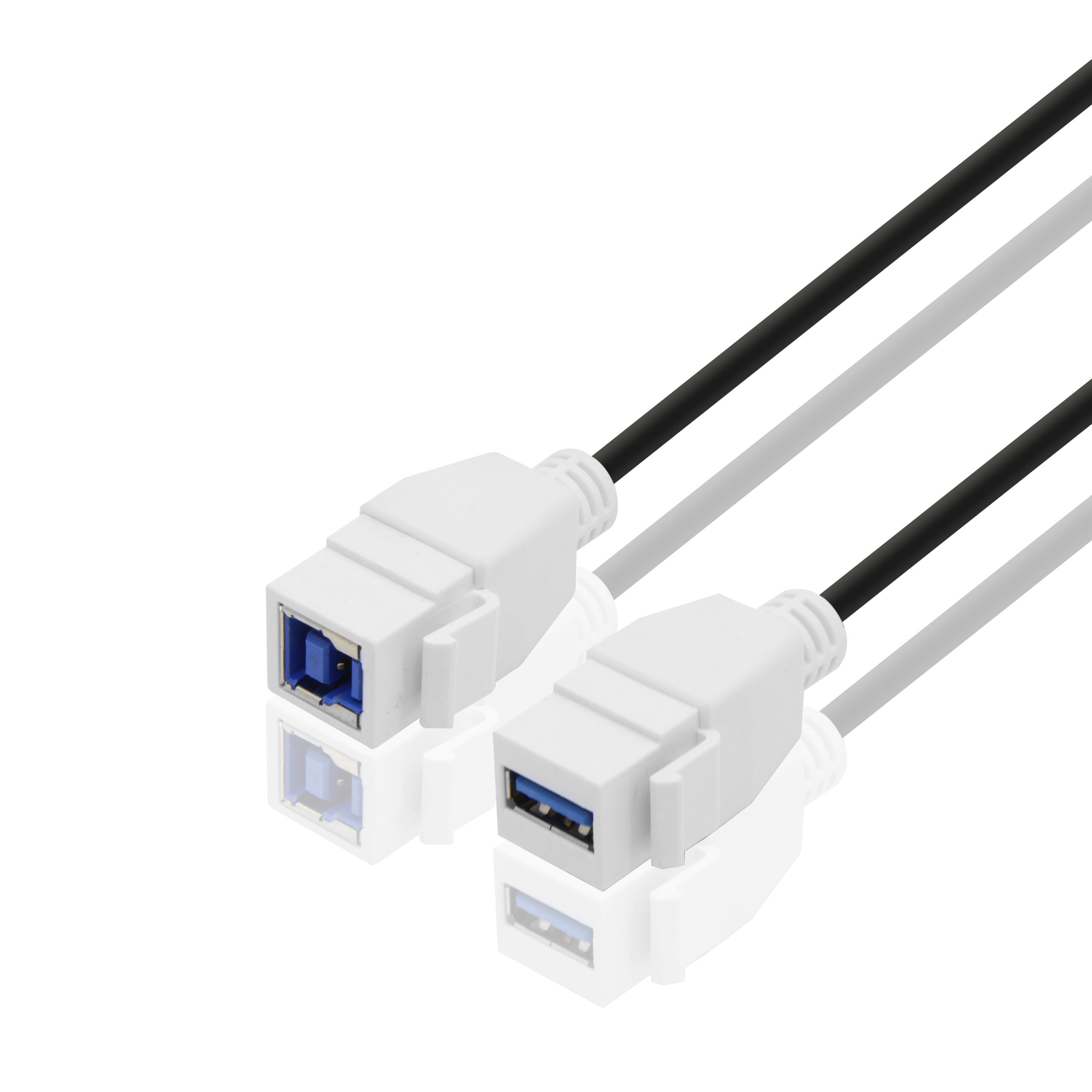
Where the opening is already cut for a keystone insert, a panel mount USB 3.0 B bulkhead cable shows how the same anchoring logic is applied to a legacy port.
That is what a USB-C panel mount cable for equipment cabinets has to survive: not what it does on a bench, but whether the socket is still steady on the day the cabinet is opened for a service visit.
Spare assemblies belong in the commissioning kit, and each one should be labelled with the panel thickness it was cut for. A socket that is replaced with a body of the wrong gauge is the second visit nobody plans for.
The panel is usually the part that cannot be changed late. Once the opening is cut, the body has to match it, which is why the measurement belongs at the front of the process rather than at the end.
- The system owner confirms the panel thickness and the opening position
- The sourcing engineer confirms the body type and the tail length
- The supplier pins the flange drawing and the strain relief
- The installer confirms the service loop behind the panel
China USB-C panel mount cable supplier checks
Eilinks is a USB-C panel mount cable manufacturer, and three questions separate a supplier who can support a cabinet programme from one who only ships boxes. Can they state the panel thickness range, name the fastener type, and hold the flange drawing across repeat batches?
A USB Type-C cable and connector specification requirements reference is the answer to expect in writing, because the connector dimensions sit inside that document. A China USB-C panel mount cable supplier and a USB-C panel mount cable factory in China are judged on the same three answers.
Questions buyers ask
Does a USB-C panel mount cable need a specific panel thickness?
Yes. Every body is designed for a range, and a panel outside that range either leaves the socket loose or crushes the insert. The thickness range belongs on the drawing.
Can a USB-C panel mount cable be fitted to a plastic enclosure?
Usually yes, where the wall is thick enough to take the fasteners or the clip. A thin moulded wall needs a backing plate, or the opening deforms under the load.
Why does the socket turn in the panel?
The fasteners are loose, the opening is oversized, or the body is a snap-in type fitted to a panel thinner than it was designed for. Turning under a plug is the first sign that the anchoring has failed.
What should be written on a USB-C panel mount cable drawing?
The panel thickness range, the fastener or clip type, the opening dimensions, the tail length and the bend direction. Those five items decide whether a repeat batch fits the cabinet opening.
Where the checks lead
Almost every USB-C panel mount cable problem traces back to three points: the panel thickness at the opening, the body type that matches the cut, and the strain relief at the flange.
Eilinks keeps the anchoring question on the drawing because that is what a repeat order is measured against.
Send the panel thickness, the opening position and the cable run length to our panel mount engineering desk and the assembly can be matched to the cabinet.
